Public pages, history, retention, and demo data
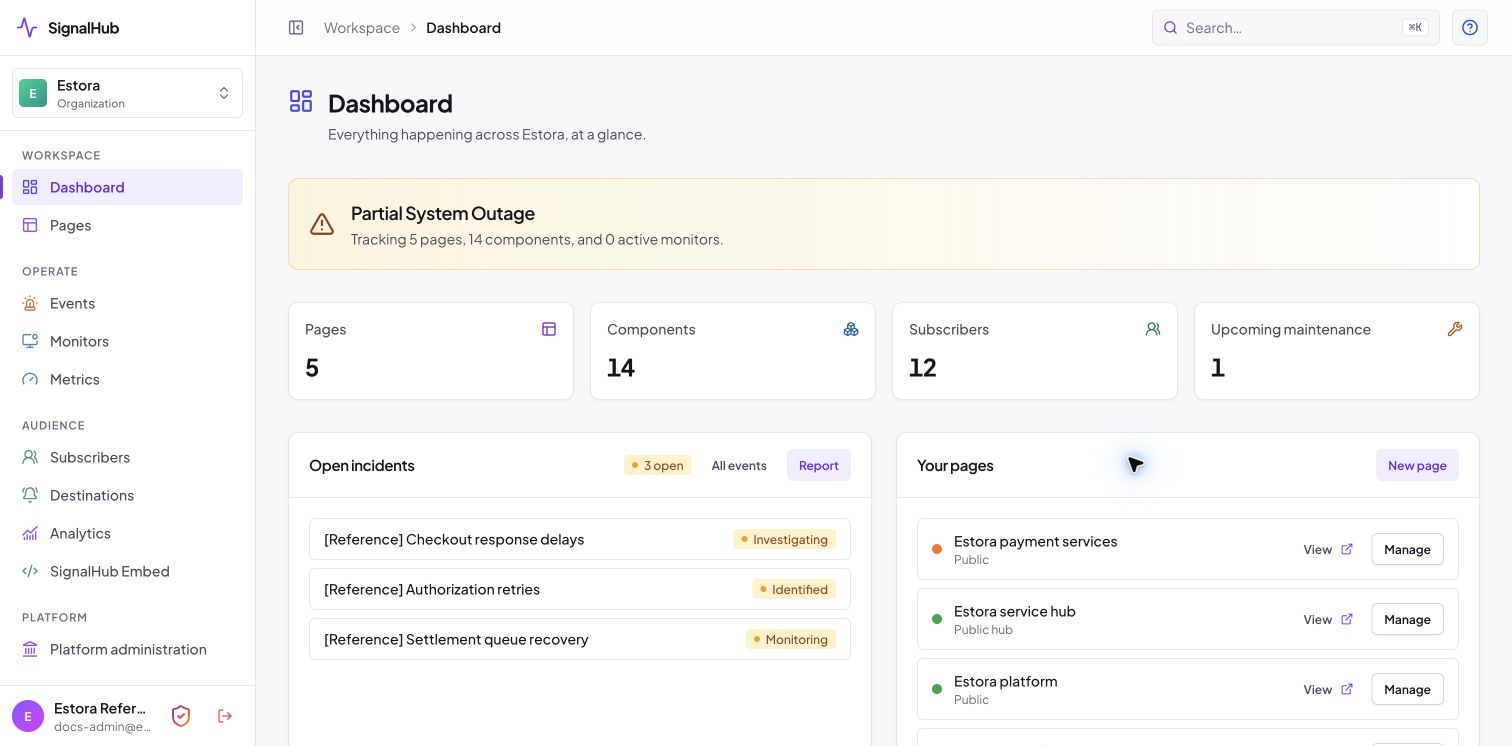
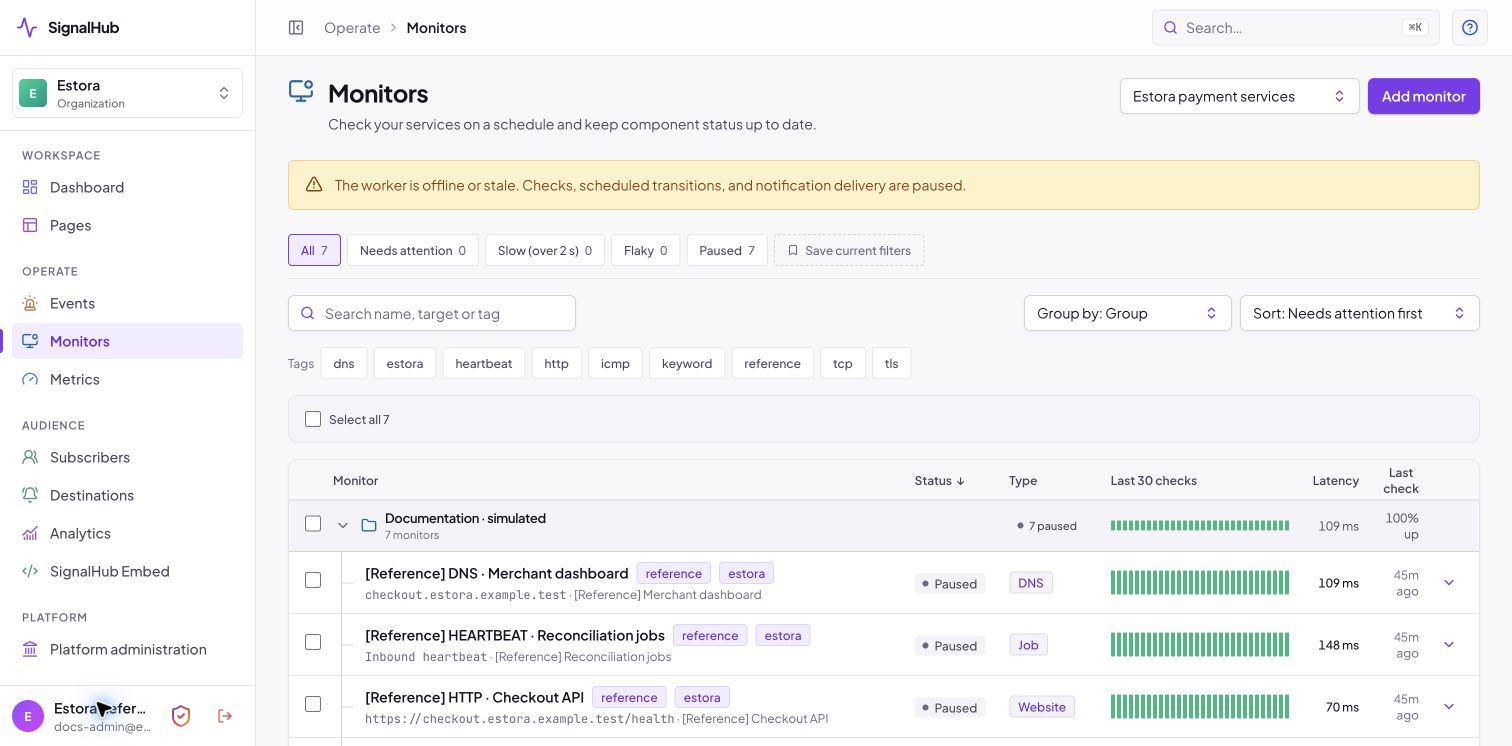
All images are for reference only. Screens use synthetic Estora development data and do not describe real service availability.
On this page
Service groups
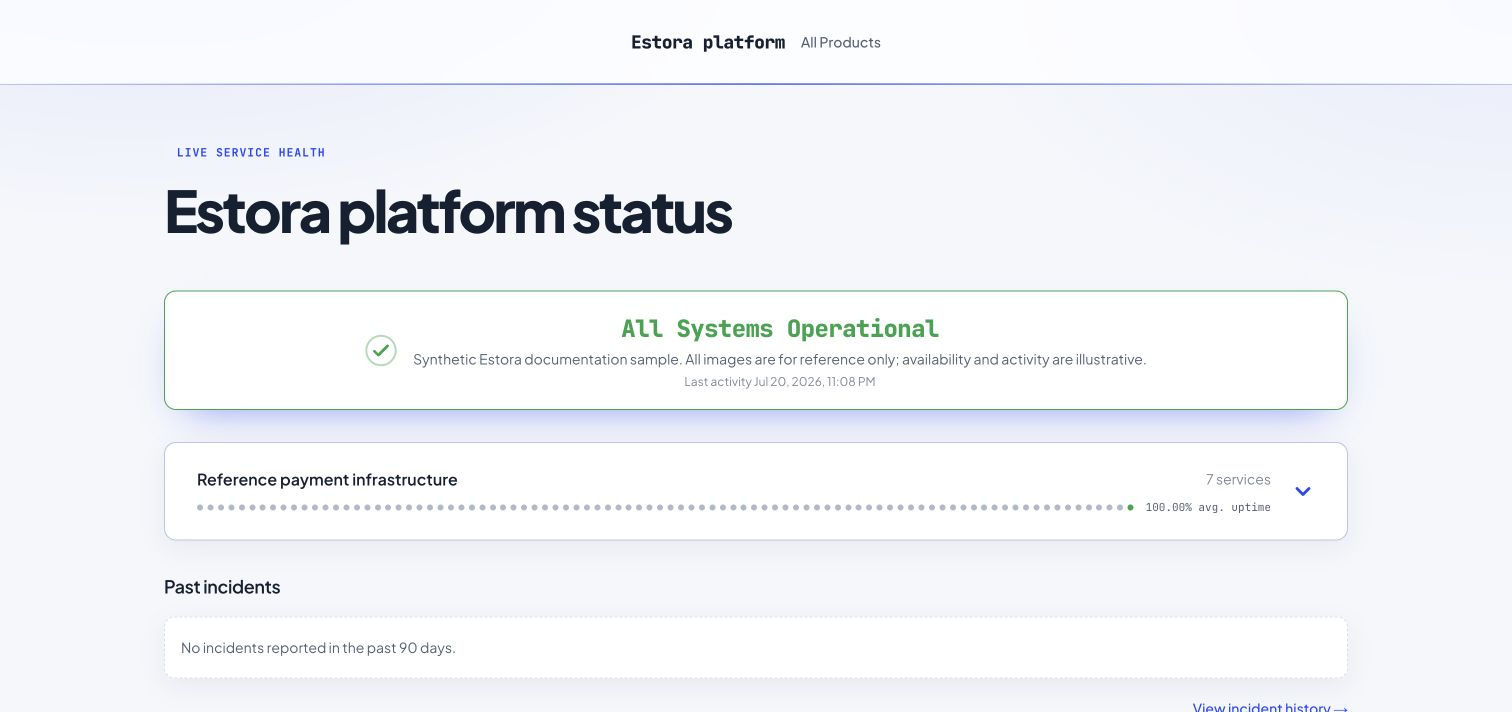
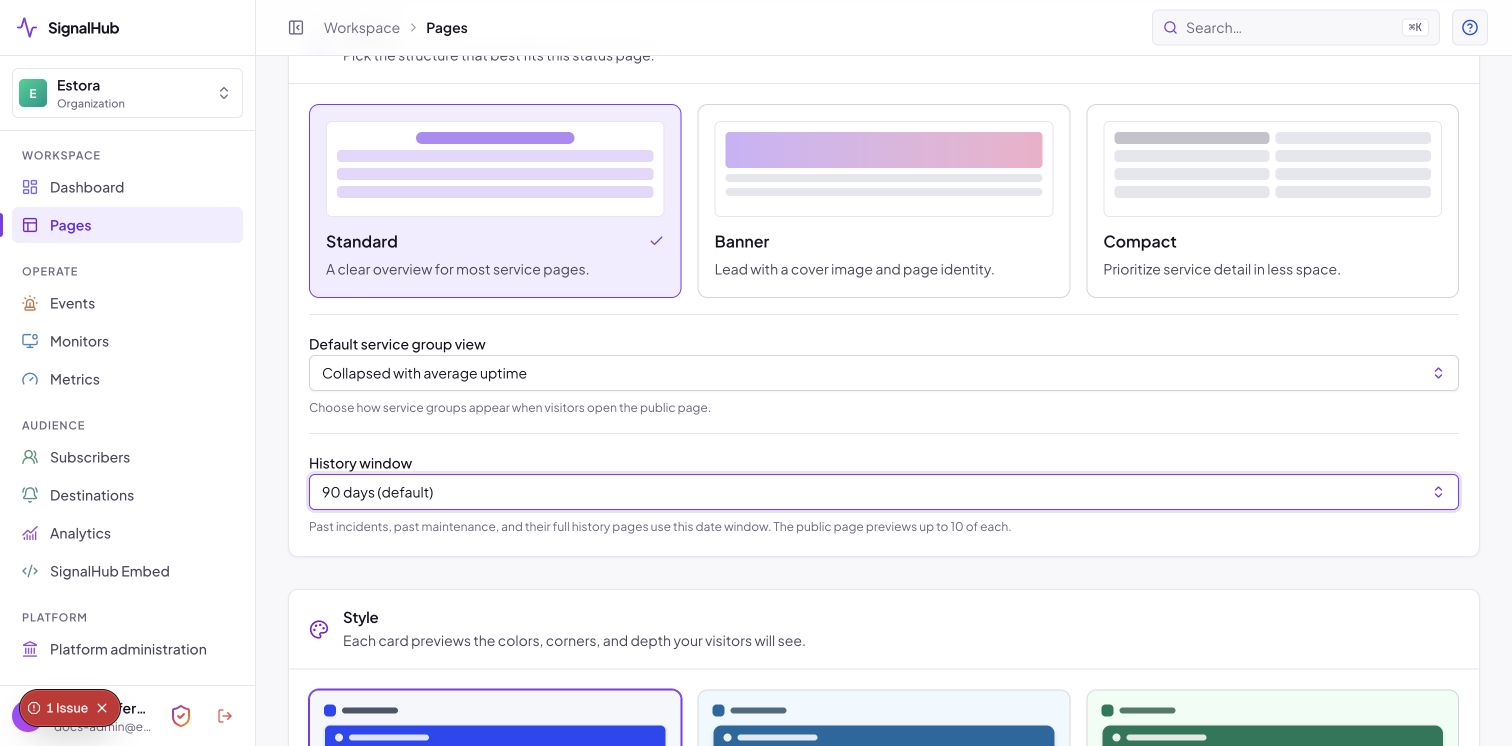
Choose Default service group view when creating a status page:
- Collapsed with average uptime is the default. Each closed group shows its service count, a daily history of small solid circles, and average uptime for its services. Color indicates the worst observed service status for that day; the percentage is weighted by observed service time. Unobserved time is excluded rather than counted as uptime.
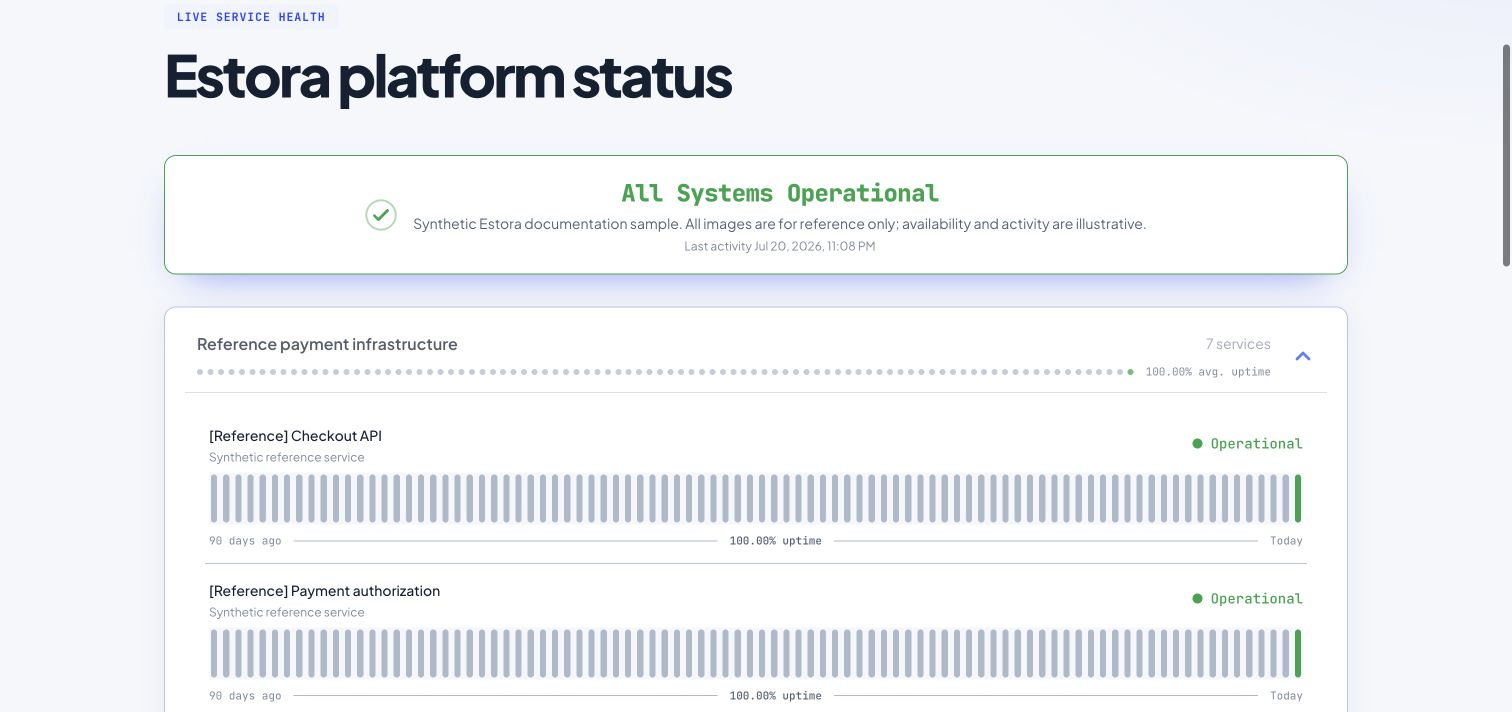
- Expanded opens the service groups so visitors can read individual services and their histories immediately.
Change this later in Pages → your page → Appearance → Layout. Appearance changes are saved as a draft; select Publish changes to apply them to the public page. The default applies when visitors open the page; they can expand or collapse groups themselves. On narrow screens the group summary shows the most recent 30 circles; the average still covers the configured uptime window. Individual services retain their configured uptime visualization.
Editing and ordering services
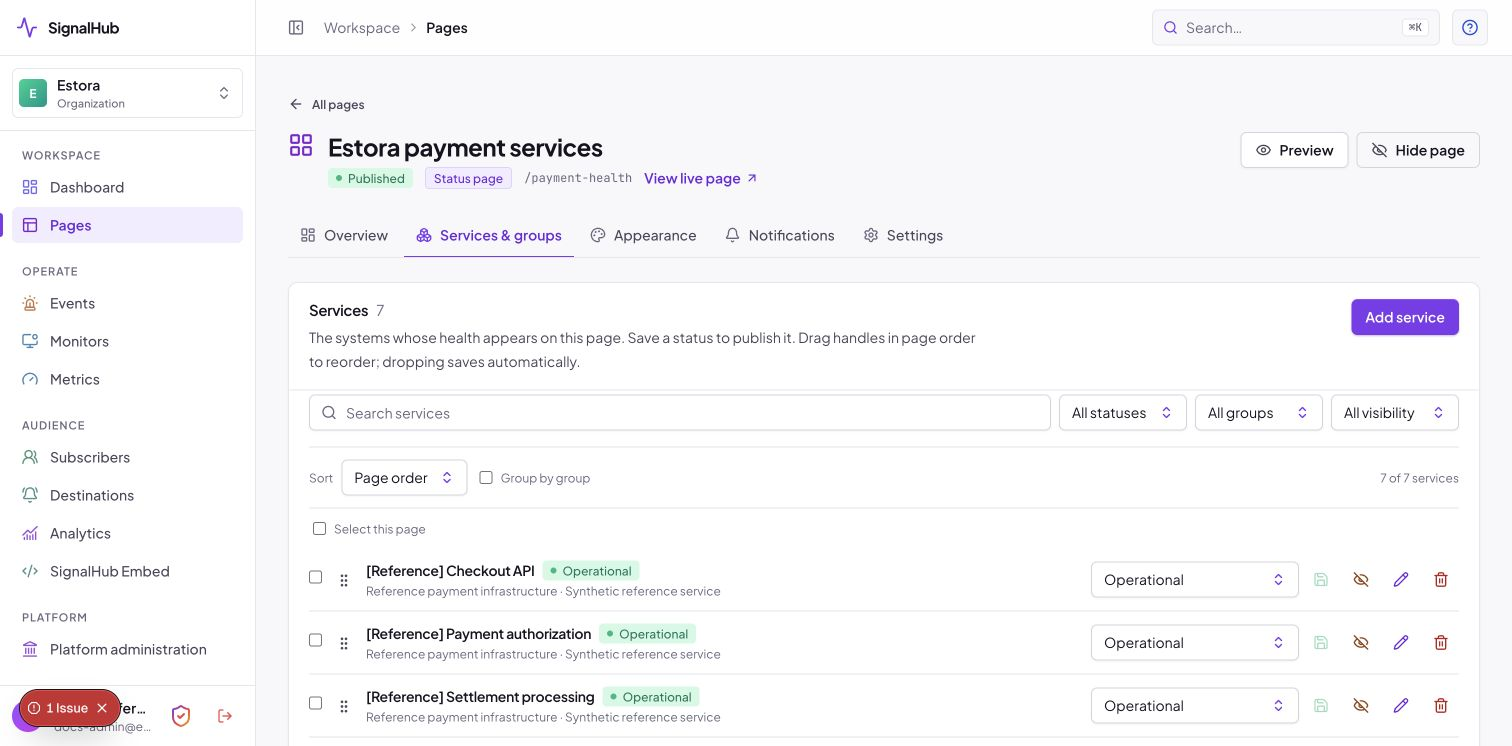
Under Services & groups, change a service status and select its green save icon to publish the change. An unchanged value has a disabled save button. Status changes are explicit; changing a dropdown alone does not publish.
Drag a service using its six-dot handle. Dropping saves the order automatically, with a confirmation or an error message. Failed saves restore the previous order. Dragging works with pagination and filters; services outside the displayed set keep their positions. Choose Page order and turn off Group by group before dragging. Keyboard users can focus the handle, press Space, use arrow keys, then press Space to drop; Escape cancels.
The sidebar footer's Security link uses a 24px shield with a gradient outline and red checkmark, and opens your account security settings.
Admin action icons use consistent colors: logout/delete red, help/view blue, external links/edit/history purple, and add/save green. Incident icons reflect severity while resolved incident icons are green; maintenance icons are blue. Existing labels and status badges remain available so color is not the only cue.
Incident and maintenance history
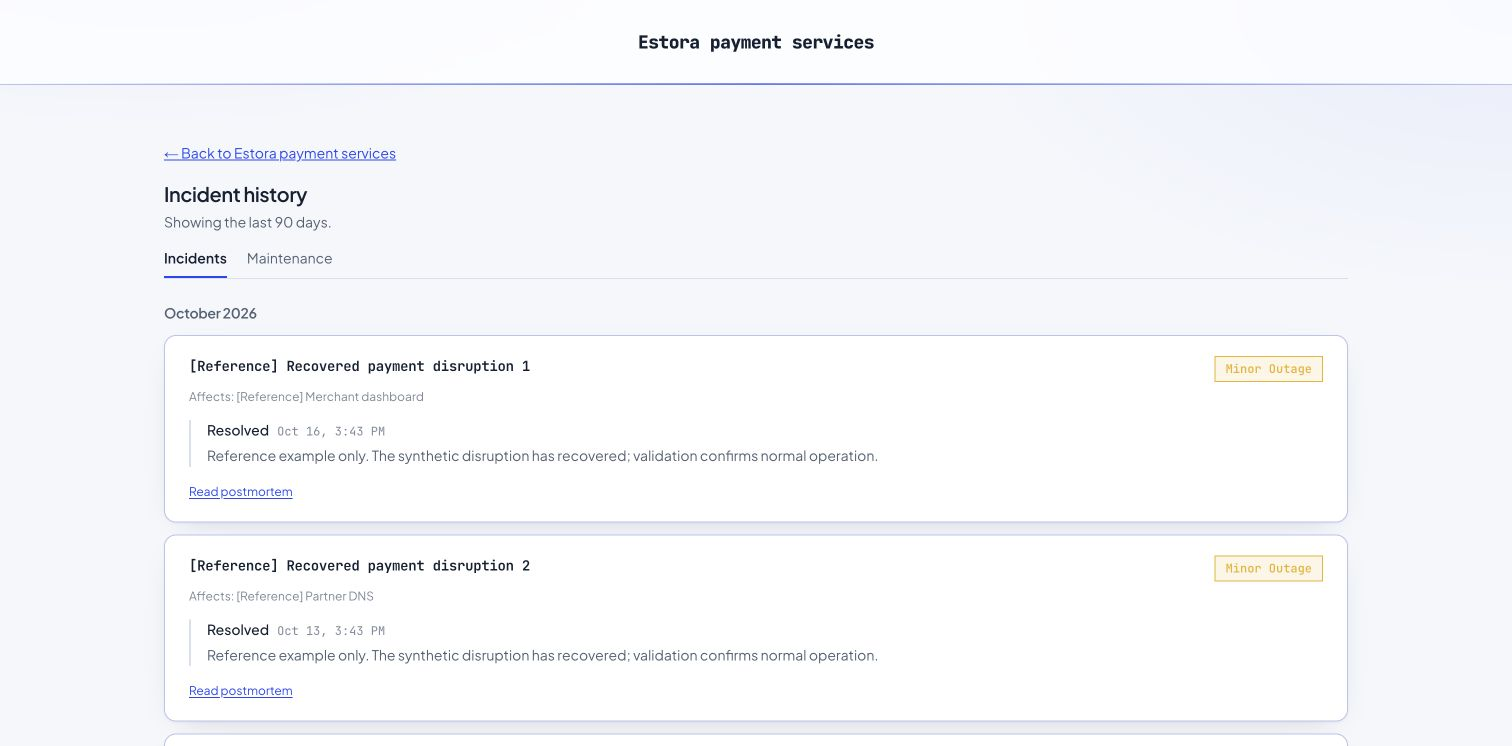
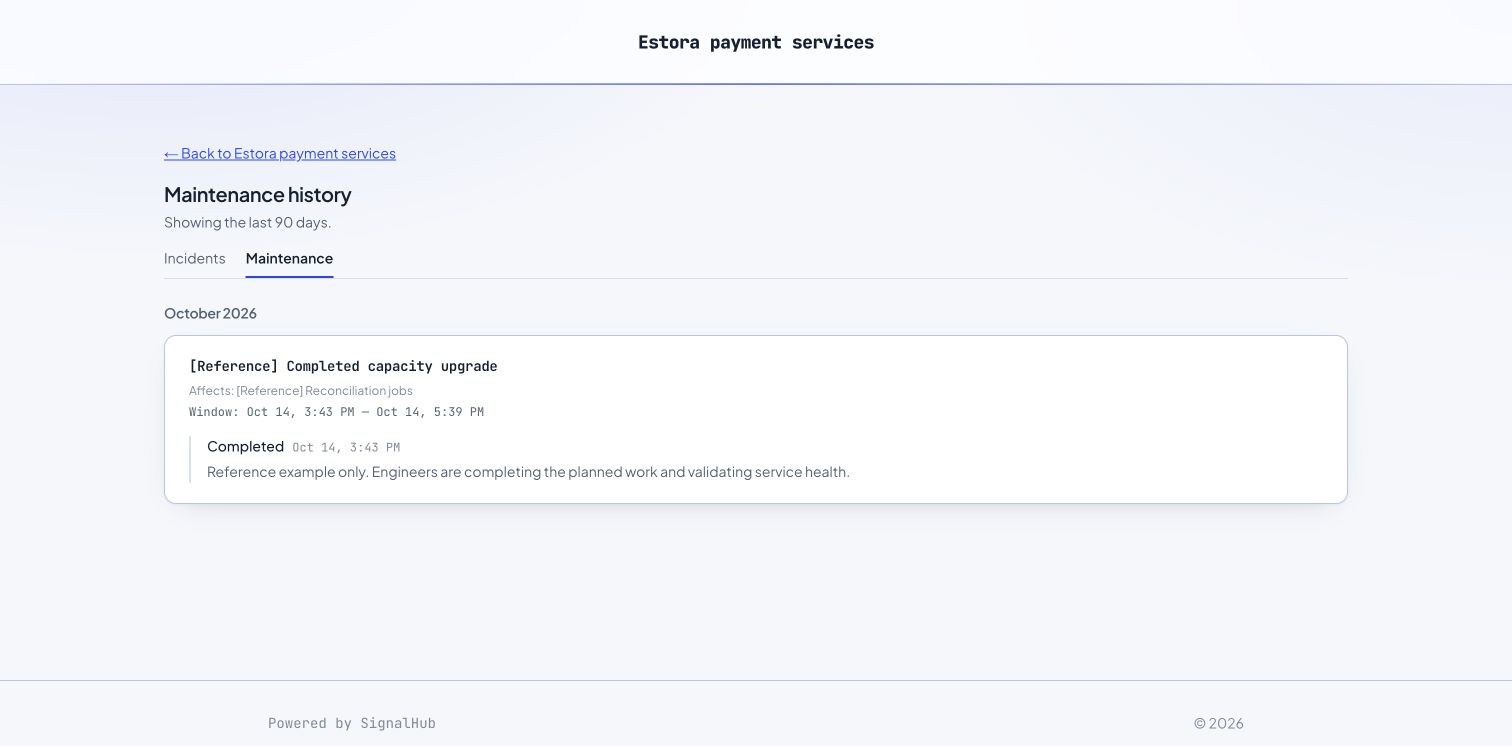
The public page shows up to 10 past incidents and 10 past maintenance windows. A View incident history → or View maintenance history → link follows the relevant preview. The full history has separate Incidents and Maintenance tabs and includes all eligible records in its date window.
Both previews and full history default to 90 calendar days, including today. In Appearance → Layout → History window, choose 30, 60, 90, 180, or 365 days, then publish. Active incidents and current/upcoming maintenance are separate from this past-history window. Hubs combine history from child pages the visitor can access; access restrictions and public visibility are still enforced.
A published postmortem is linked from its incident card. The incident detail page displays that content directly and does not repeat a link to itself.
Public subscription controls
The public Subscribe button appears only when:
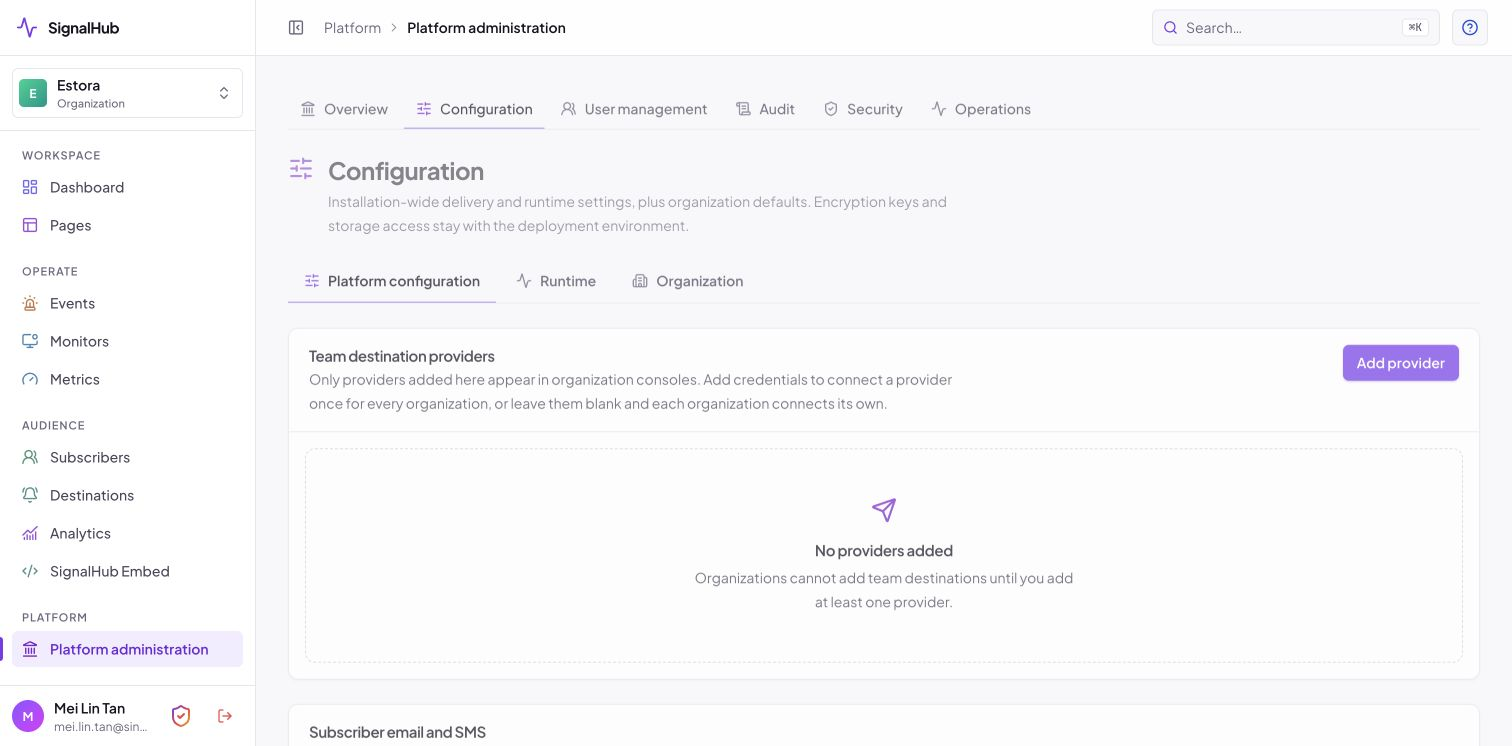
- Public subscriptions are enabled globally in Platform administration → Configuration.
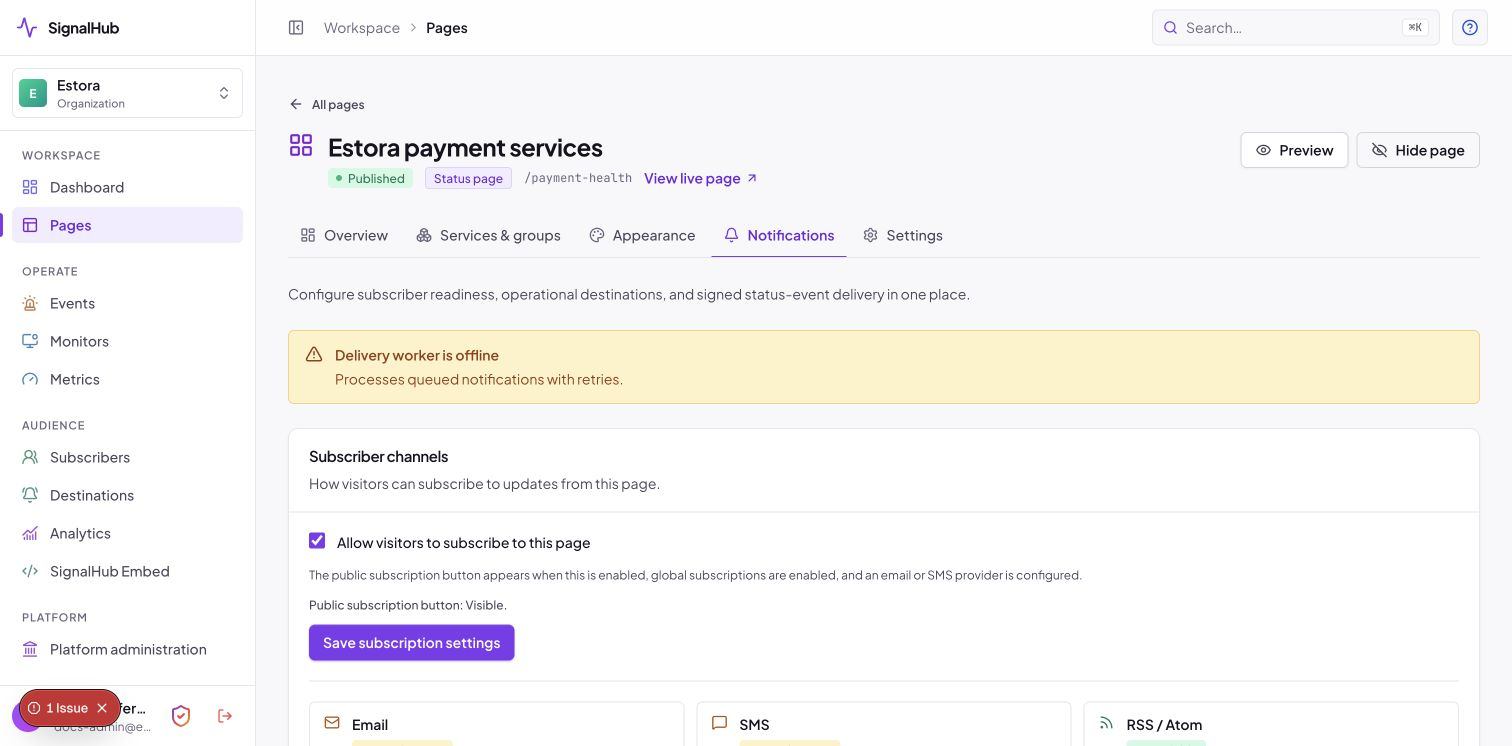
- Public subscriptions are enabled for the page under Notifications.
- At least one email or SMS delivery provider is configured and usable.
The dialog offers only available channels. An offline delivery worker is explained in the dialog and prevents OTP submission until delivery is ready. OTP request and verification also enforce the page and platform controls on the server. Disabling public subscriptions prevents new signups; it does not cancel existing subscribers or disable incident delivery to them. RSS/Atom feeds have their own access rules.
Stored data versus public display
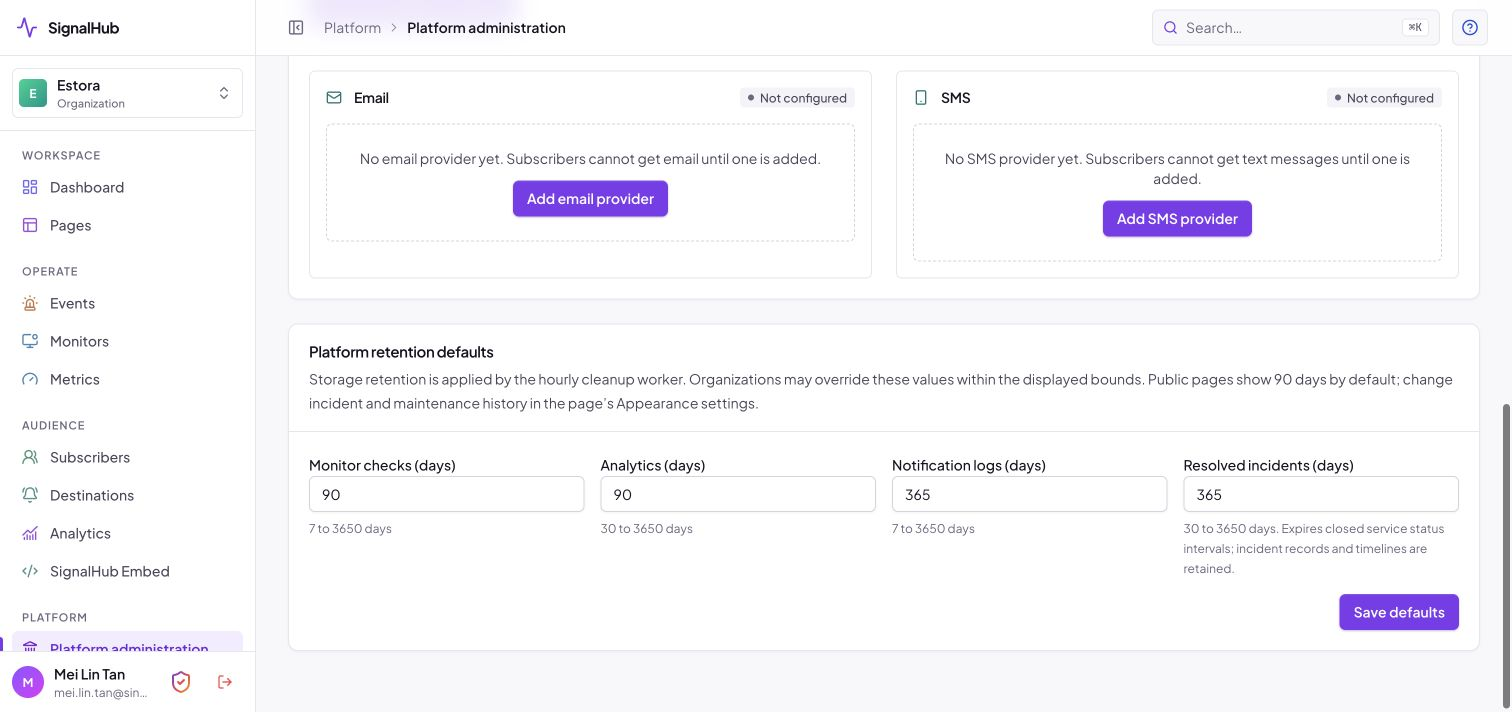
Platform administration → Configuration → Platform retention defaults controls storage cleanup. Organization settings can override those values within the allowed bounds.
| Data | Default storage window | Cleanup rule |
|---|---|---|
| Monitor checks | 90 days | Check timestamp |
| Analytics and metric points | 90 days | Analytics calendar date or metric timestamp |
| Notification logs and finished delivery jobs | 365 days | Log creation or finished-job update timestamp |
| Closed service status intervals | 365 days | Interval end timestamp |
The existing resolvedIncidentsDays policy field controls closed service status intervals. Incident records, completed maintenance records, postmortems, and timeline updates are retained; the sweep does not permanently delete them. Active status intervals and unfinished notification jobs are also preserved. Audit history keeps its separate 2,555-day policy; expired sessions are removed 30 days after expiry.
The worker applies cleanup hourly. It first removes rows according to each organization's policy and drops whole expired monthly check/metric partitions only when no tenant still needs them. A lease prevents concurrent duplicate sweeps and allows the next hourly run.
Public uptime defaults to 90 days. Incident and maintenance display windows are configured separately in Appearance. Metric charts initially show 90 days, with 24-hour, 7-day, 30-day, and 90-day choices; a visitor's saved chart preference takes precedence on return. Changing storage retention does not create missing history. Selecting a longer public display window only shows data that still exists.
Development sample data
These commands require NODE_ENV=development (or test) and ALLOW_DEV_SEED=true. They use the app's runtime configuration, including data/signalhub.json. Run only against your intended development database.
| Command | Effect |
|---|---|
npm run db:seed-organizations-demo |
Creates/replaces the five named sample pages and seeds their role accounts; includes history and monitoring enrichment. Existing sample pages are replaced. |
npm run db:enrich-organizations-demo |
Enriches existing named sample pages in place, preserving page, service, and account IDs and page settings. Rebuilds known sample history/timelines. |
npm run db:seed-minimum-demo |
Adds enough demo services and incident/maintenance records for every active organization to have at least 25 of each on its first status page. Existing accounts and settings stay intact. |
npm run db:seed-public-monitoring |
Adds/upserts the public reference monitors and simulated metric series for the five sample pages. |
npm run db:verify-organizations-demo |
Checks sample roles, service histories, public visibility, monitoring, metrics, and the 25-record minimum across organizations. |
For a complete fresh dataset, run the organization seed, then db:seed-minimum-demo, then the verifier. To extend an existing dataset, use enrichment and the minimum-data command instead of replacing the pages.
The optional multi-organization fixtures are synthetic development examples, not customer endorsements. One fixture remains publicly operational with its incident/maintenance examples private. Other sample pages include three active incidents, resolved incidents and completed maintenance spanning about 100 days, and ongoing/upcoming maintenance. Services demonstrate 365-day, 180-day, two-day, and one-day observation histories. Additional demo records are clearly labeled.
Each named page has two public reference monitors: the GitHub Status API and Cloudflare Status API. They check every 15 minutes with TLS verification, an identifiable user agent, HTTP status validation, and a JSON keyword check. They record real response times without flipping service status, creating incidents, or sending notifications. These are reference endpoints, not measurements of the sample brands' infrastructure.
Each page also has two explicitly labeled simulated metrics: response time and request throughput. The seeder creates 365 days of hourly demonstration points. Normal analytics retention then removes points older than its configured window (90 days by default). Real monitor latency is never backfilled with simulated measurements.
Verification
tests/integration/retention.test.ts runs only with an INTEGRATION_DATABASE_URL whose database name contains test. Use a disposable database: the tests migrate it and run cleanup. They verify default and overridden policies, timestamp boundaries, backfilled analytics cleanup, longer tenant windows, unfinished deliveries, active status intervals, active incidents, and the sweep lease. Public history window boundaries and group summaries also have unit coverage.
Verification for this update: 516 unit tests passed in the isolated commit snapshot (584 passed across the full workspace), the two disposable-database retention integration tests passed, lint and TypeScript checks passed, and Playwright verified automatic ordering across reloads, saved retention settings, collapsed circular summaries, public date windows and preview limits, postmortem links, provider gating, and mobile overflow.
See Configuration, Operations, and the screenshot index.