SignalHub documentation
All images are for reference only. Screens use synthetic Estora development data and do not describe real service availability.
Install SignalHub, learn every workflow, and operate your own status infrastructure. These guides are separate HTML files and travel with this website.
- Install and configure
Docker, Node.js, databases, first sign-in, and production setup.
- Learn the product
Roles, every menu, public visitors, incidents, maintenance, and communication.
- Look up an option
Page design, monitor authentication, automation, API access, retention, and platform settings.
- Explore the Estora screenshots
Current product screens with reference data and capture notes.
- Find build and installation files
Environment template, Compose, Kubernetes, cloud examples, and developer instructions.
Everything you need to install, run, secure and extend SignalHub. New here? Start with the setup guide, then switch on multi-factor authentication.
All images are for reference only. Screens use Estora development data and do not represent real availability. The complete standalone HTML documentation is served at http://localhost:3300/docs/. The separate signalhub marketing project can be deployed to a static host; see project separation.
Find your guide
| I want to… | Read |
|---|---|
| Look up every menu, field family and supported option | Menu and option reference |
| Understand Estora sample data and reference images | Reference data |
| See every feature with a screenshot and how to use it | Feature guide |
| Install SignalHub on a server in minutes | Setup and deployment guide |
| Deploy to Kubernetes, Render, Railway, Fly.io, AWS, Google Cloud or Azure | Deployment overview |
| Run it with Node.js and no Docker | Node.js guide |
| Look up an environment variable or a setting | Configuration reference |
| Configure service groups, public history, subscriptions, retention, and demo data | Public pages and data lifecycle |
| Protect sign-in with authenticator codes | Multi-factor authentication |
| Evaluate SignalHub for an enterprise: responsibilities, controls, evidence, architectures | Enterprise evaluation |
| Understand what is encrypted, audited and hardened, and the threat model | Security and data protection |
| Back up, restore, rotate keys, monitor, scale | Operations |
| See how SignalHub compares and what it costs | Comparison |
| Change the application homepage or deploy the separate marketing website | Landing pages |
| Click through every screen as an end user or admin | User manual (also served at /docs/user-manual.html) |
| Contribute code or docs | CONTRIBUTING.md |
| Report a vulnerability | SECURITY.md |
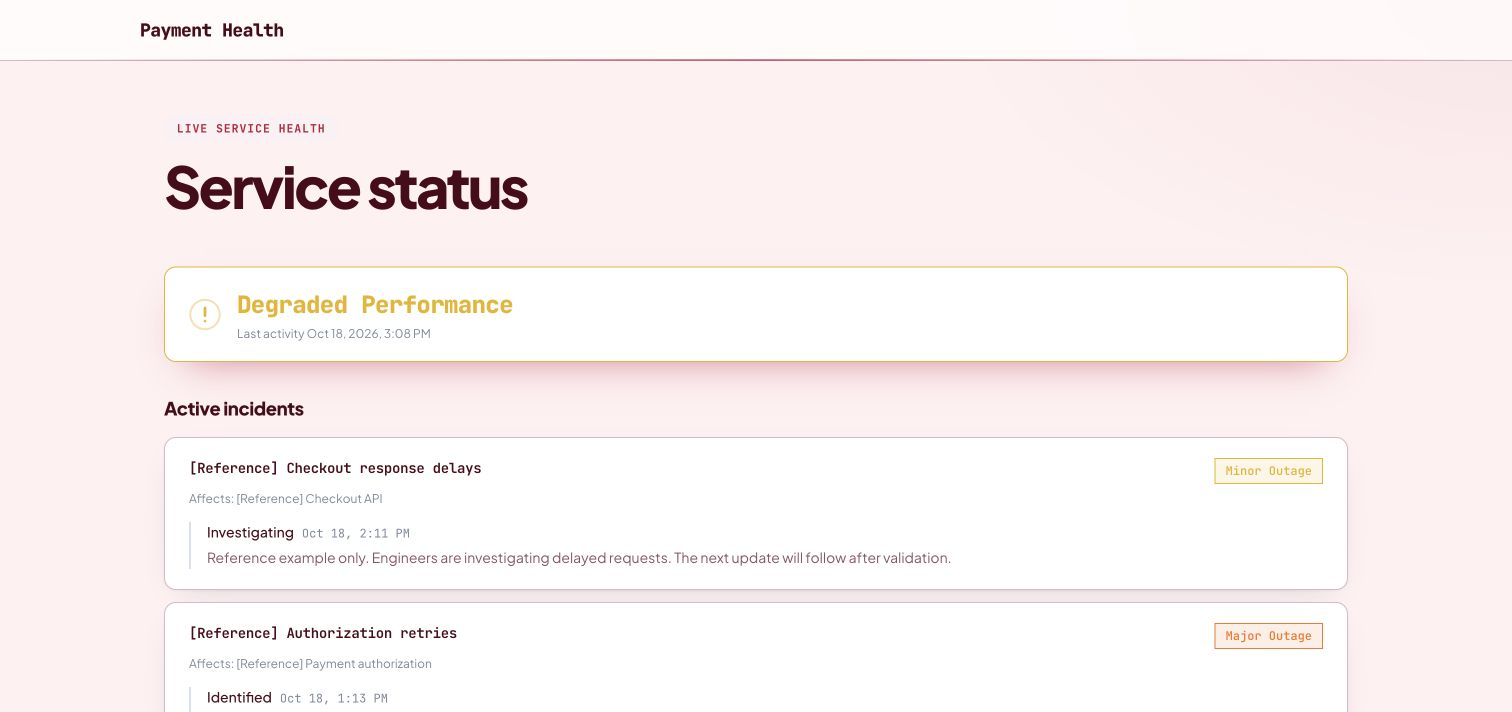
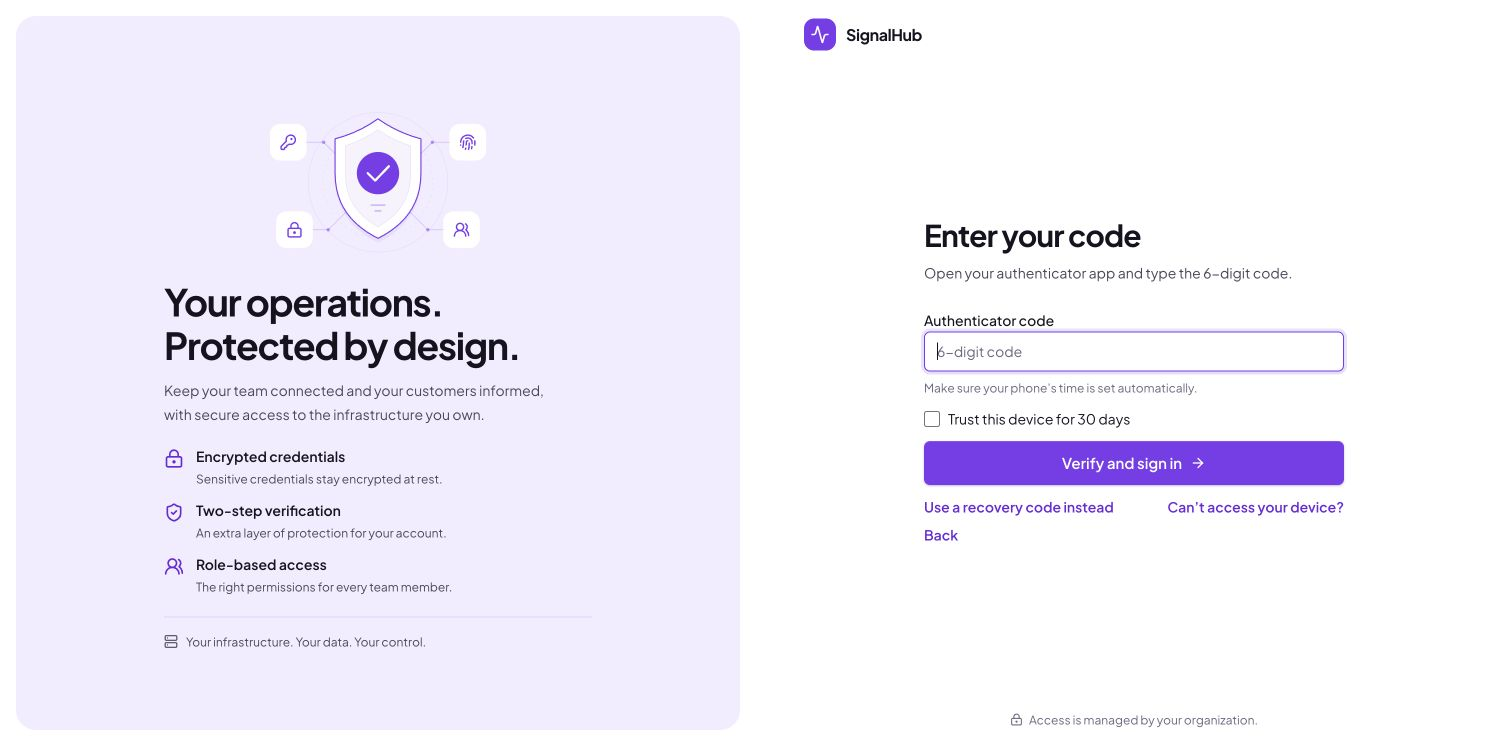
The product in pictures
 |
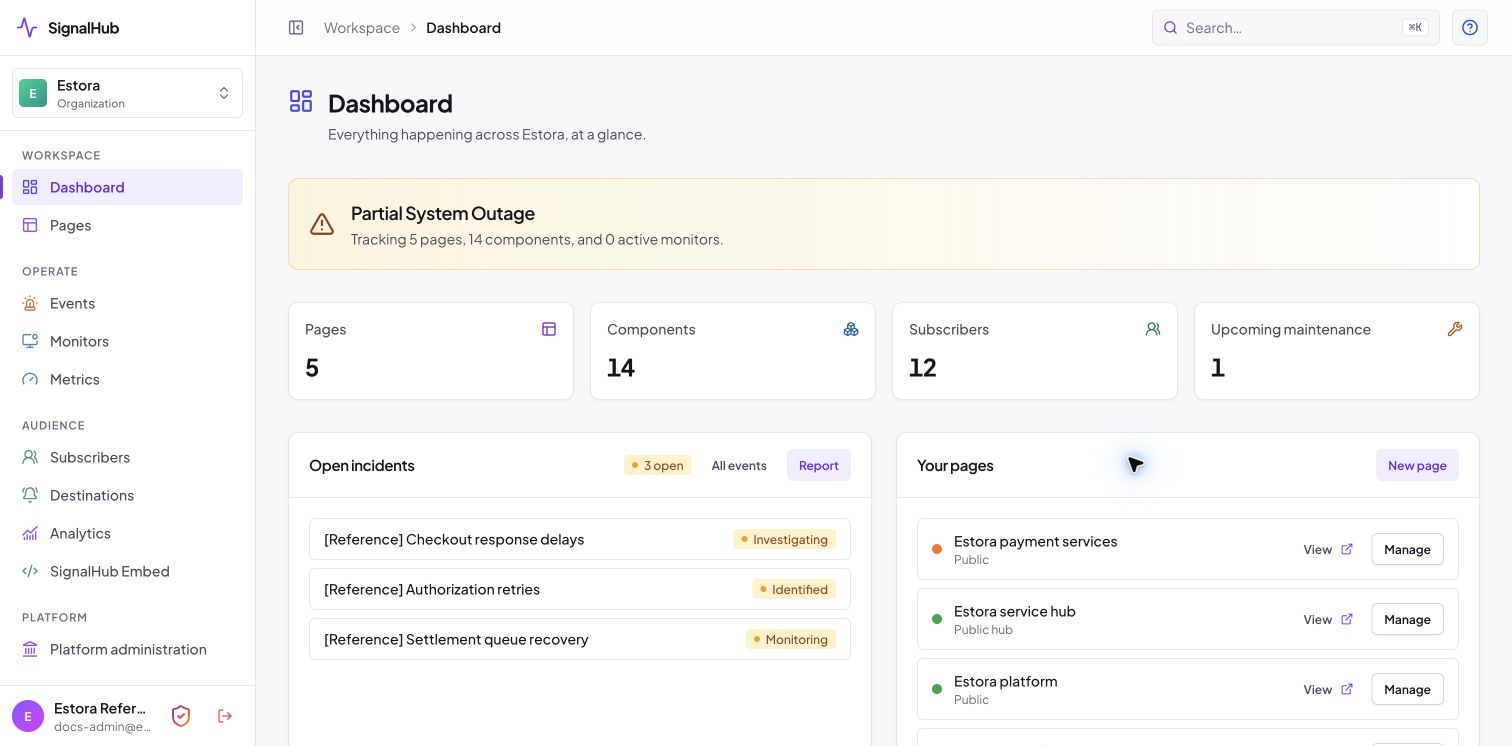 |
| What your customers see | What your team runs |
 |
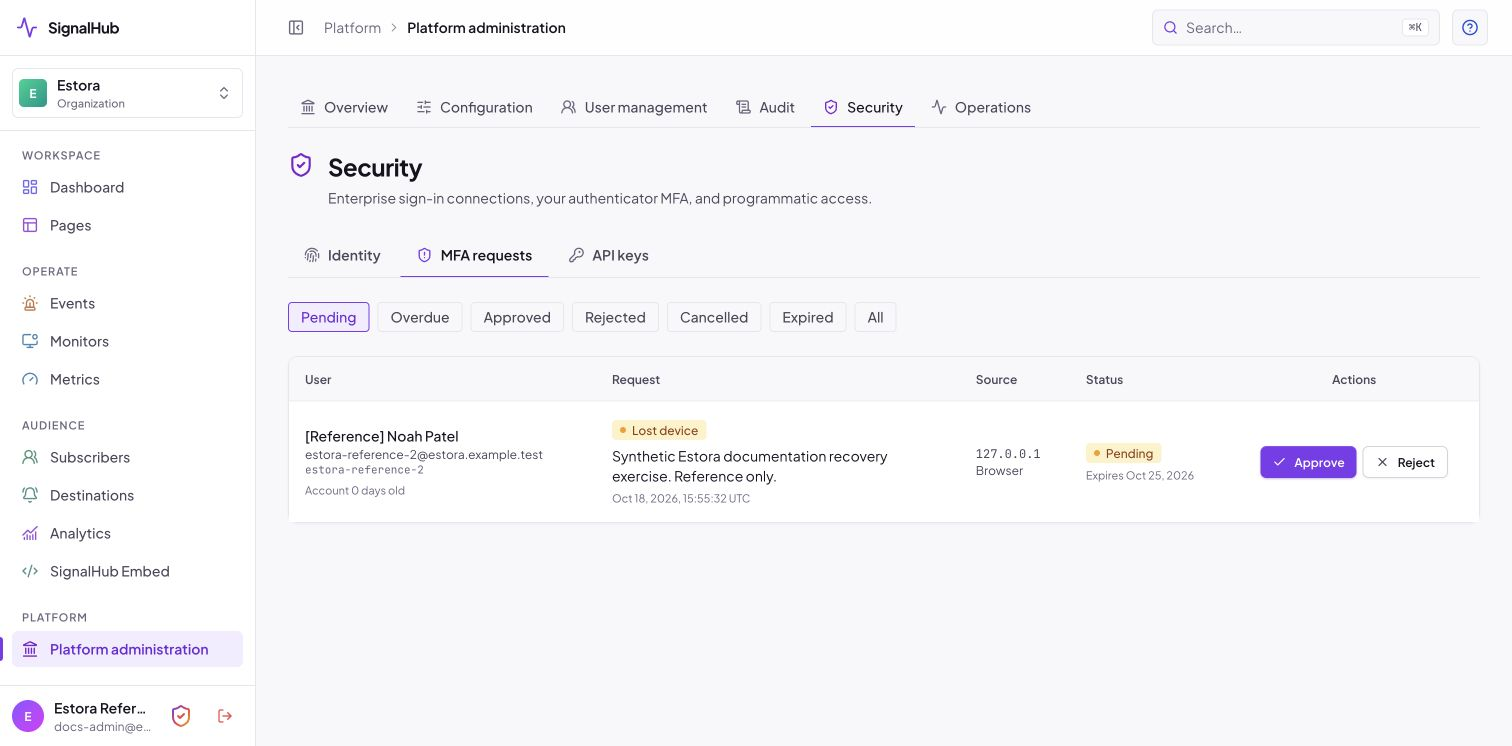 |
| Two-step sign-in | Admin-approved recovery |
Screenshot index
| Area | Screenshots in screenshots/ |
|---|---|
| Public pages | public-status-page, public-status-operational, public-incident, public-history, public-hub, public-mobile |
| Service groups and history | public-service-groups, public-services-expanded, public-maintenance-history, admin-service-group-settings, admin-page-services, admin-page-new, platform-retention |
| Setup and sign-in | setup-2-database, setup-2-database-url, login, forgot-password |
| Organization | admin-dashboard, admin-pages, admin-page-editor, admin-incidents, admin-maintenance, admin-monitors, admin-metrics, admin-subscribers, admin-destinations, admin-embed, admin-analytics |
| Multi-factor | mfa-enroll, mfa-recovery-management, mfa-login-code, mfa-lost-device, mfa-settings-devices, mfa-step-up, mfa-cancel-request, platform-mfa-setting, platform-mfa-requests, platform-mfa-approve, platform-users-mfa, platform-user-mfa-dialog, platform-audit-mfa |
| Platform | platform-overview, platform-users-roles, platform-api-keys, platform-identity-sso, platform-sessions, platform-audit, platform-configuration, platform-abuse-protection, platform-operations |
| Feature guide extras | admin-incident-new, admin-maintenance-new, admin-monitor-new, admin-monitor-edit, admin-monitor-auth, admin-monitor-thresholds, admin-team, admin-settings, admin-help, admin-page-status-pages, admin-page-appearance, admin-page-notifications, admin-page-settings, public-subscribe, public-hub, public-private-gate, public-audience-gate |
| Landing pages | application-workspace, landing-hero, landing-why, landing-product, landing-compare, landing-deploy |
Refreshed desktop screenshots preserve the current browser viewport and use Estora reference data; the mobile public view is 390×844. The current screenshot index records the verified reference captures. See the complete screenshot file index. How to retake them: CONTRIBUTING.md.