Feature guide
All images are for reference only. Screens use synthetic Estora development data and do not describe real service availability.
On this page
- Pages and hubs
- Private and audience access
- Design and publishing
- Incidents
- Scheduled maintenance
- Monitoring
- Metrics
- Subscribers and the public subscribe flow
- Notification destinations and providers
- Embeds and badges
- Analytics
- Team, roles and organization settings
- REST API and API keys
- Single sign-on and SCIM
- Multi-factor authentication
- Sessions
- Audit and SIEM
- Data lifecycle
- Platform console
- Runtime settings and abuse protection
- Operations view
- Observability and the command line
- Install and setup
- Landing page
Every SignalHub feature area on one page: what it is, how to use it in a few steps, and what it looks like. Each section links to the deeper guide. Desktop screenshots are 1440×900 captures of a running instance with demo data; mobile captures retain their phone viewport.
Pages and hubs
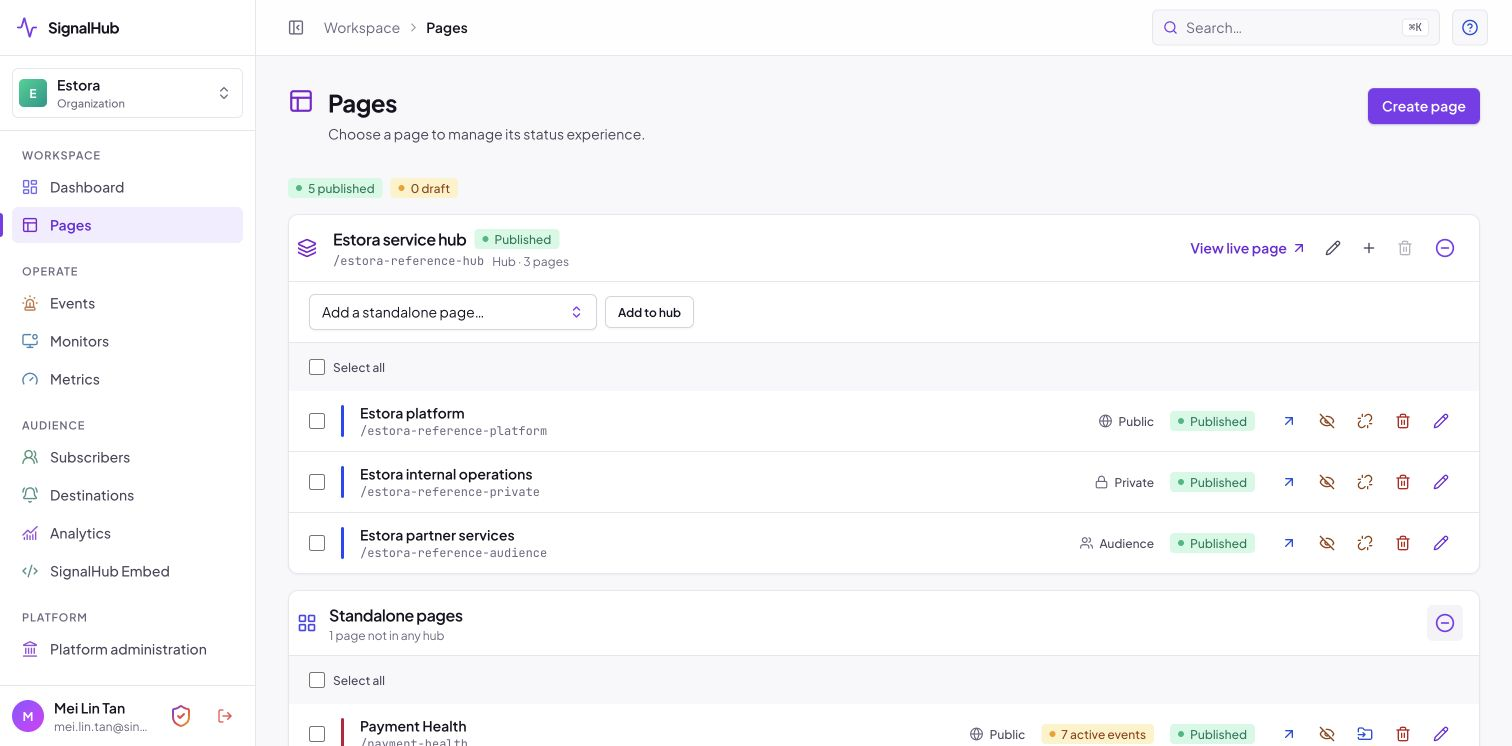
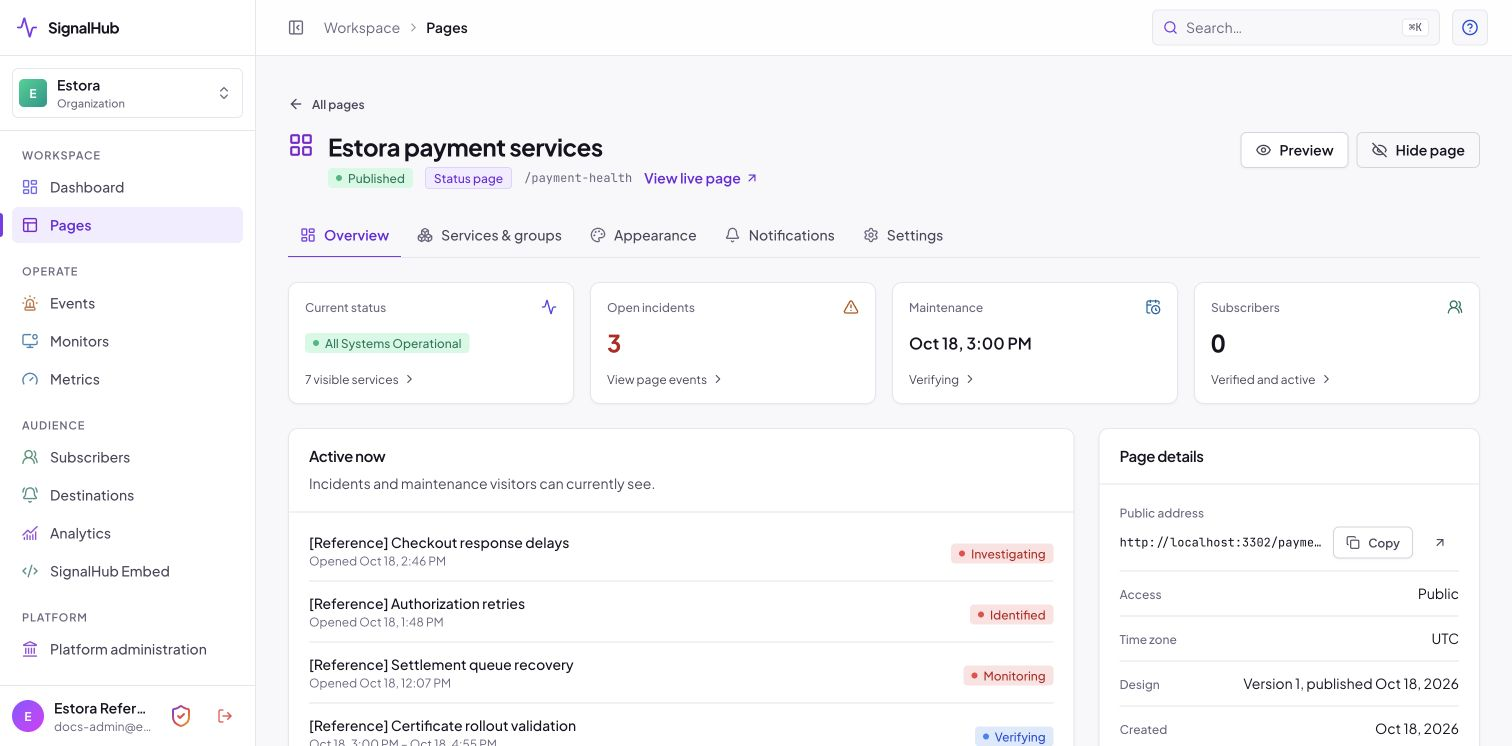
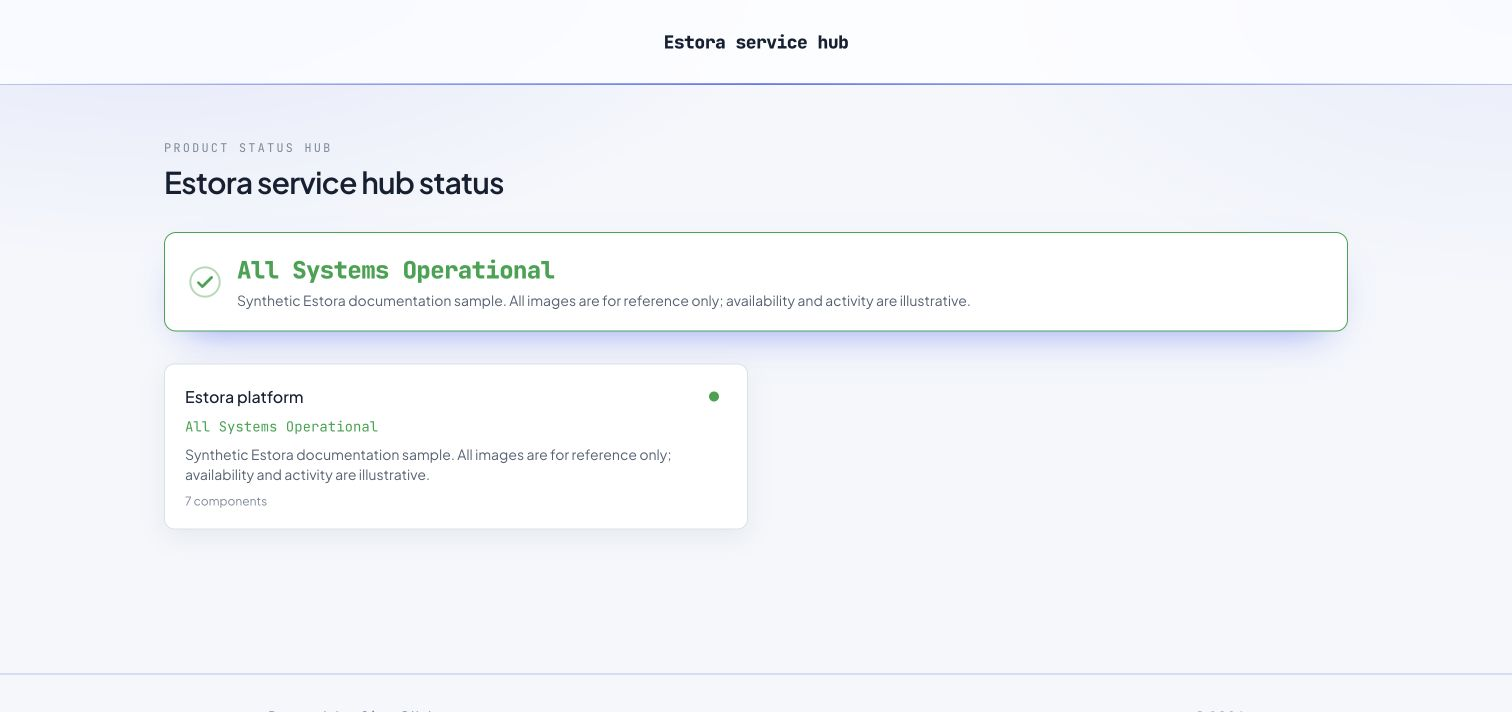
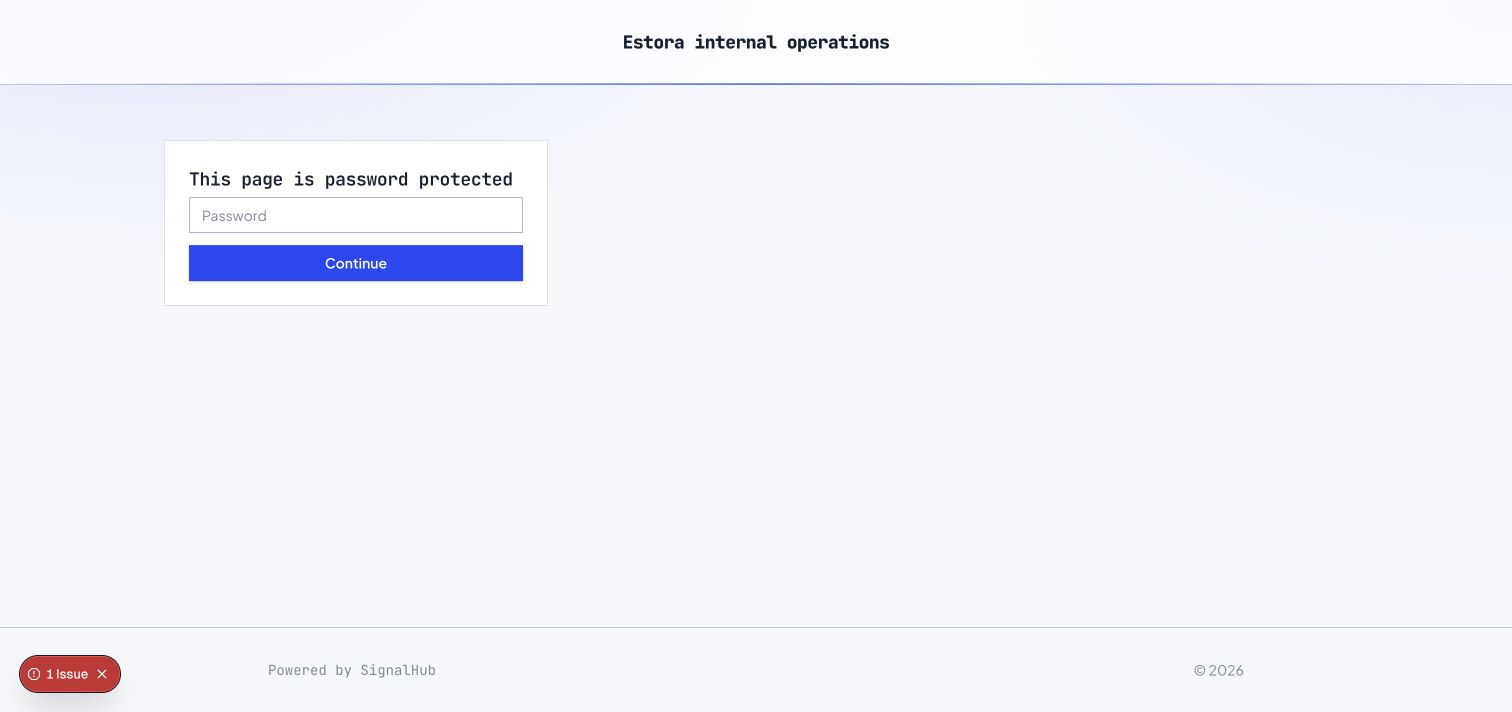
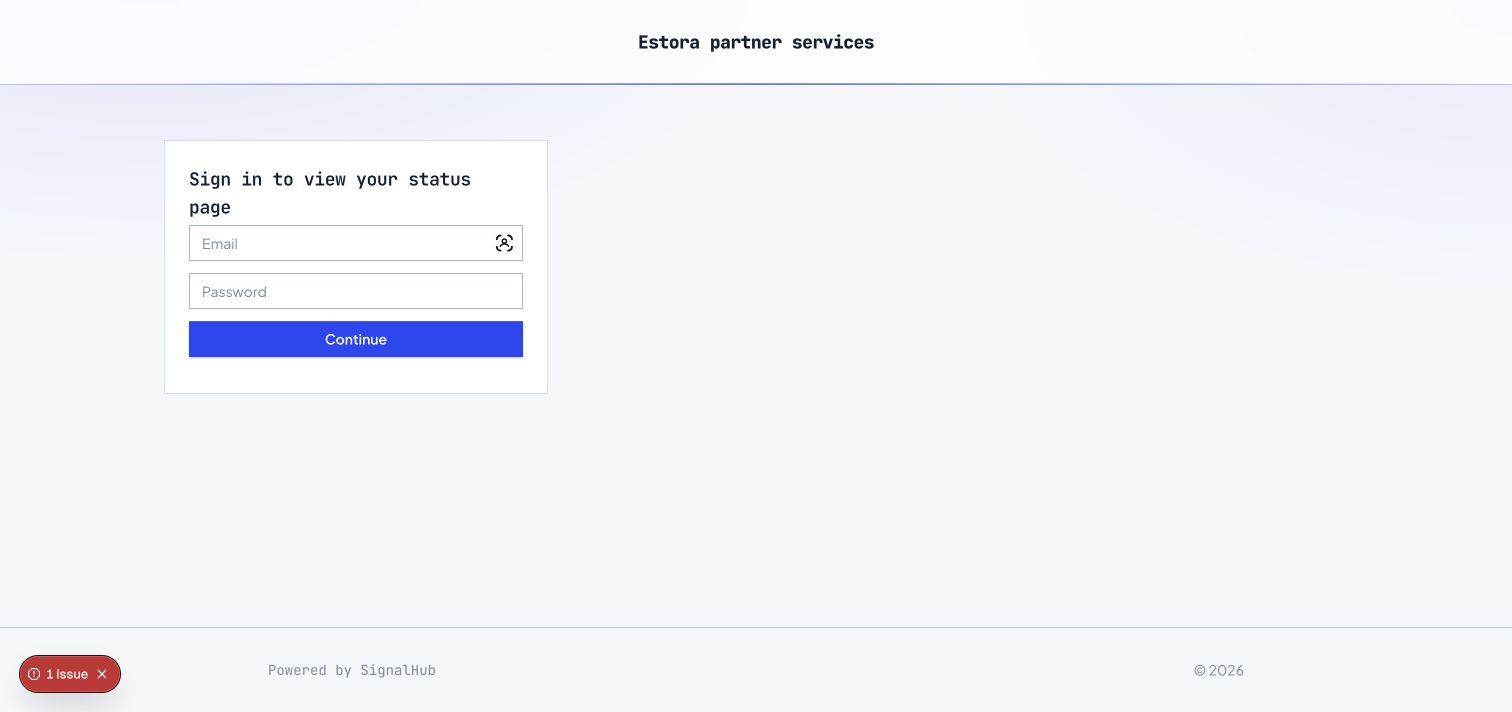
Three page types: public, private (shared password) and audience (named users and groups, per-component visibility). Hubs combine several pages into one "all our services" view.
- Pages → New page, choose public, private or audience.
- Add services and groups and order them by drag and drop.
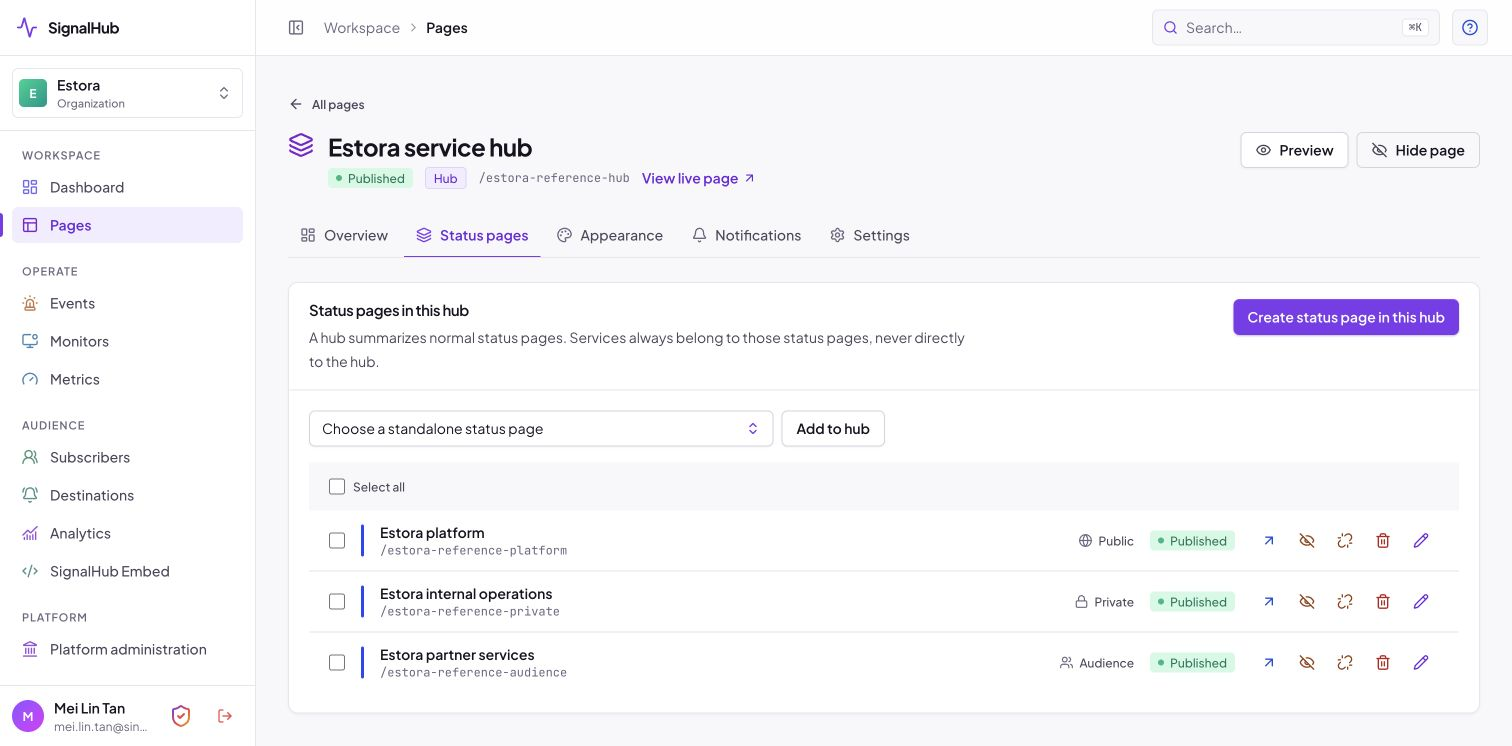
- Create a hub and add status pages to it; access is checked per child.
 |
 |
| Pages and hubs in one list | A hub: child pages, access and design version |
 |
 |
| Managing the pages inside a hub | What visitors see |
Private and audience access
A private page asks for one shared password. An audience page asks people to sign in and shows each person only the services assigned to them or their group. Feeds and badges for protected pages use revocable, scoped tokens, and access sessions are bound to the credential version, so changing a password signs everyone out of that page. A hub signs visitors in once while each child page still enforces its own rules.
 |
 |
Design and publishing
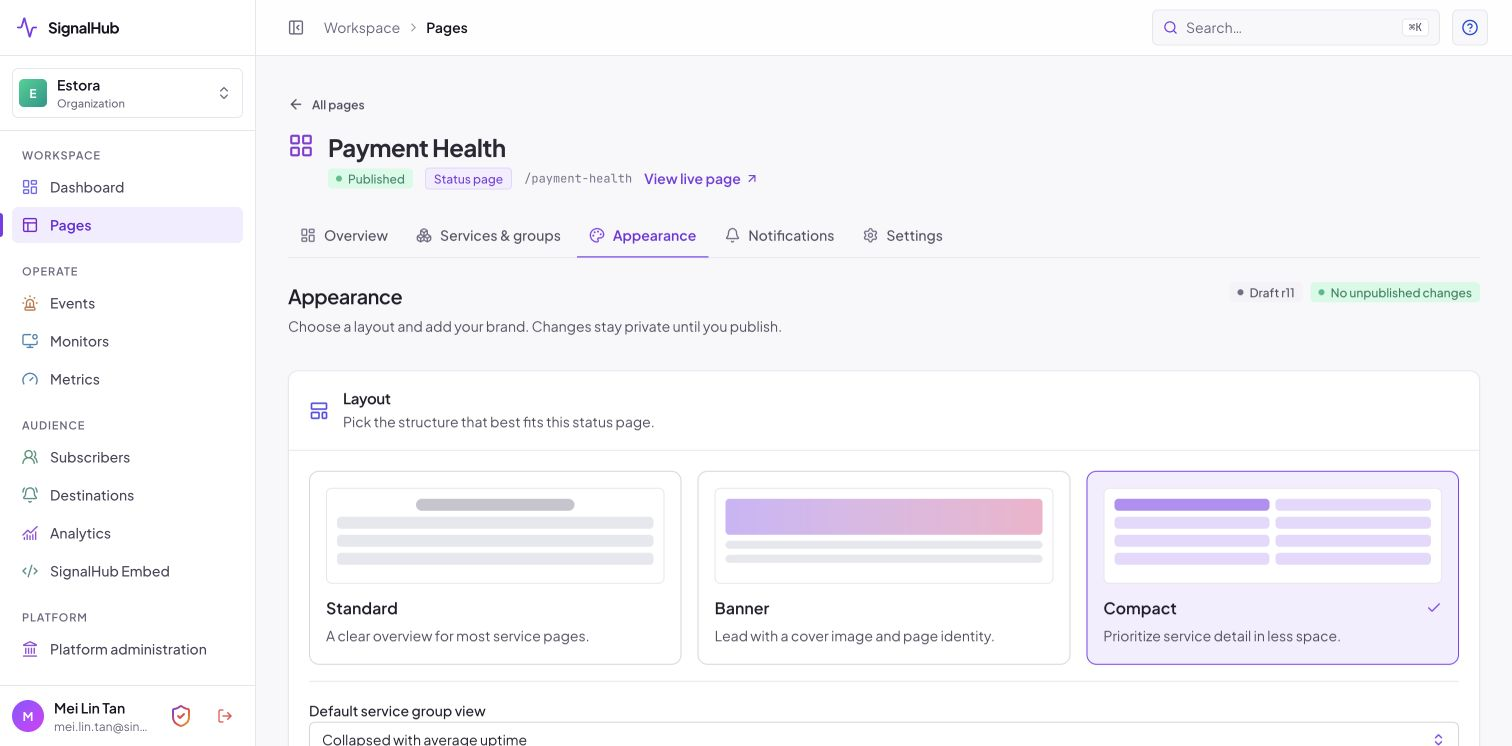
Layouts (standard, banner, compact), 12 theme presets, logo, favicon and cover image, uptime-bar styles, sanitized custom CSS and header and footer HTML. Changes stay a draft until you publish, and 30 versions of design history are kept.
New pages default to collapsed service groups with average uptime shown as small solid daily circles. Choose expanded groups during creation or change the default later in Appearance → Layout. The same panel controls the incident/maintenance history window (90 days by default). Services save their status with a green save icon; drag-and-drop order saves automatically, including on filtered or paginated lists. Detailed public-page guide.
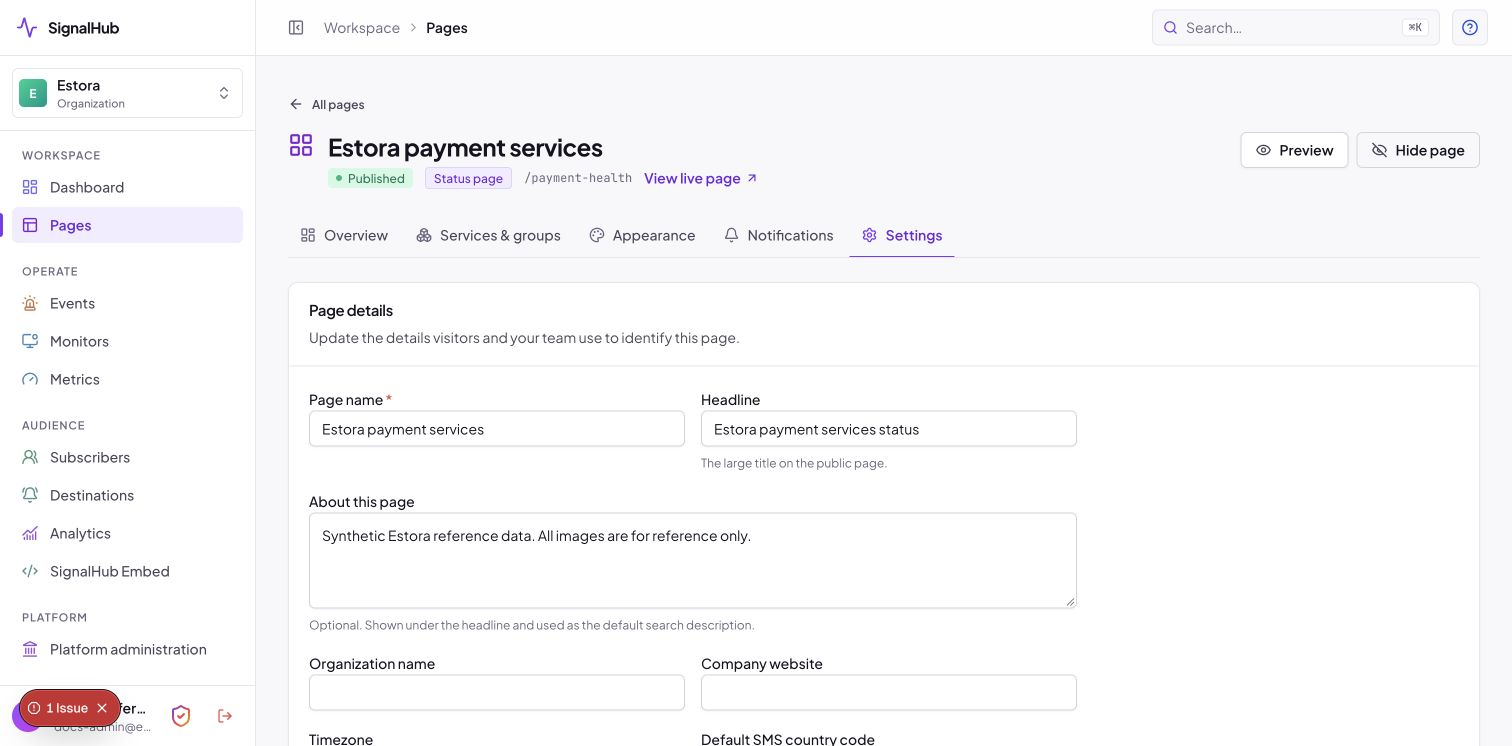
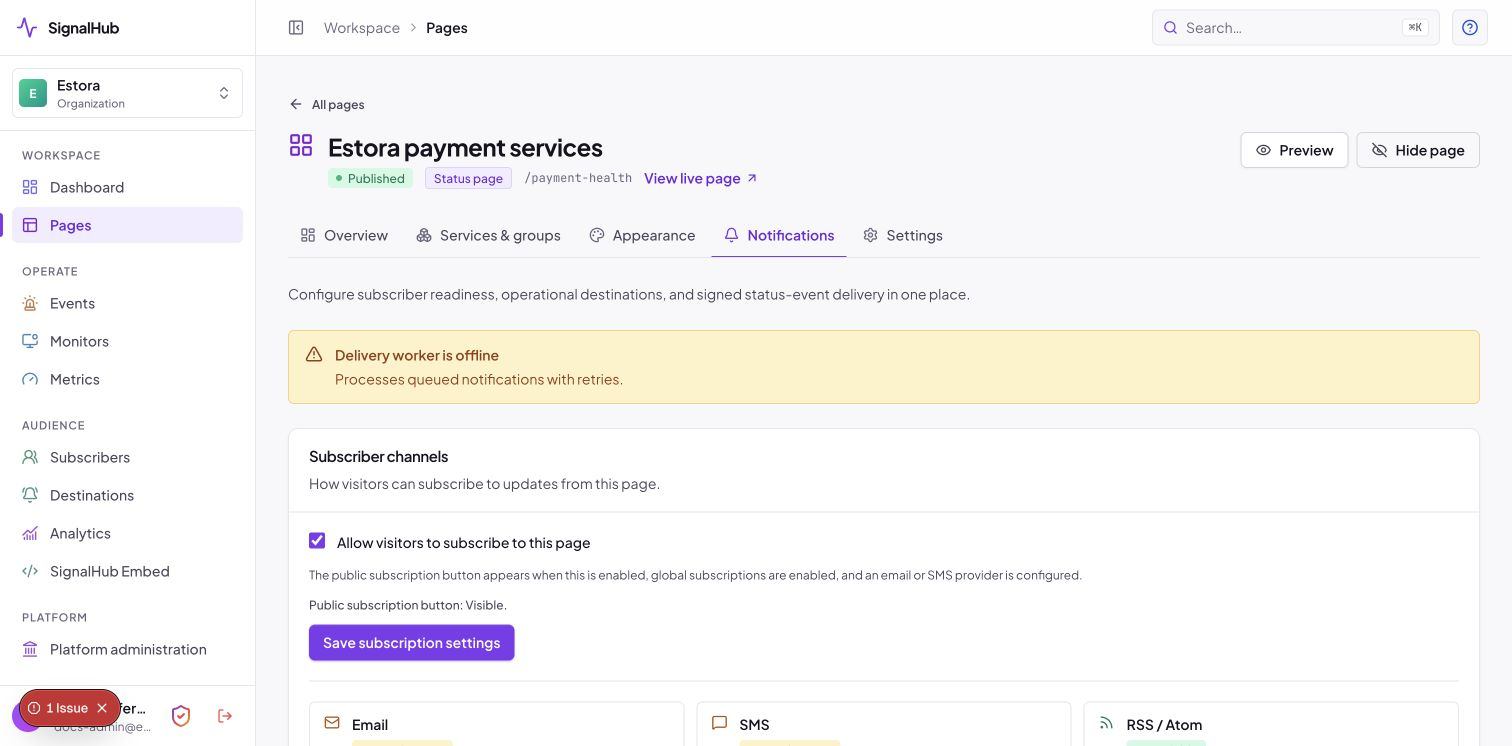
Page details, time zone, headline, search-engine visibility and subscriber channels live under Settings and Notifications:
 |
 |
Incidents
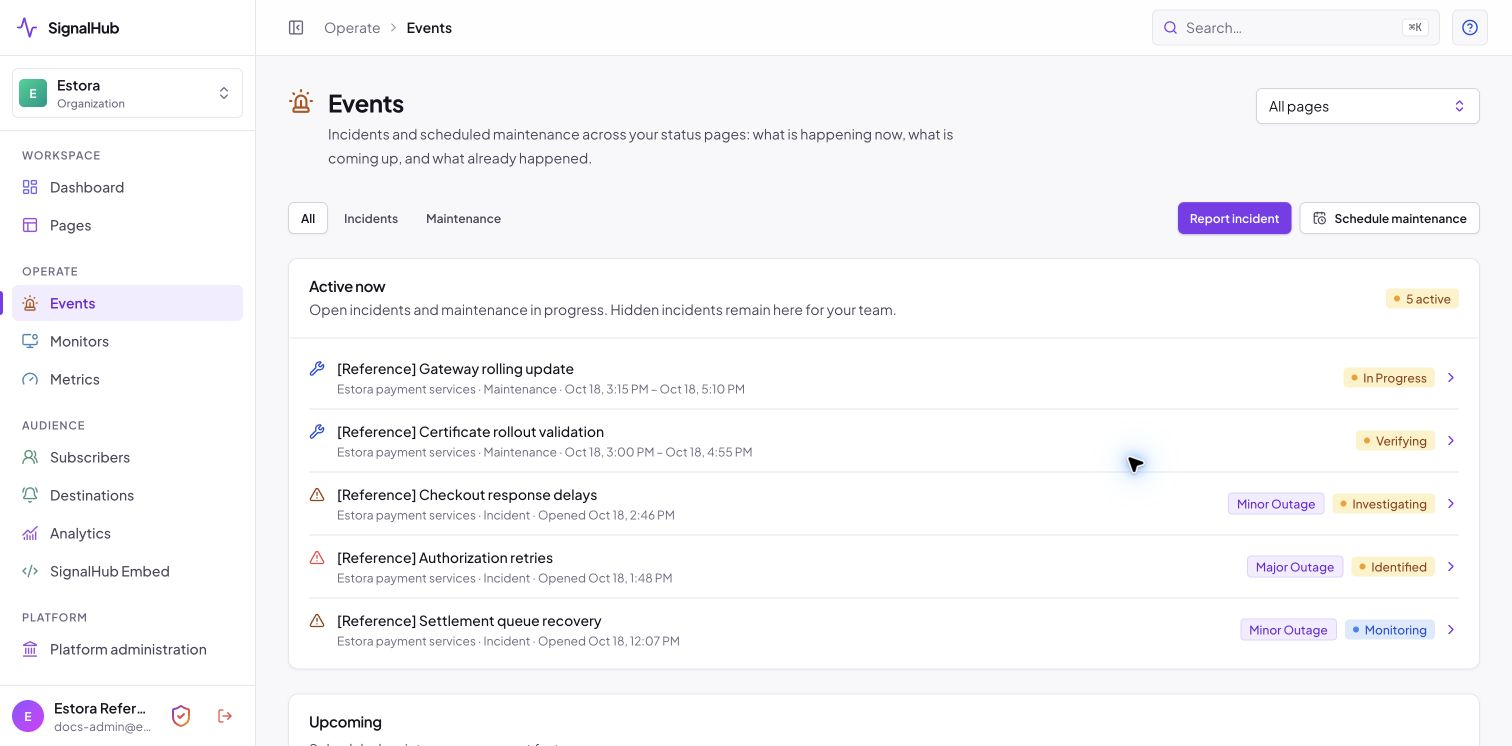
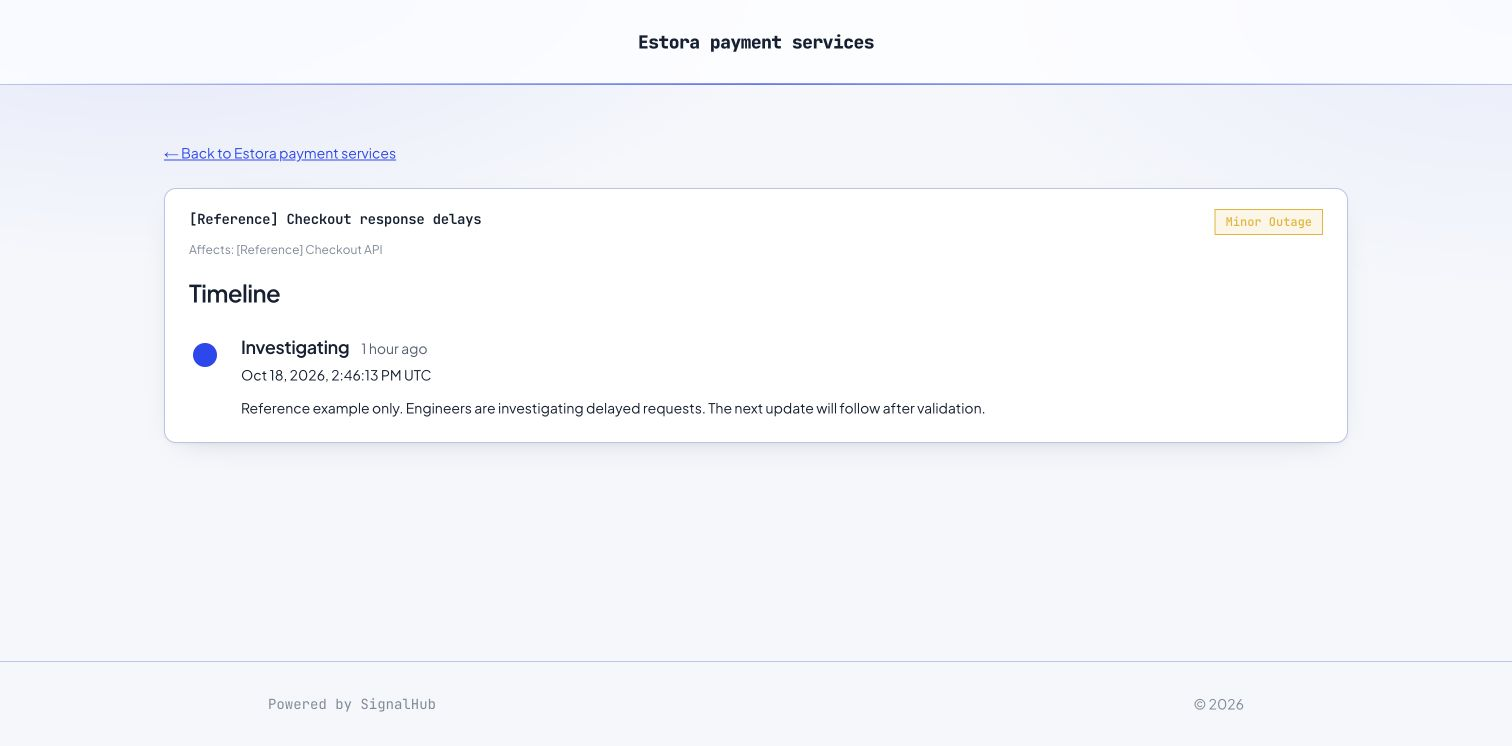
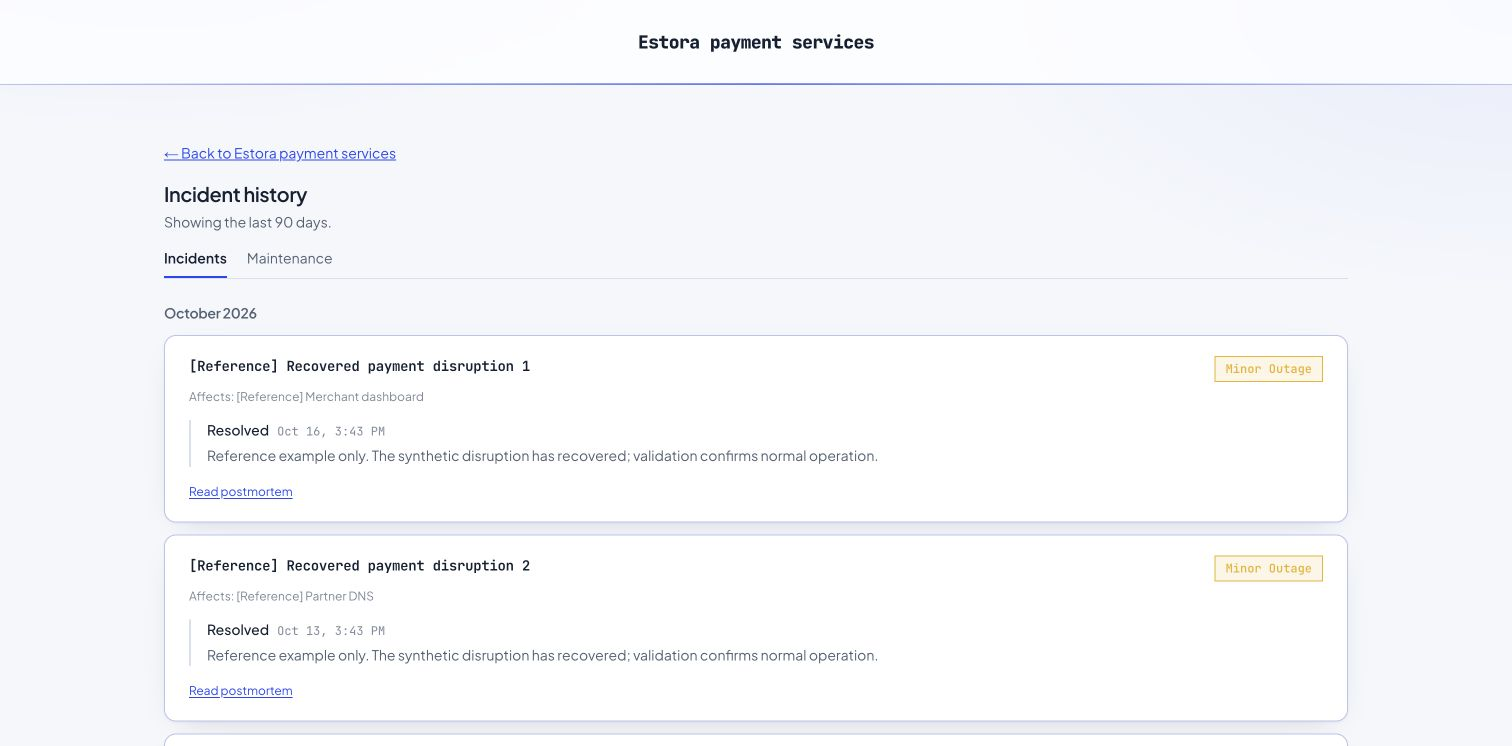
Investigating, Identified, Monitoring and Resolved, with impact levels, editable timeline updates, affected components and an optional postmortem.
Public previews show at most 10 past incidents and 10 past maintenance windows, with separate history links below each preview. Full history uses the same configurable date window. Postmortems open directly without a redundant self-link.
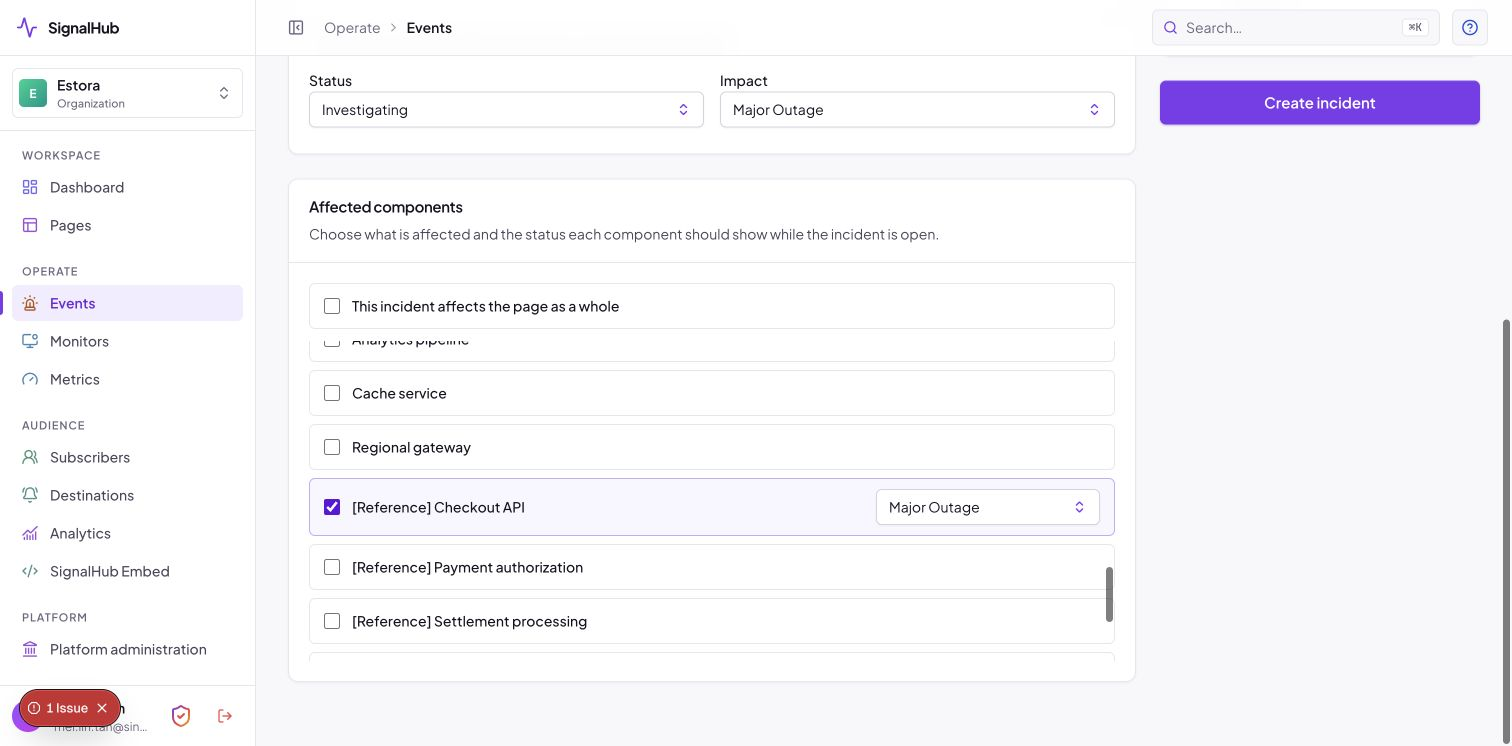
- Events → Declare incident, write what is happening and who is affected.
- Pick status and impact, tick the affected components, choose whether to notify subscribers.
- Post updates as it evolves; resolve when it is over.
 |
 |
 |
 |
Scheduled maintenance
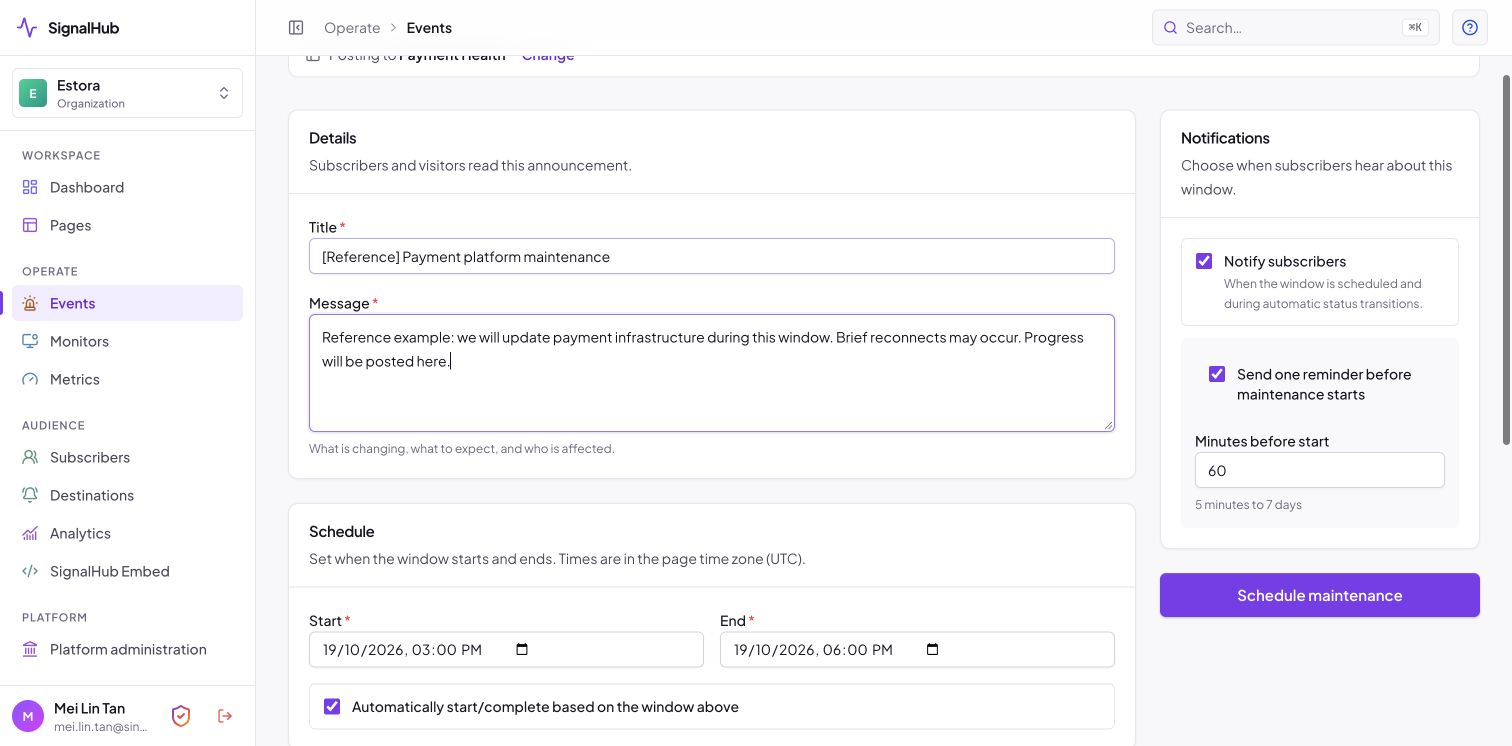
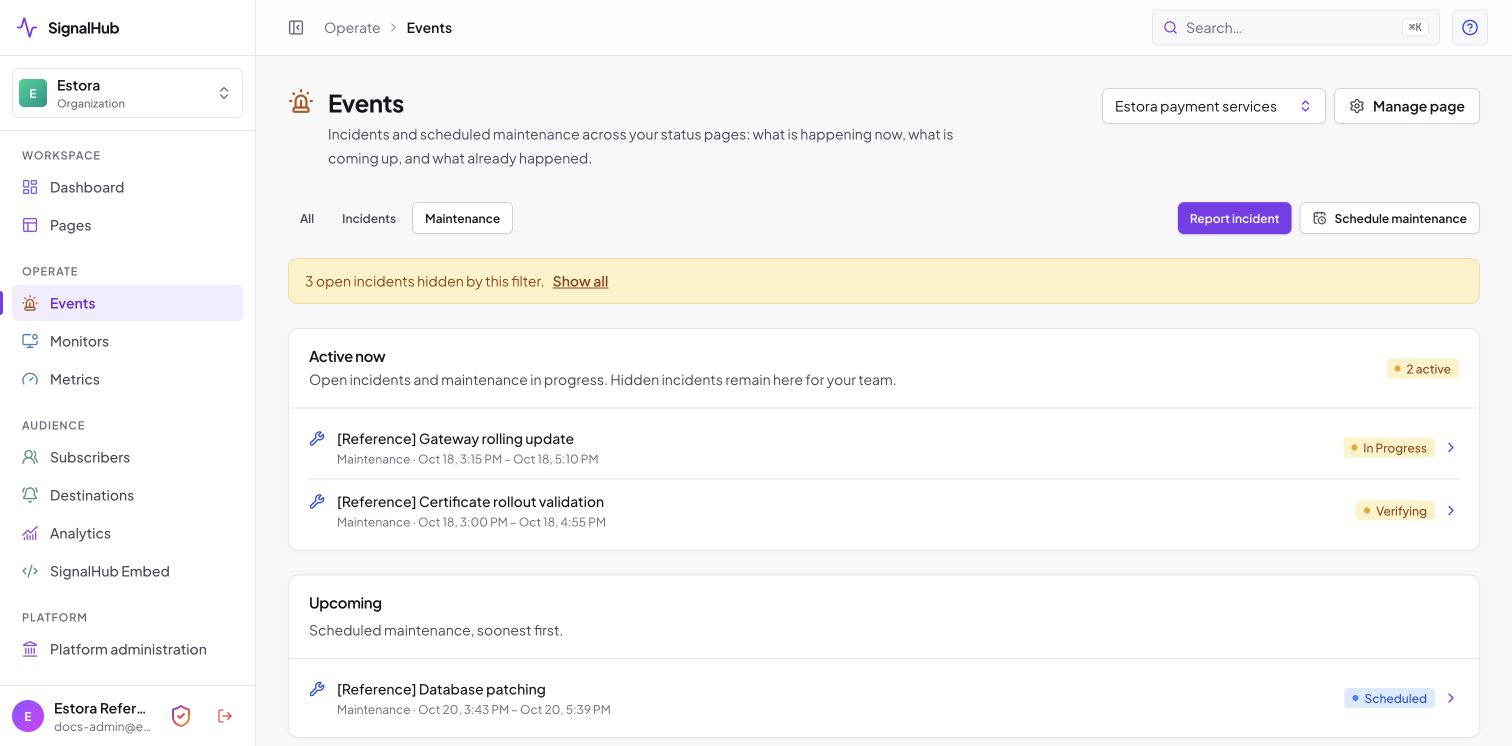
Scheduled, In progress, Verifying and Completed, with enforced transitions, automatic start and completion from the window, and a reminder email before it begins.
 |
 |
Monitoring
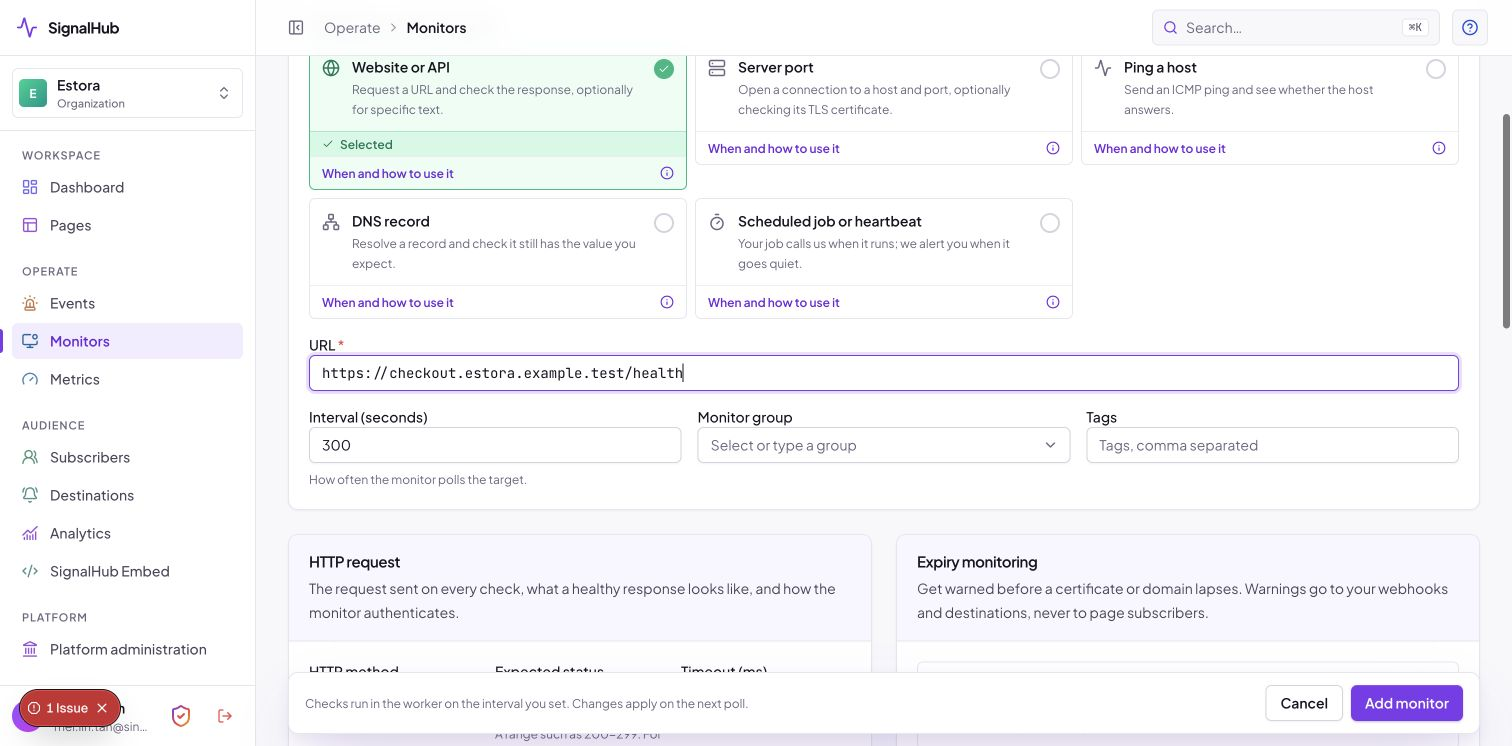
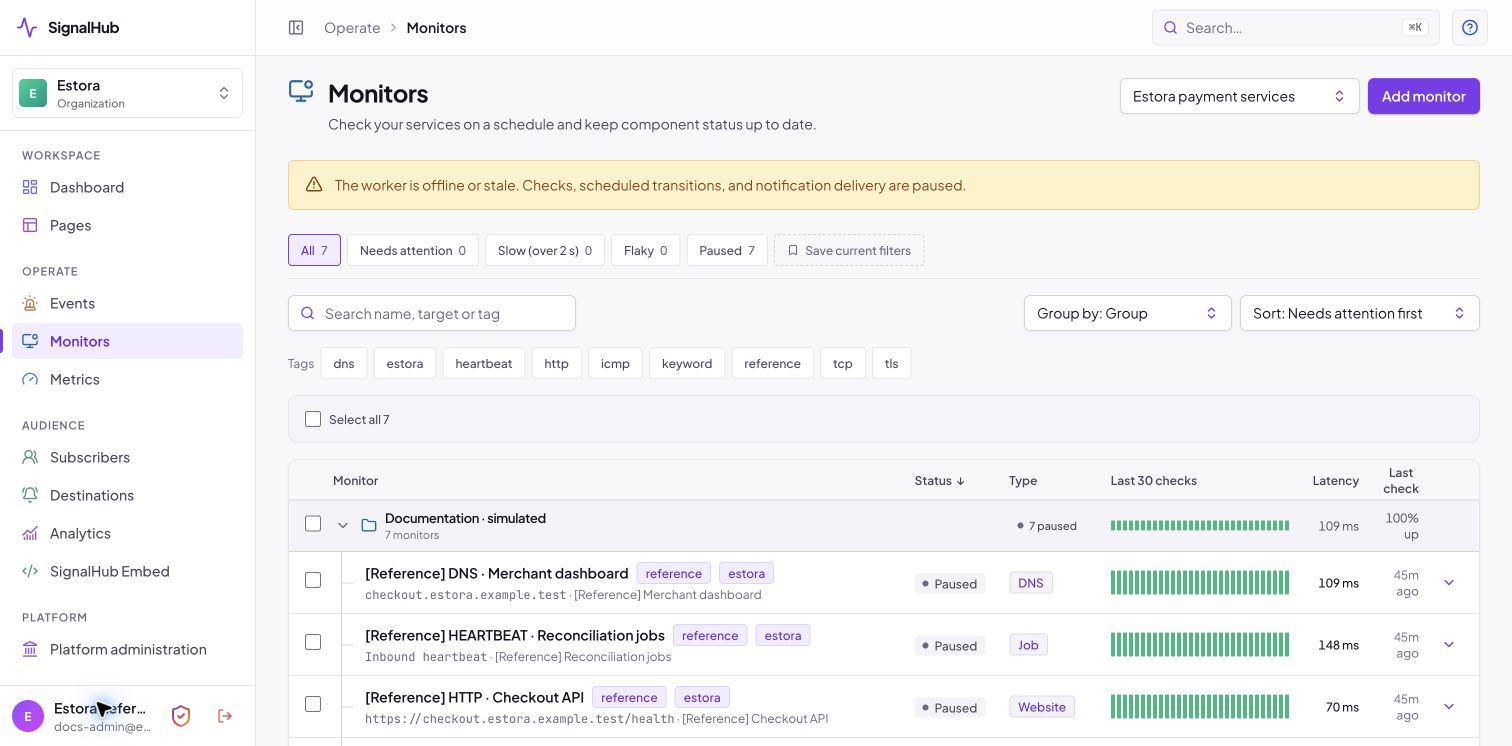
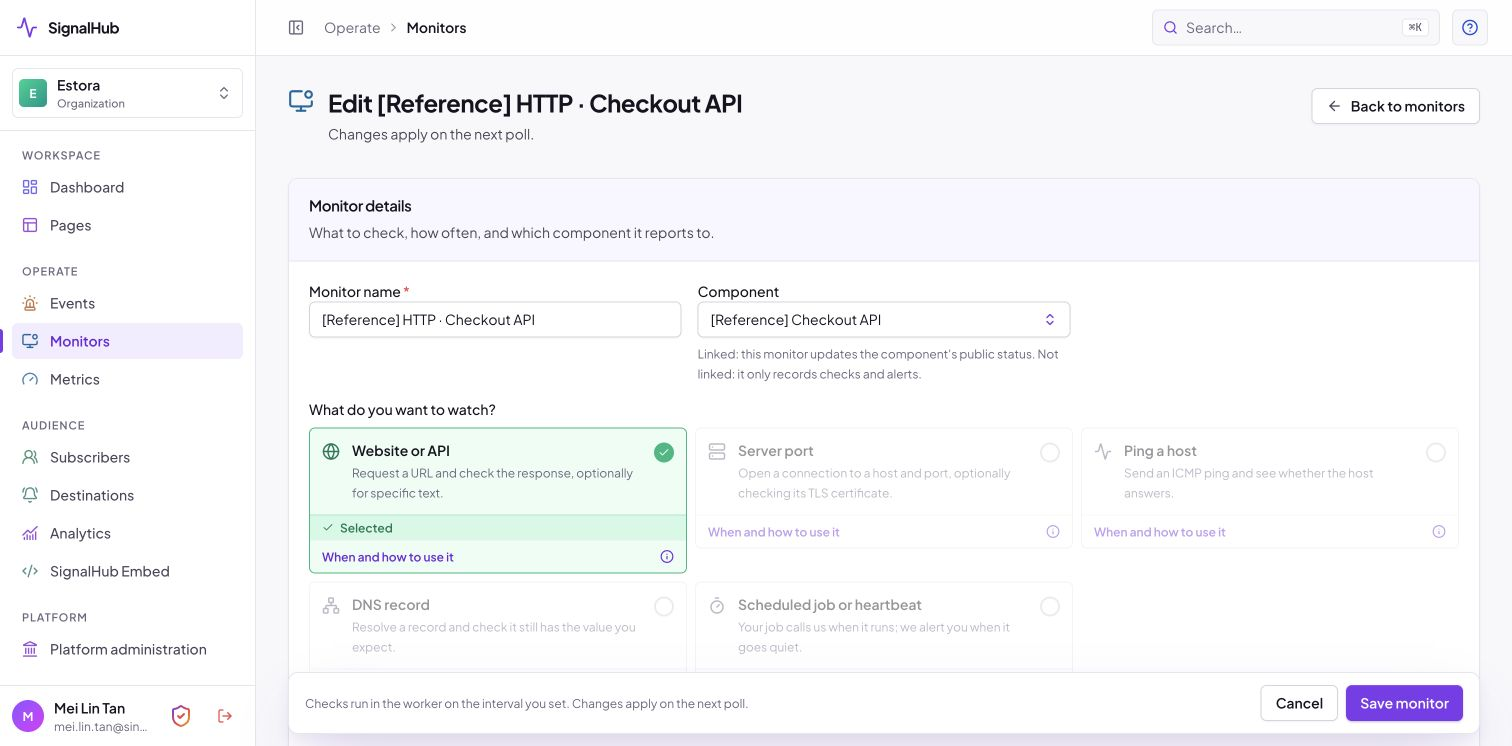
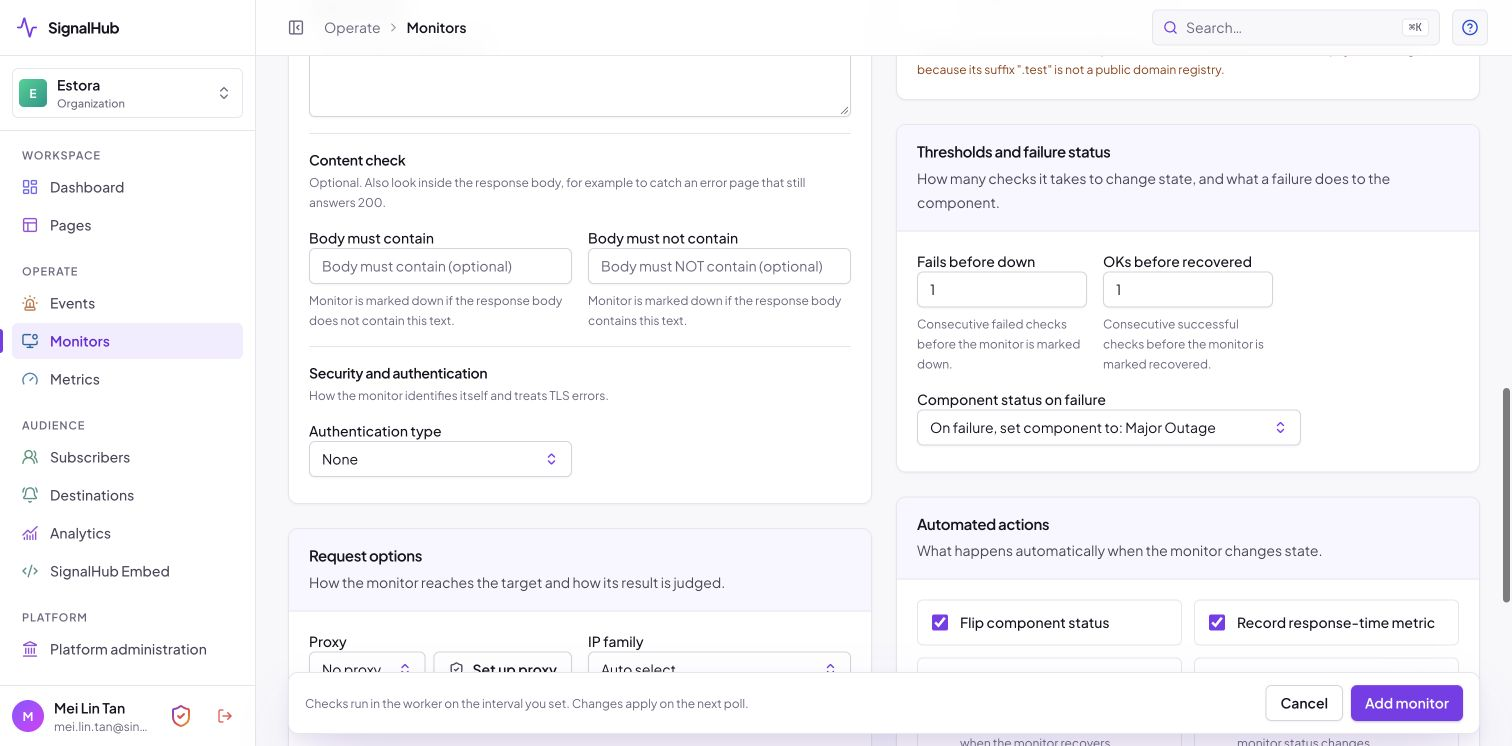
Seven monitor types (HTTP, keyword, TCP, TLS, DNS, ICMP, heartbeat), intervals from 10 seconds to 24 hours, failure and recovery thresholds, and optional proxies and authentication. A monitor can flip a component, record a metric, open an incident and notify. Private ranges are blocked by default and redirects are never followed.
 |
 |
 |
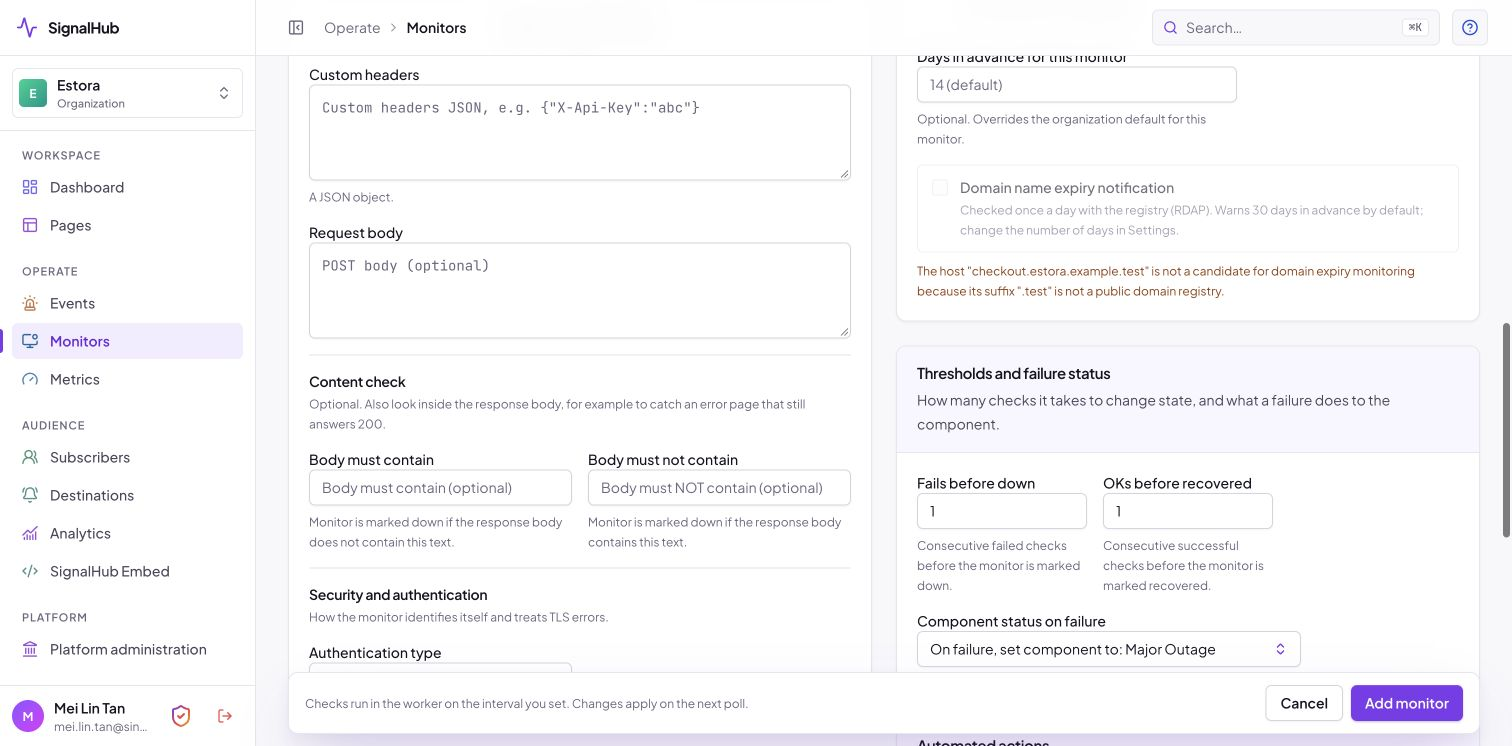 |
| Edit a monitor: what to watch, request, content check, expiry | Thresholds, failure status and automated actions |
Open a monitor's edit page to tune it. Under Security and authentication choose Basic, Bearer or header auth; under Request options set a proxy, IP family and custom headers; under Automated actions decide whether a failure flips the component, records a metric, opens an incident and notifies subscribers.
Metrics
Publish response time, error rate or any series you push through the API or a monitor, with public charts from 24 hours to 90 days. Charts start at 90 days and remember a visitor's later choice.
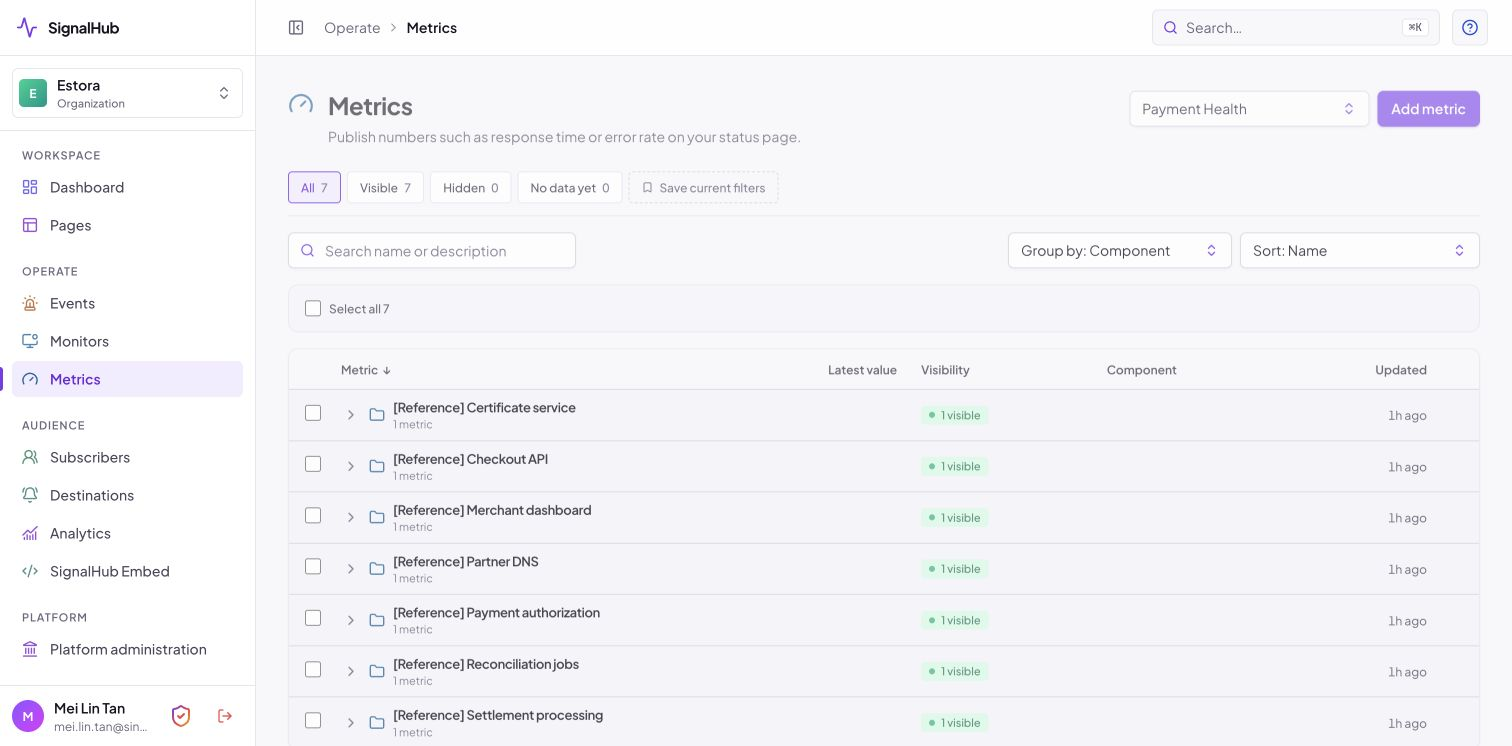
Subscribers and the public subscribe flow
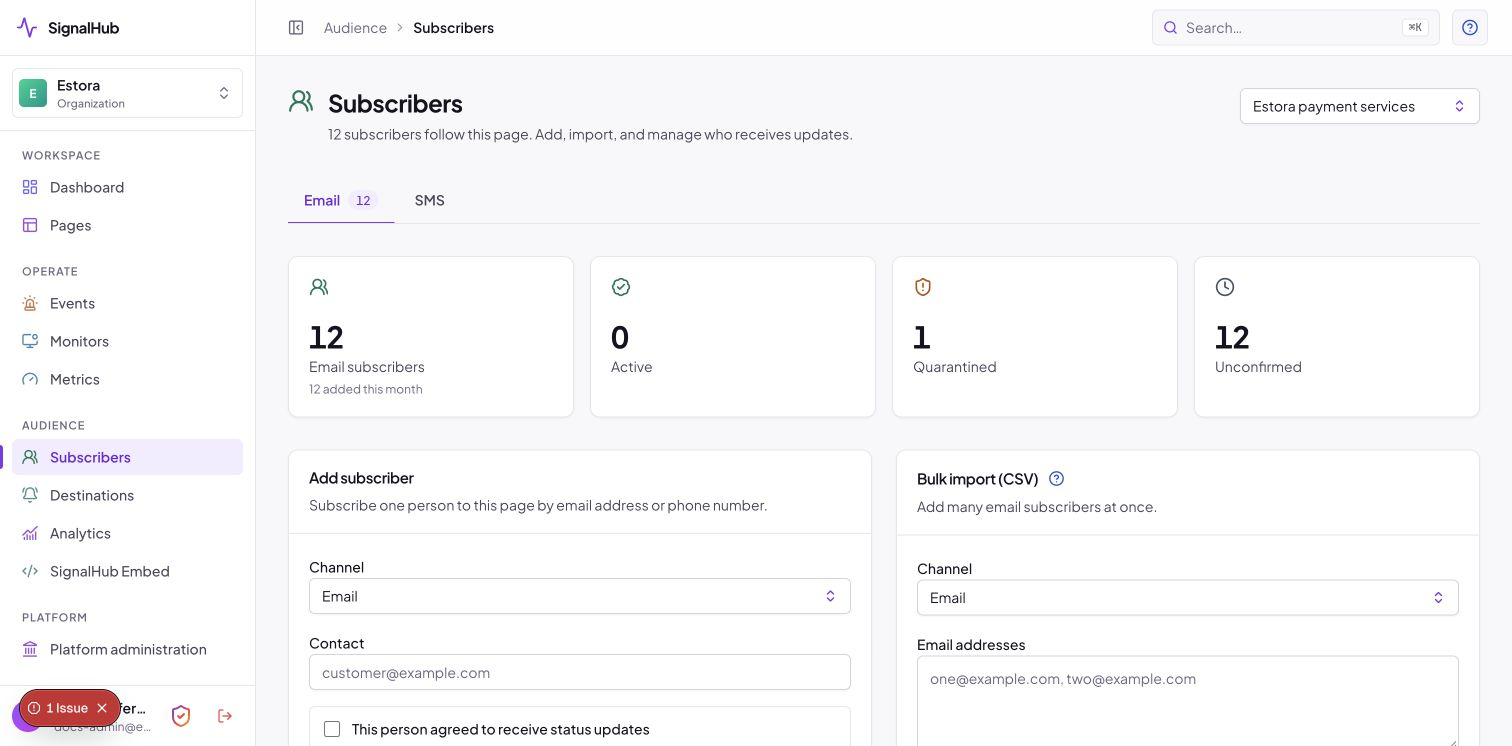
Email, SMS and webhook subscribers with OTP verification, per-component and per-event filters, one-click unsubscribe (RFC 8058), bounce quarantine, and CSV import and export.
Public Subscribe controls require both page and platform subscriptions enabled and at least one configured email/SMS provider. The dialog exposes only usable channels and explains unavailable worker delivery. Disabling signup does not cancel existing subscribers. Controls and storage/display defaults.
 |
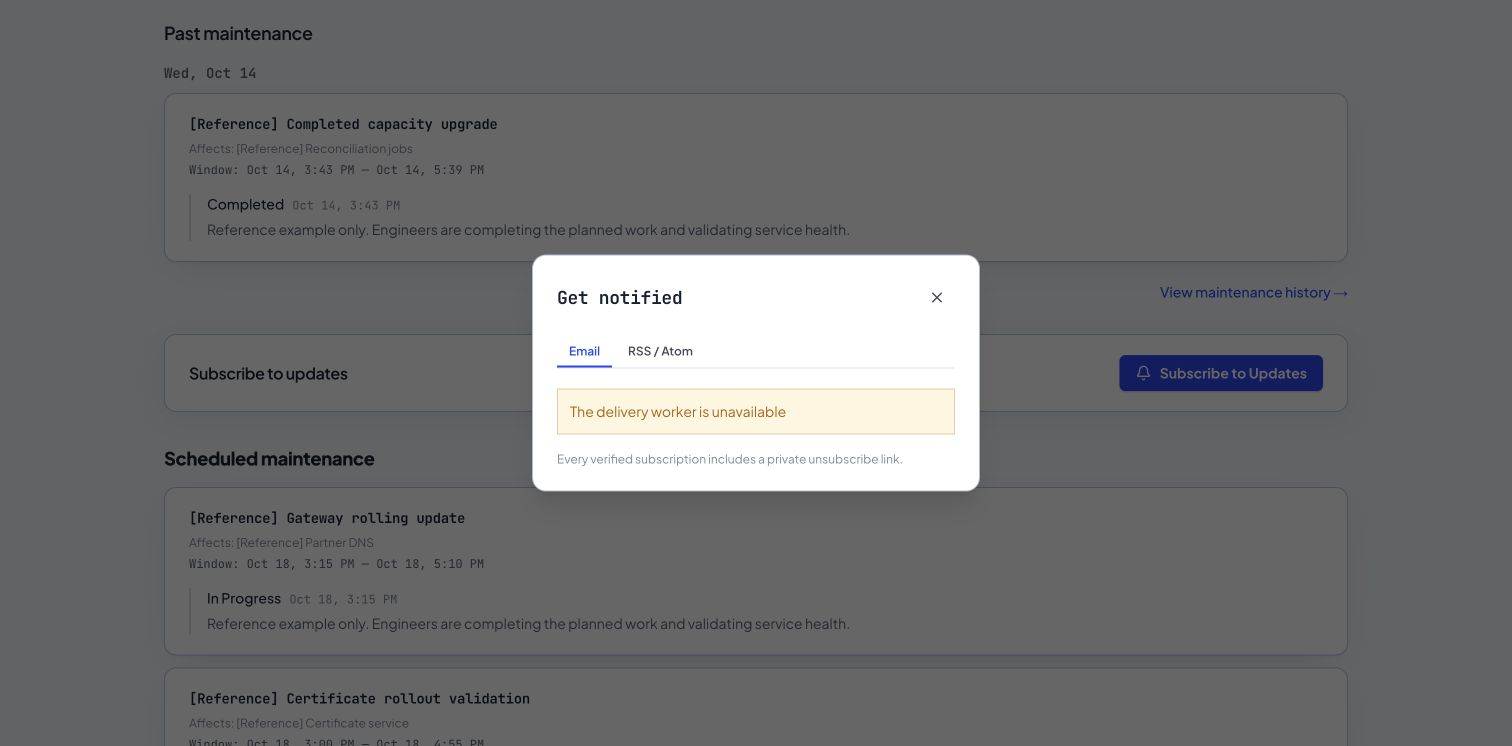 |
| Managing subscribers | What a visitor sees |
Notification destinations and providers
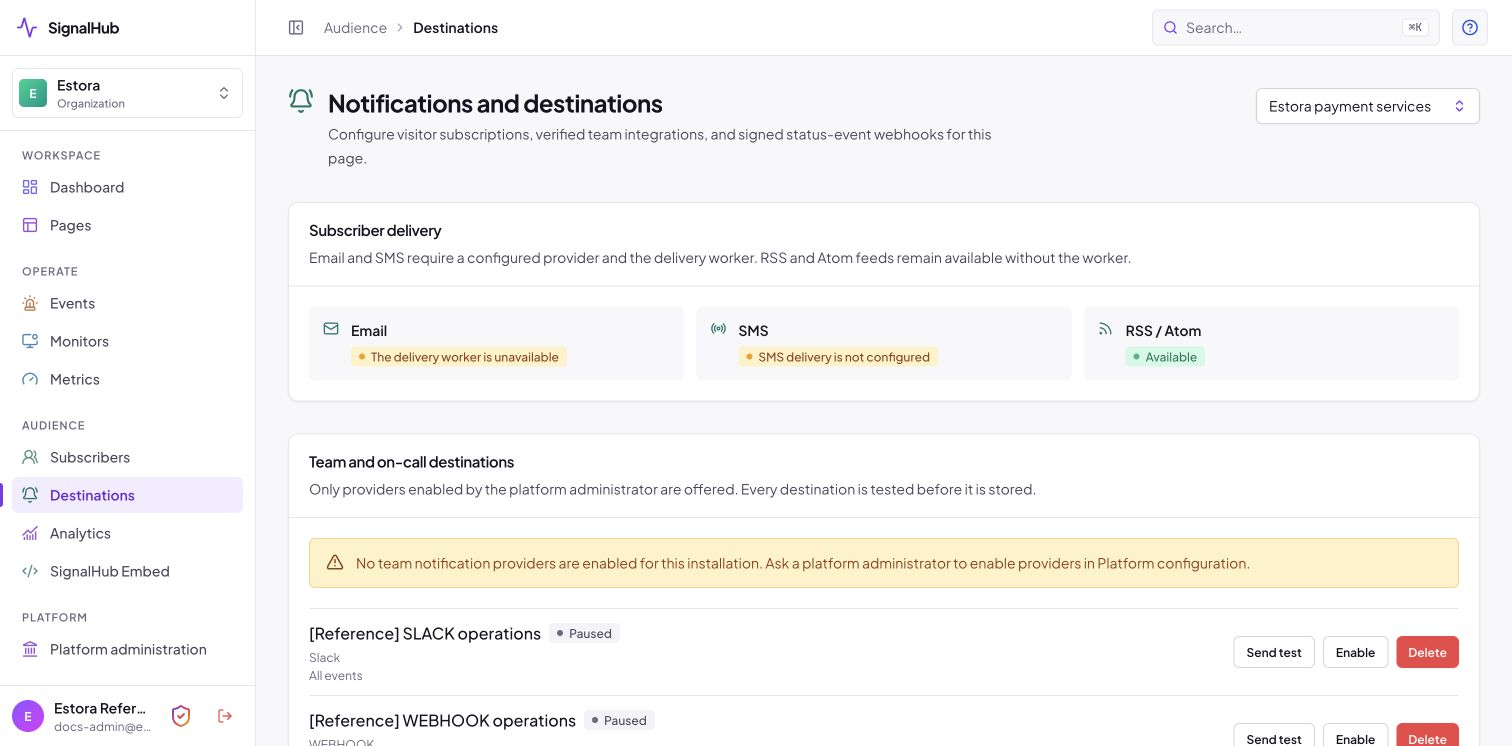
Email through 19 provider presets or any SMTP server, 8 SMS providers, 23 team destinations (Slack, Teams, Discord, PagerDuty, Opsgenie, ntfy and more) and signed webhooks. Credentials are encrypted and never shown again, and every destination is tested before it is stored.
 |
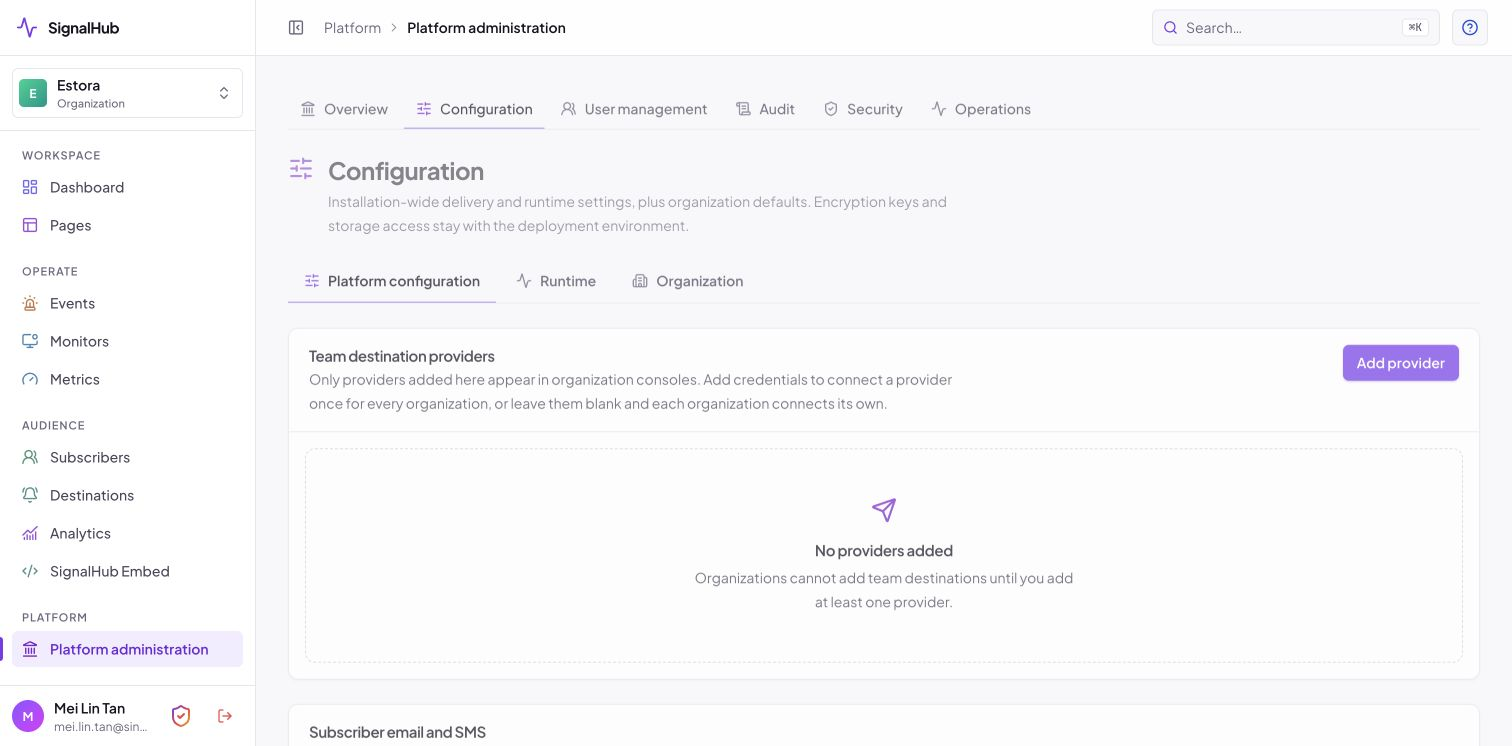 |
| Choose a destination for your organization | The administrator enables providers installation-wide |
Embeds and badges
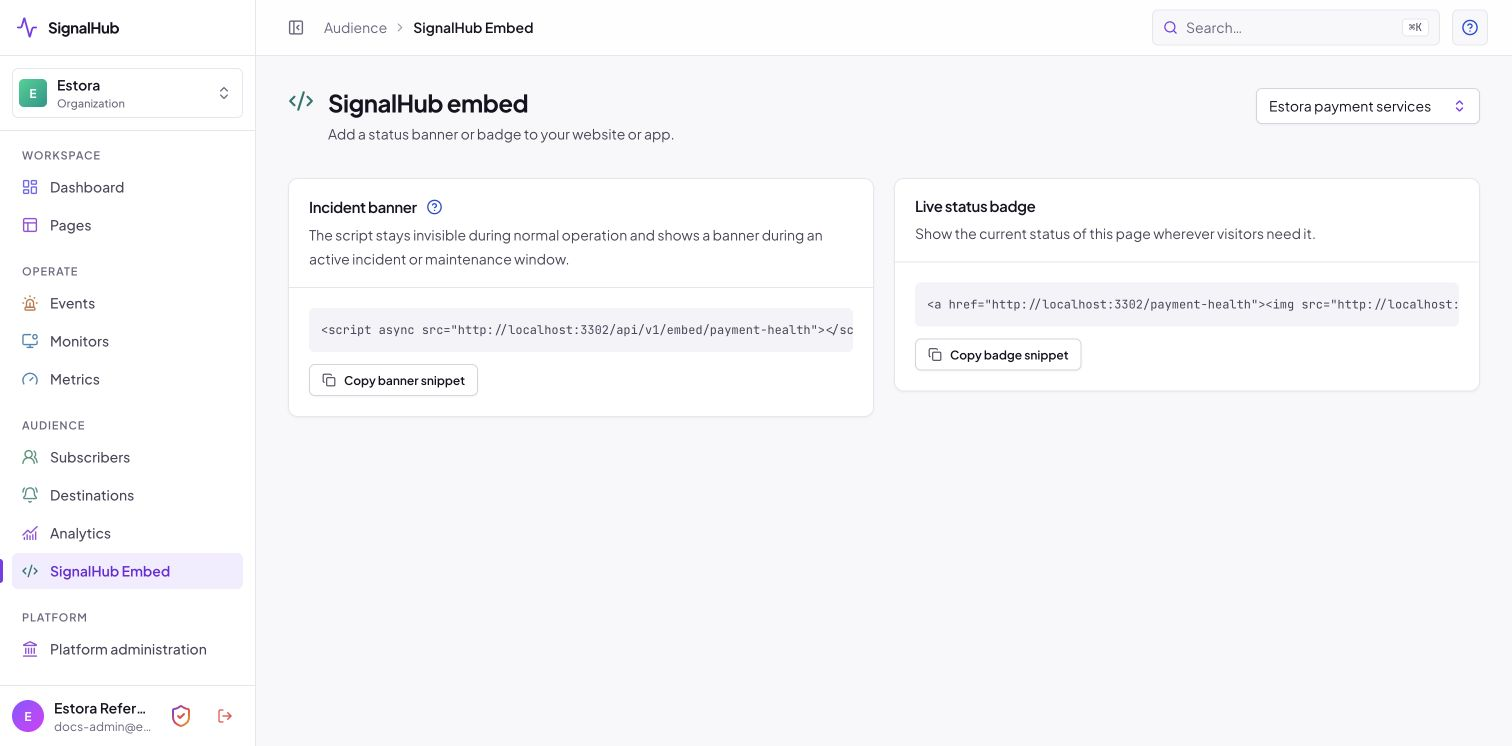
An incident banner script and a live SVG status badge, plus RSS and Atom feeds, for your site, your README and your docs.
Analytics
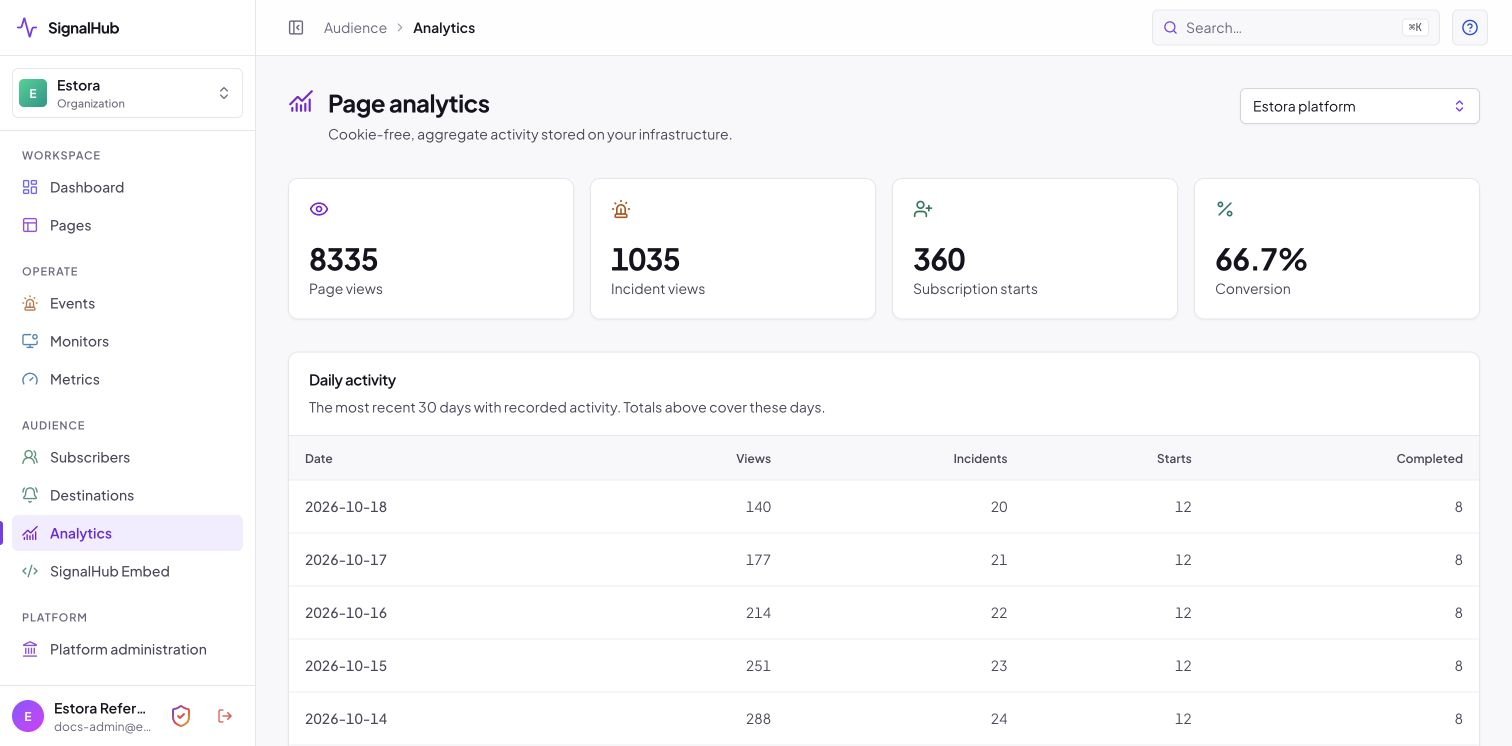
Cookie-free, aggregated daily: page views, incident views and subscription conversion.
Team, roles and organization settings
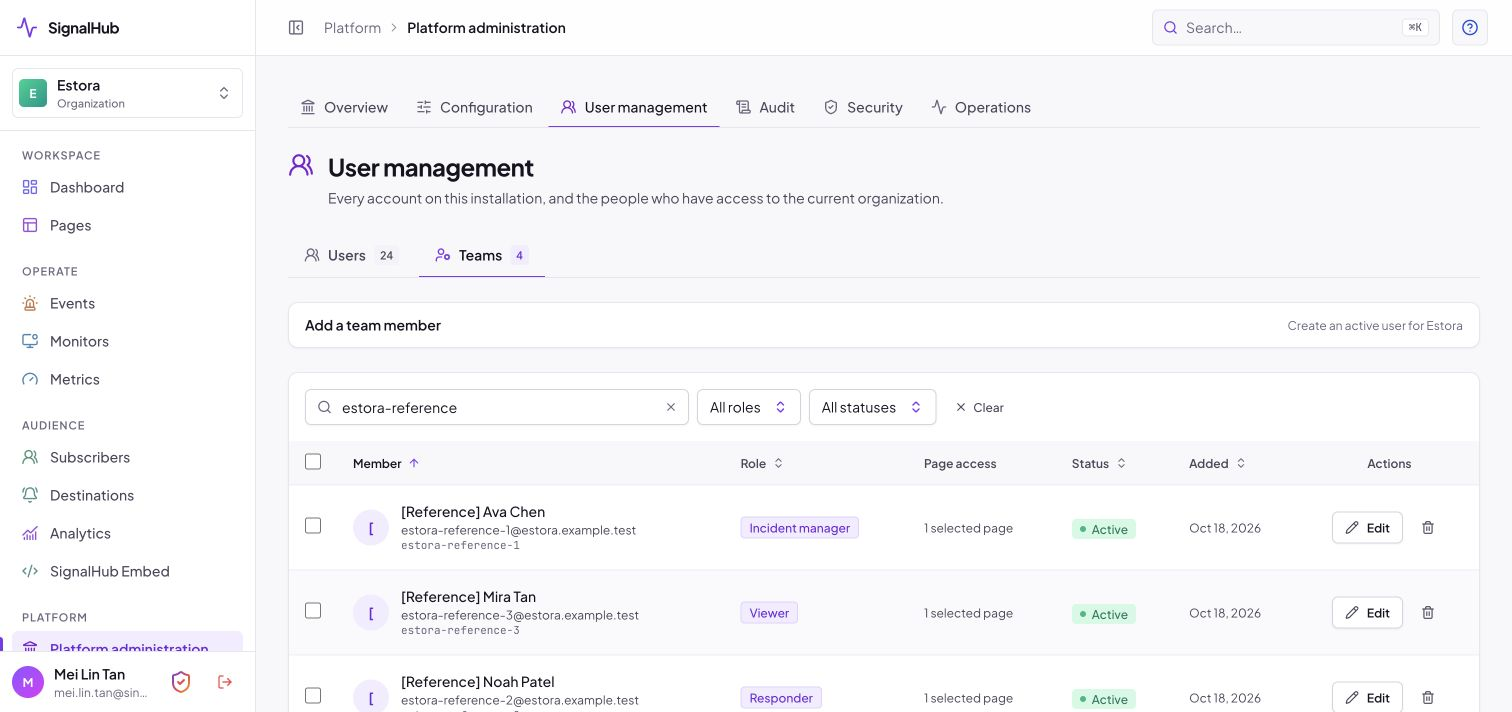
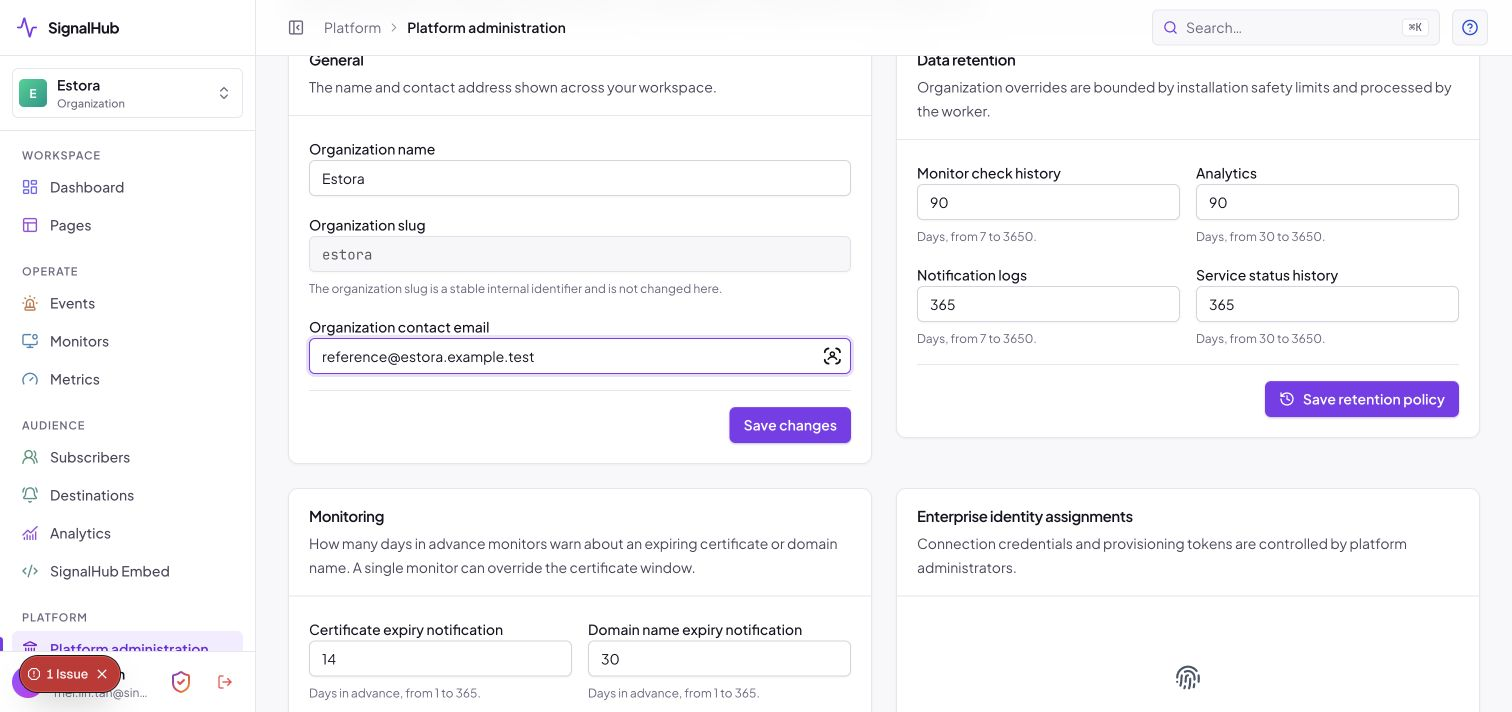
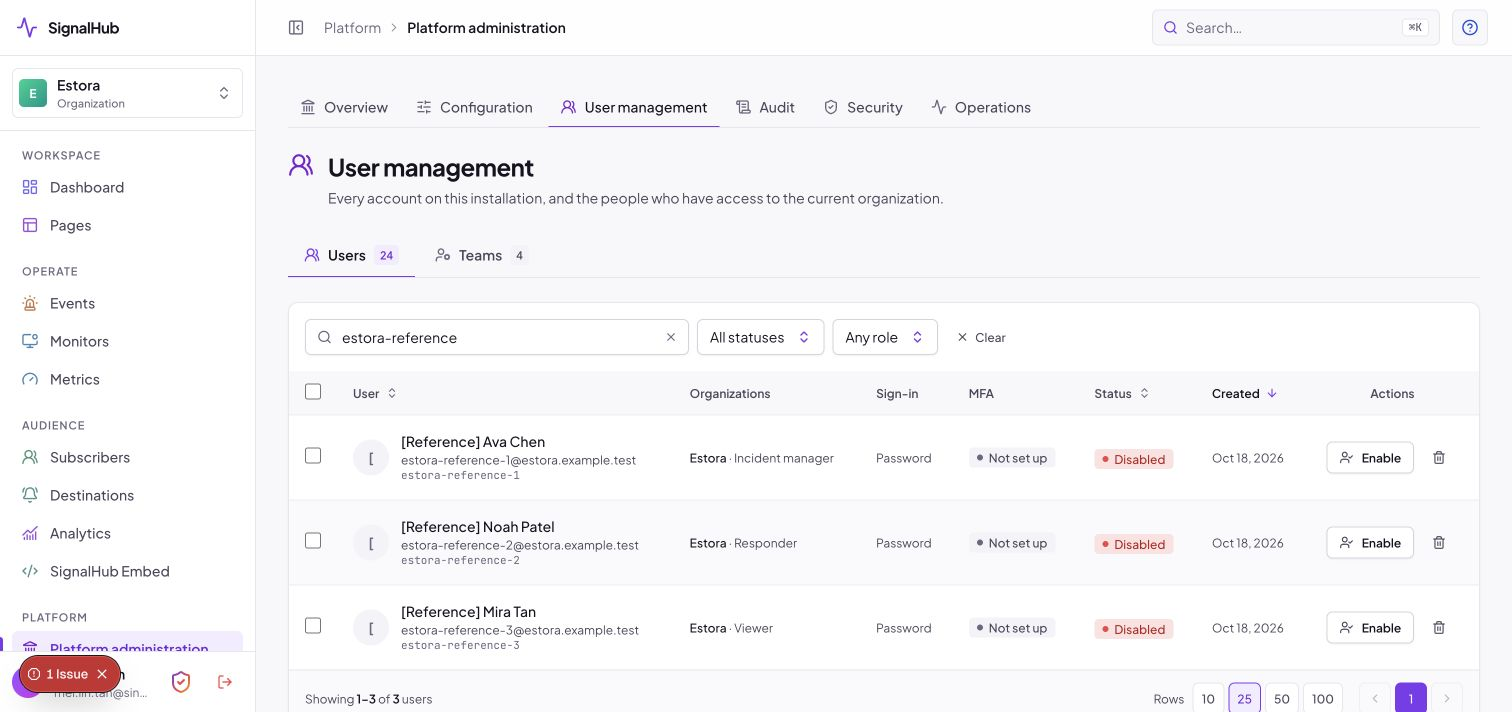
Admin, Incident Manager, Responder and Viewer roles over ten capabilities, optionally limited to selected pages, with last-admin protection. Organization settings cover contact details and per-organization retention.
Invitations. Add a team member and choose invite: they receive an email with an expiring, single-use link to set their password (or keep an existing sign-in method), and you can resend a pending invitation. Pages, roles and page scope are set when you invite.
 |
 |
 |
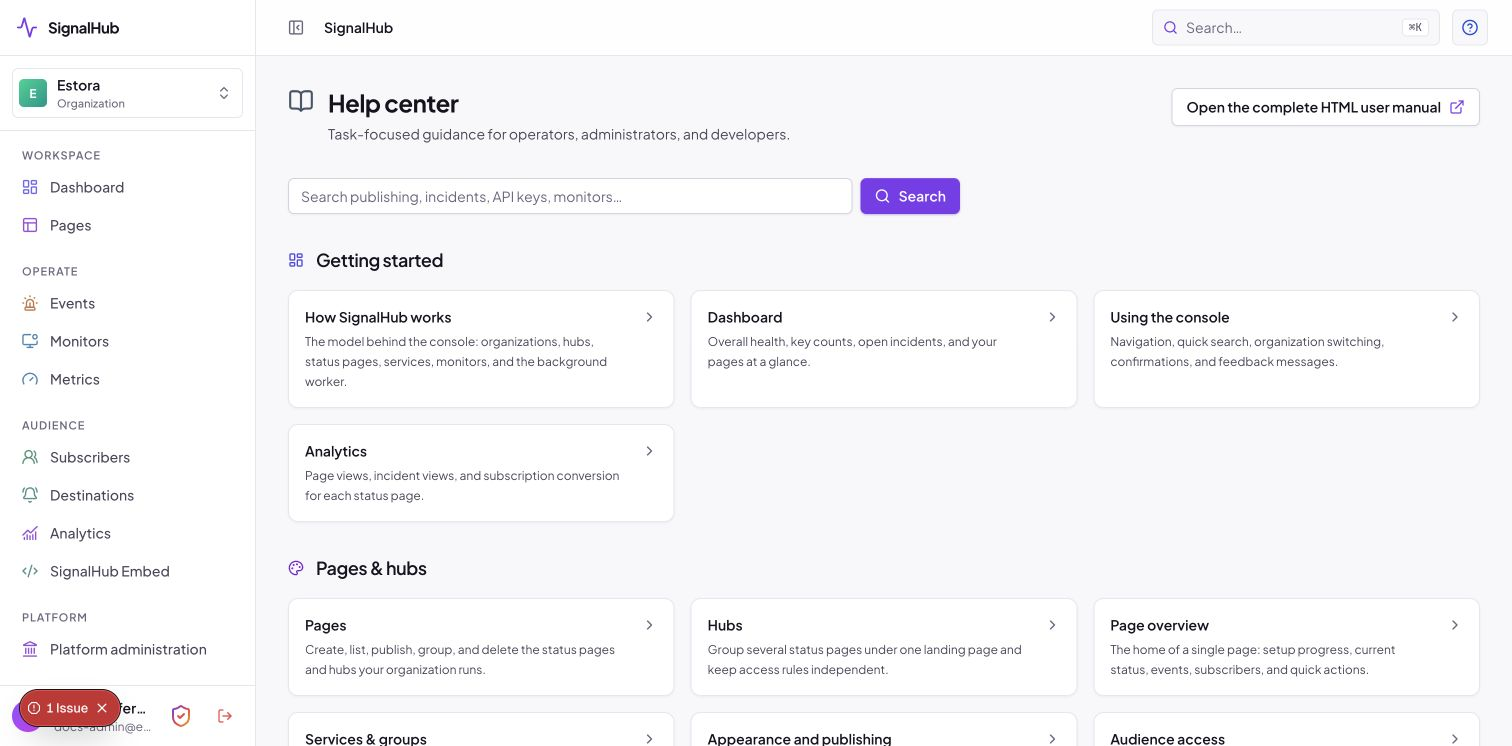 |
| All accounts, roles and page scopes | A built-in help center for operators |
REST API and API keys
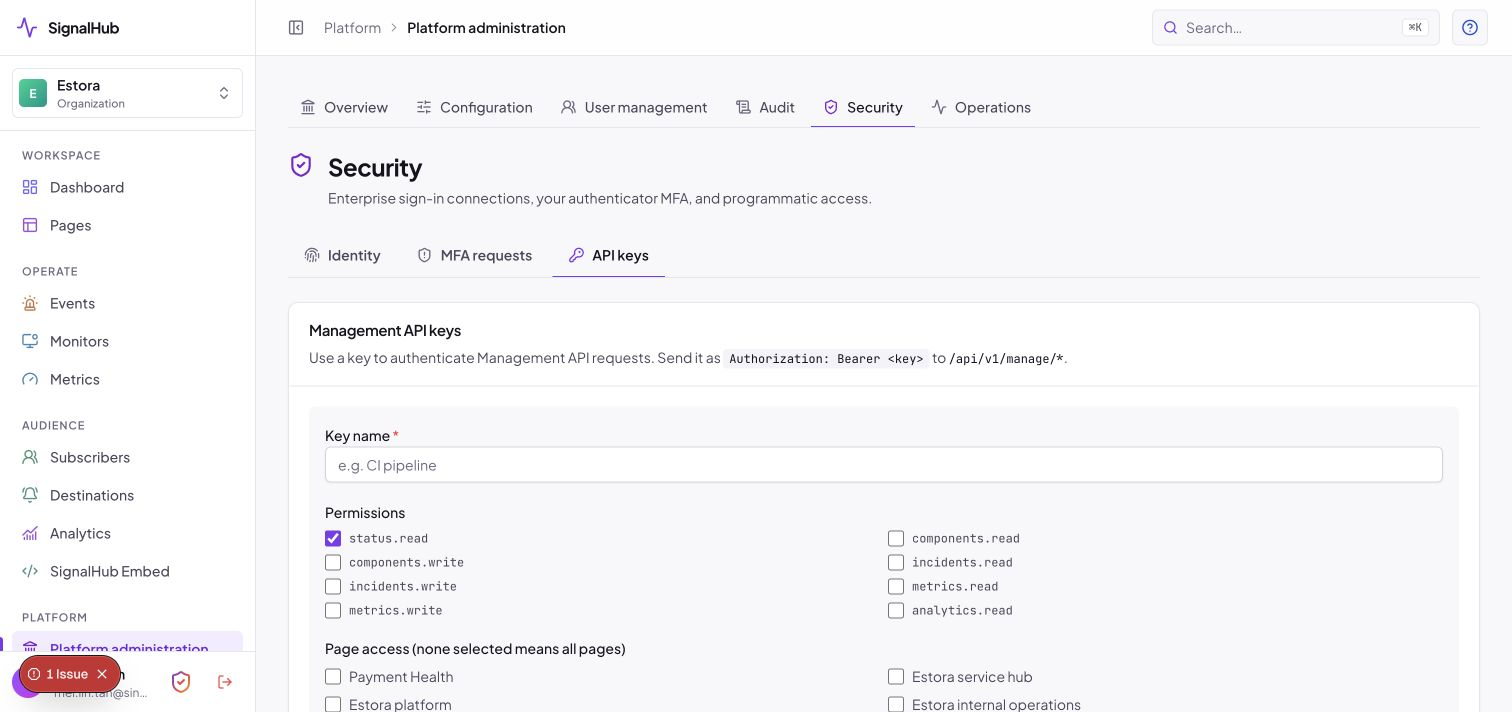
Scoped keys (status.read, components.read|write, incidents.read|write, metrics.read|write, analytics.read) with optional page restriction, expiry and CIDR allowlist. An OpenAPI 3.1 document is served at /api/openapi.
Single sign-on and SCIM
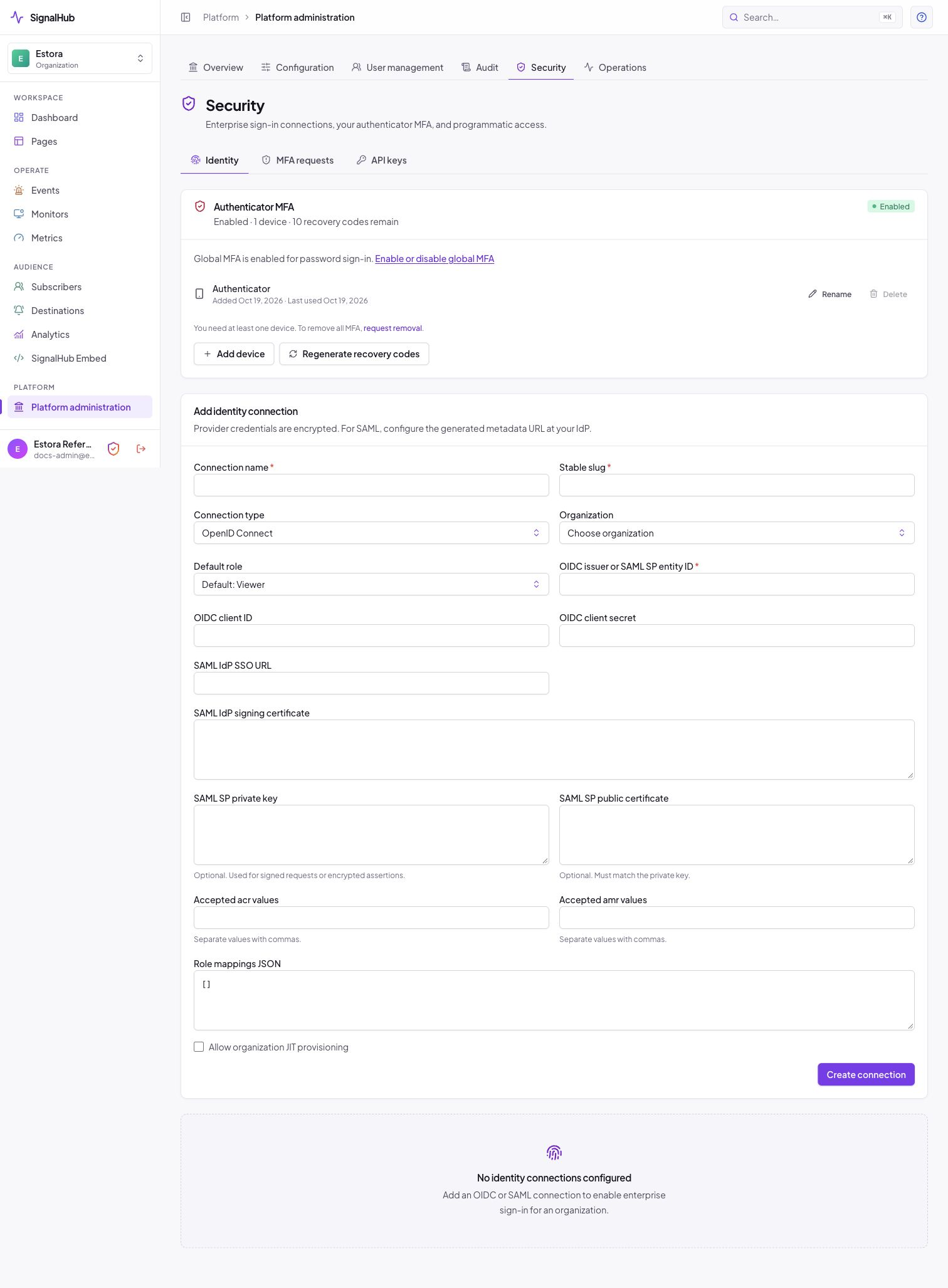
OIDC and SAML 2.0 per organization or installation-wide, with group-to-role mapping, just-in-time provisioning and SCIM 2.0 with hashed bearer tokens. Test a connection before enforcing it.
Multi-factor authentication
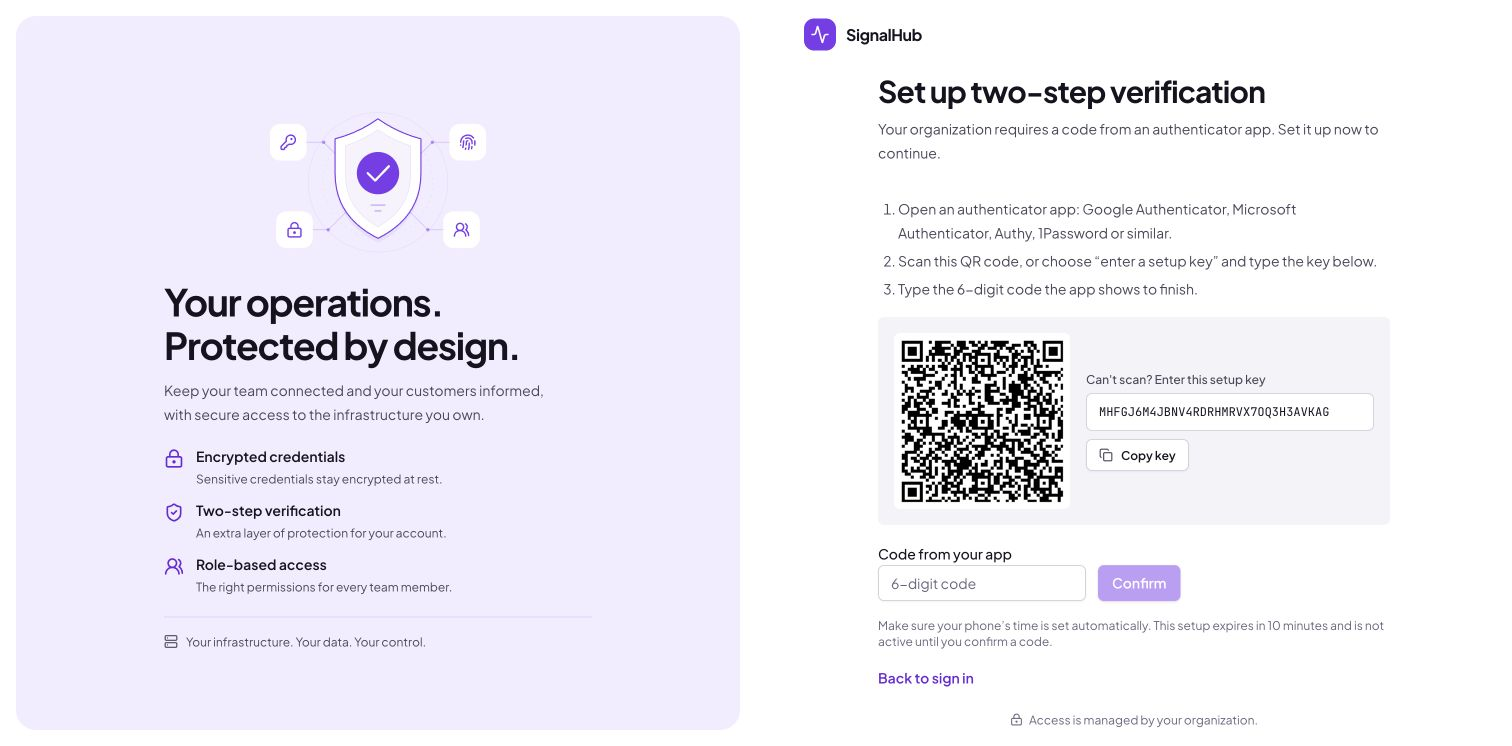
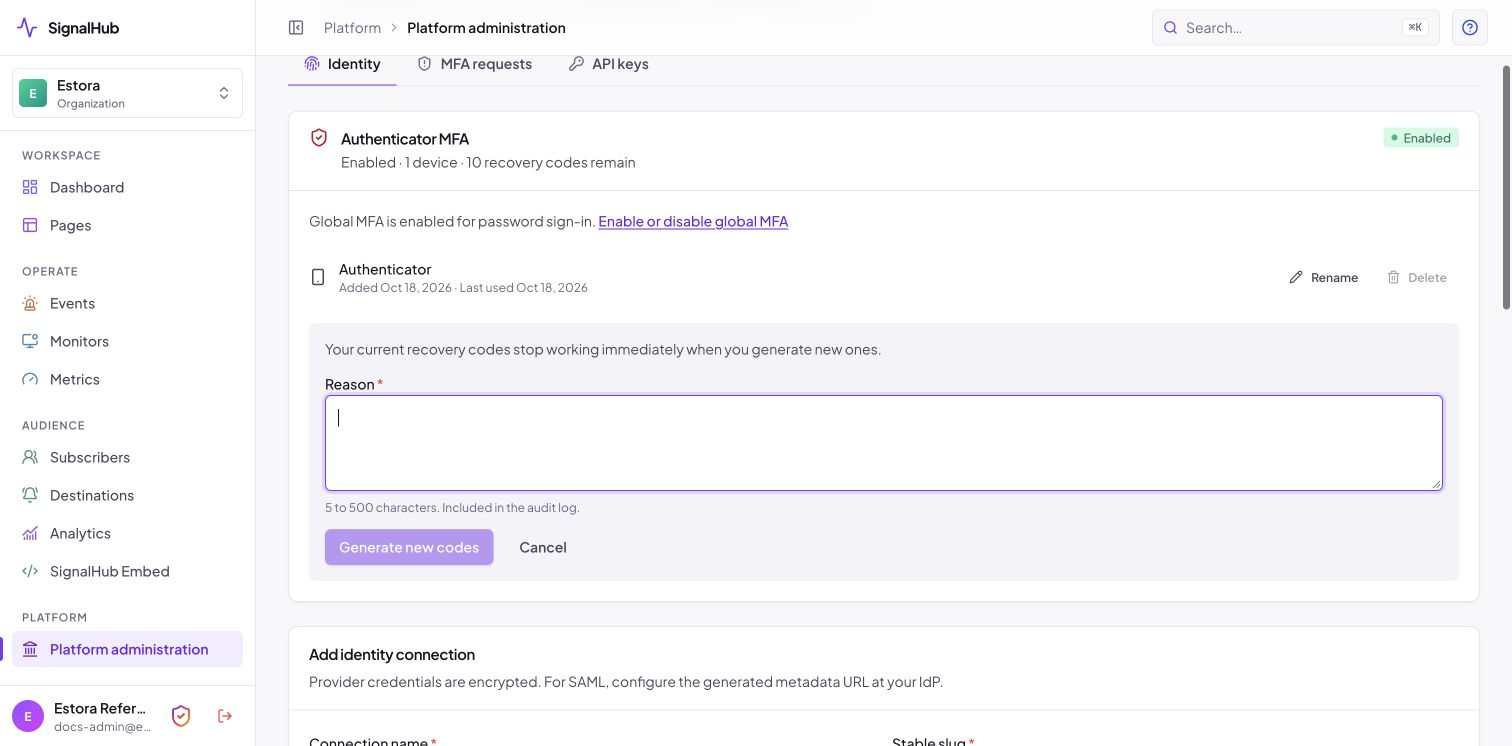
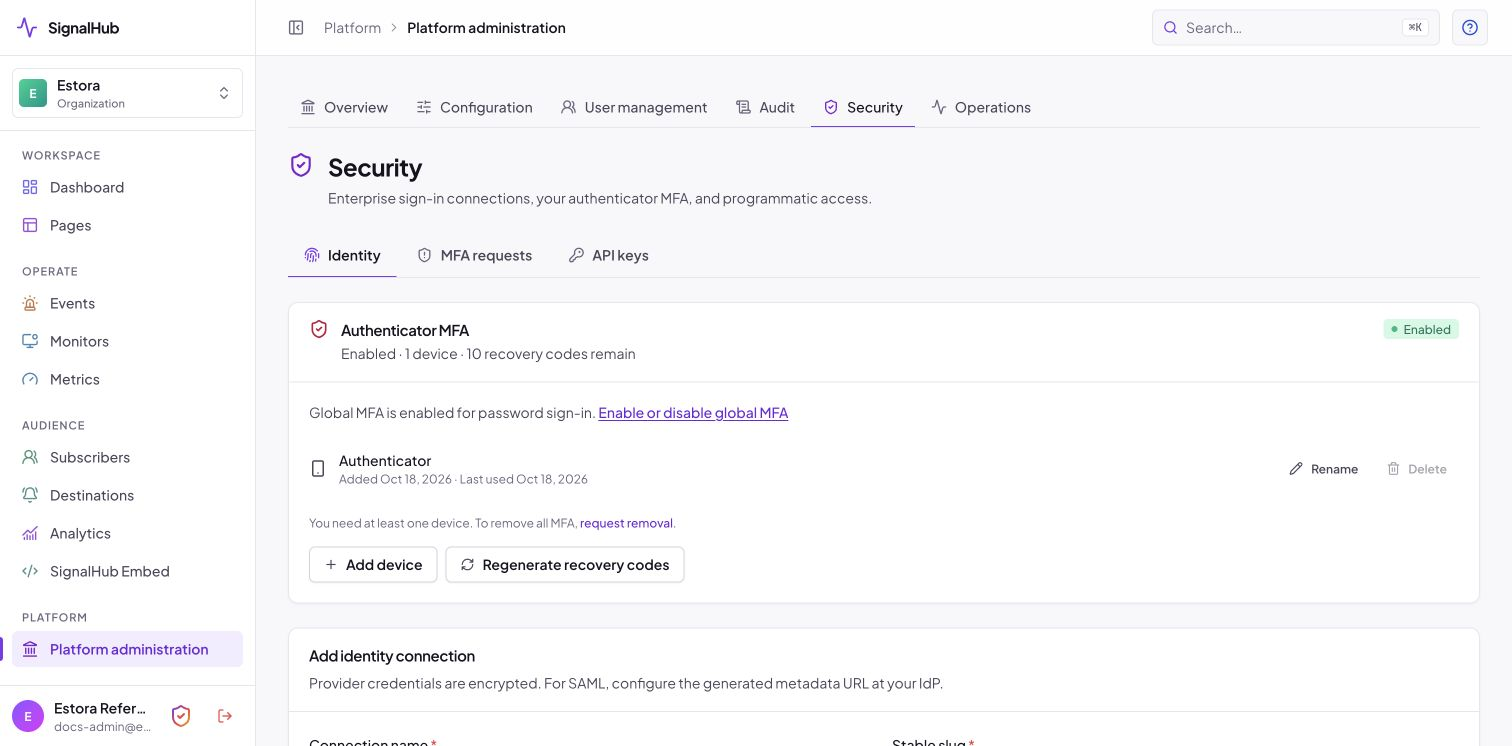
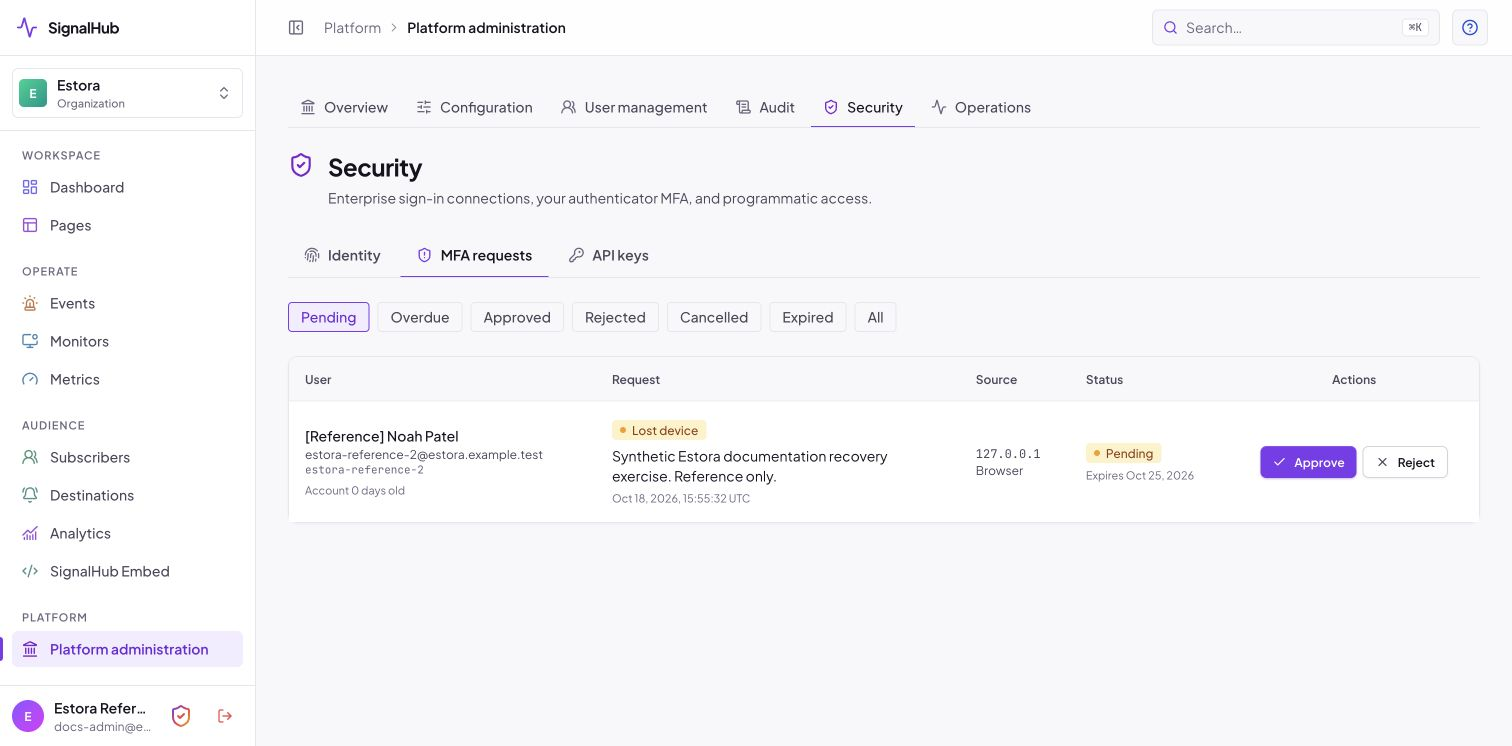
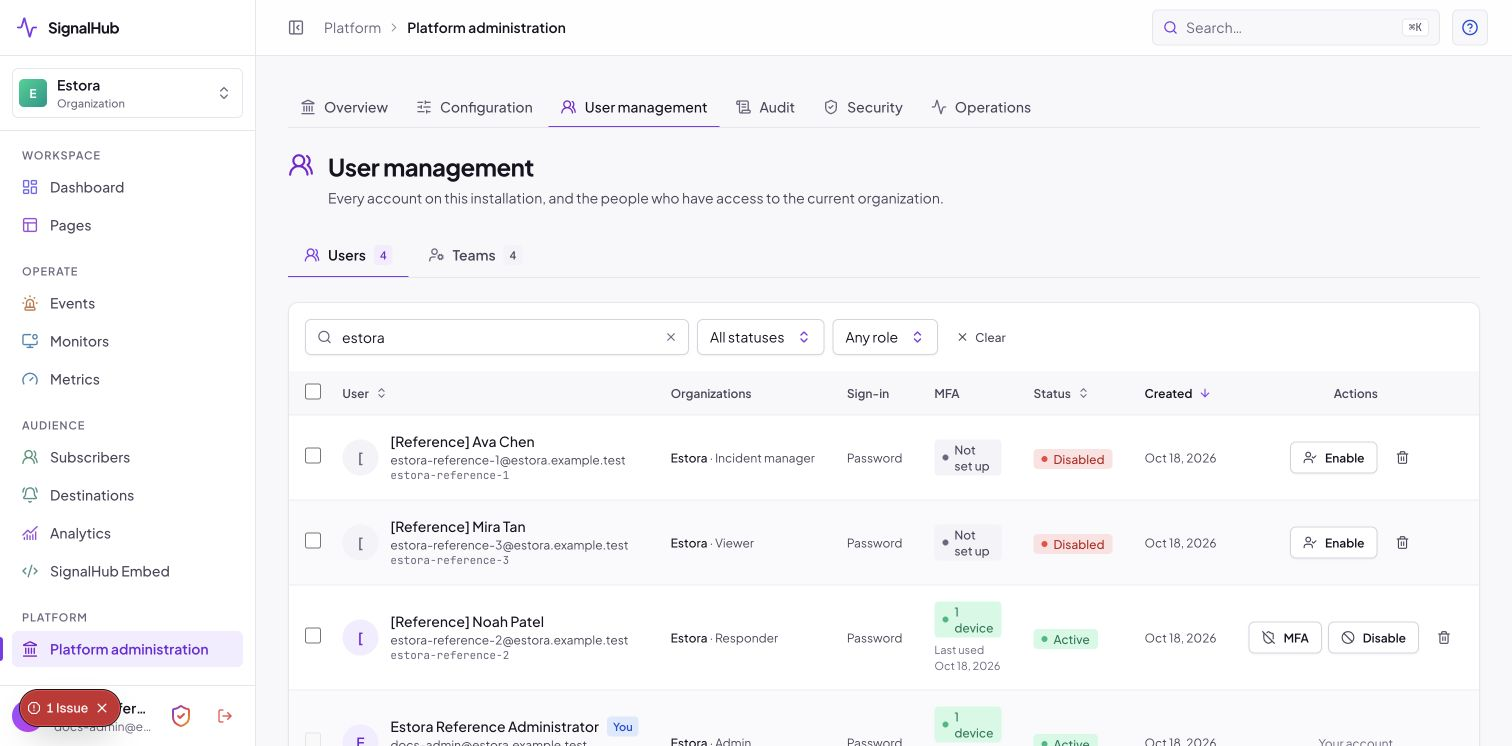
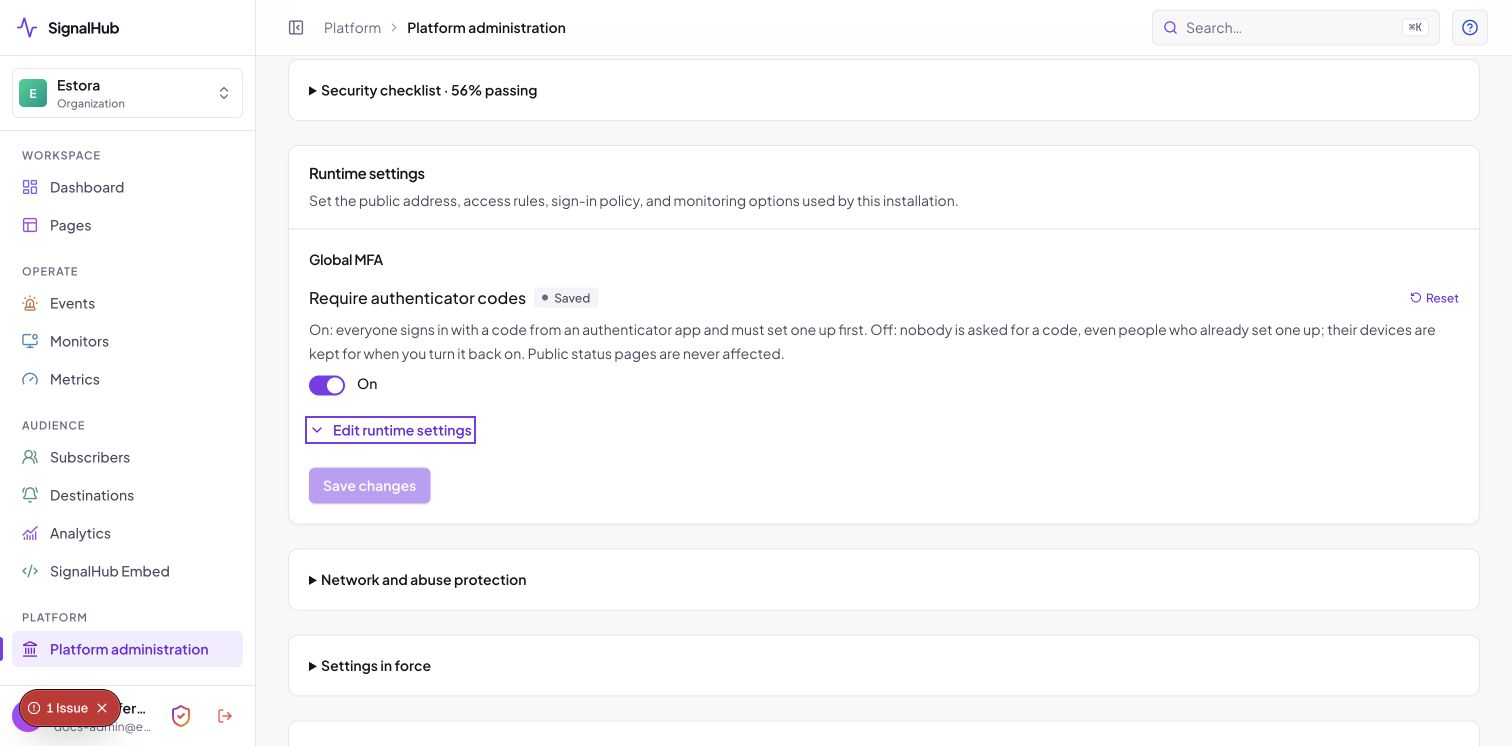
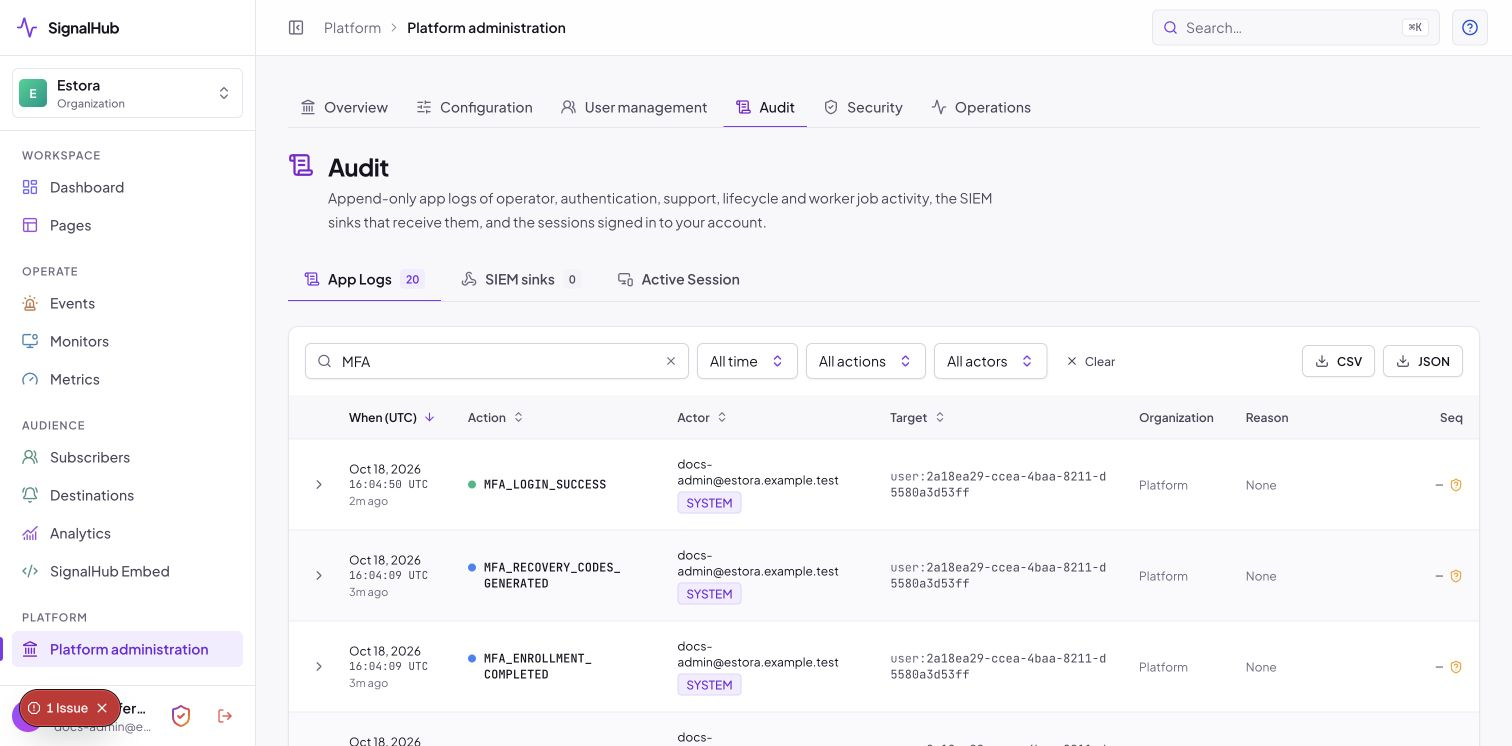
Authenticator-app codes with two devices, recovery codes, trusted browsers, lockout, and admin-approved recovery. One switch, off by default. The full walkthrough has its own guide: mfa.md.
 |
 |
 |
 |
 |
 |
Sessions
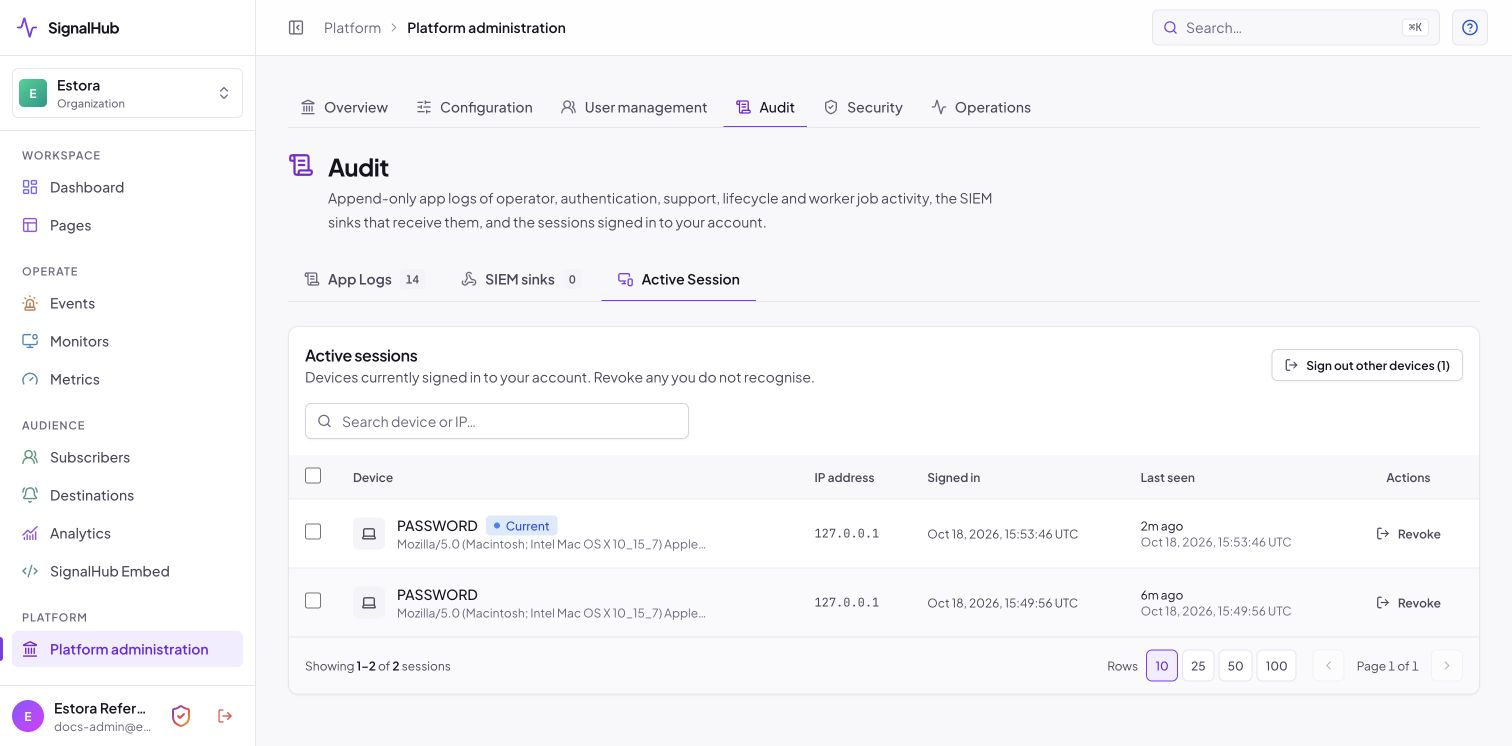
Every signed-in device with browser, address and time, revoke one, or sign out all the others.
Audit and SIEM
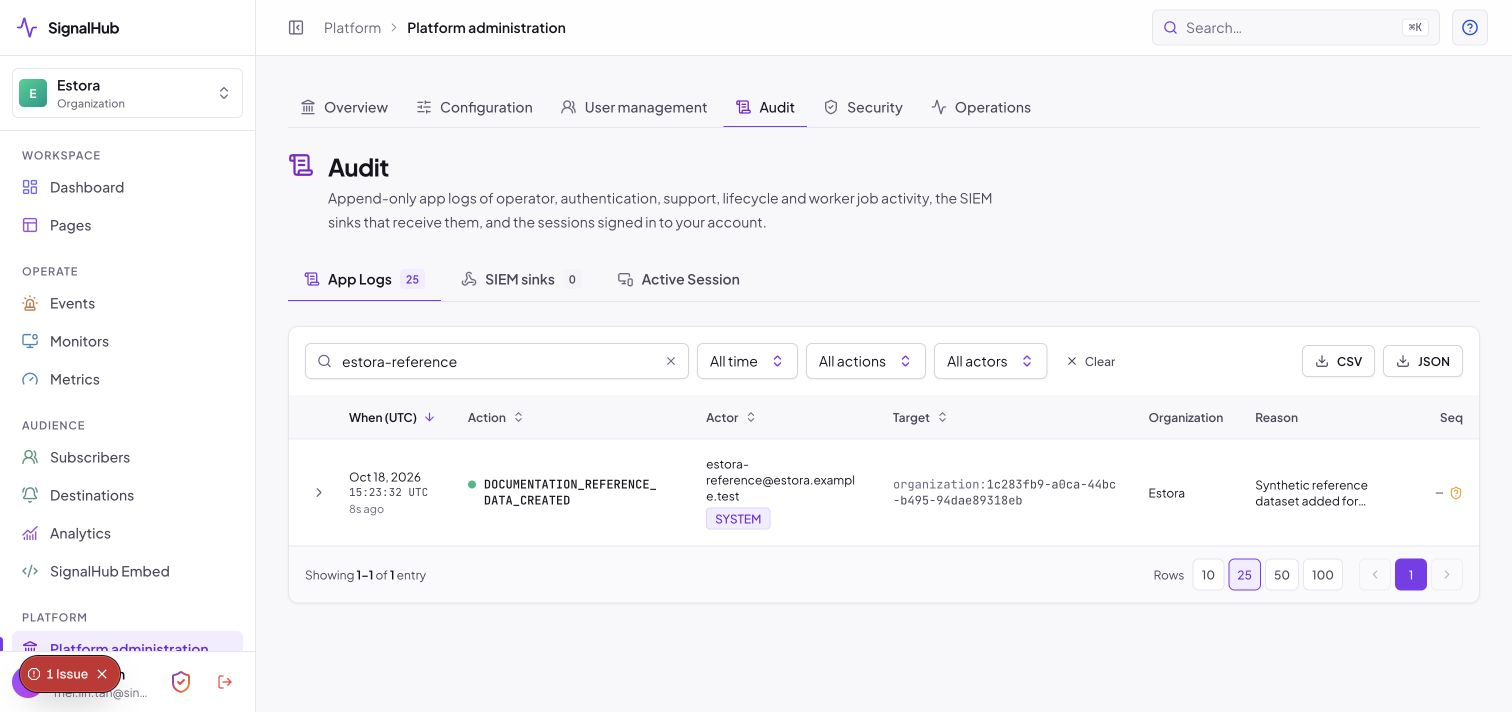
Hash-chained, sealed, append-only, exportable as CSV or JSON, with signed delivery to your SIEM and a CLI verifier.
 |
 |
Data lifecycle
Retention is set per organization under Configuration → Organization (monitor check history, analytics, notification logs, service status history), within limits the installation sets, and swept hourly by the worker. Export an organization's data as gzipped JSON with a checksum (secrets and token hashes are stripped) from the console or signalhubctl export --org <id>. Purge an organization through a cancellable platform job; a tombstone is kept. Subscribers can be deleted individually.
Platform console
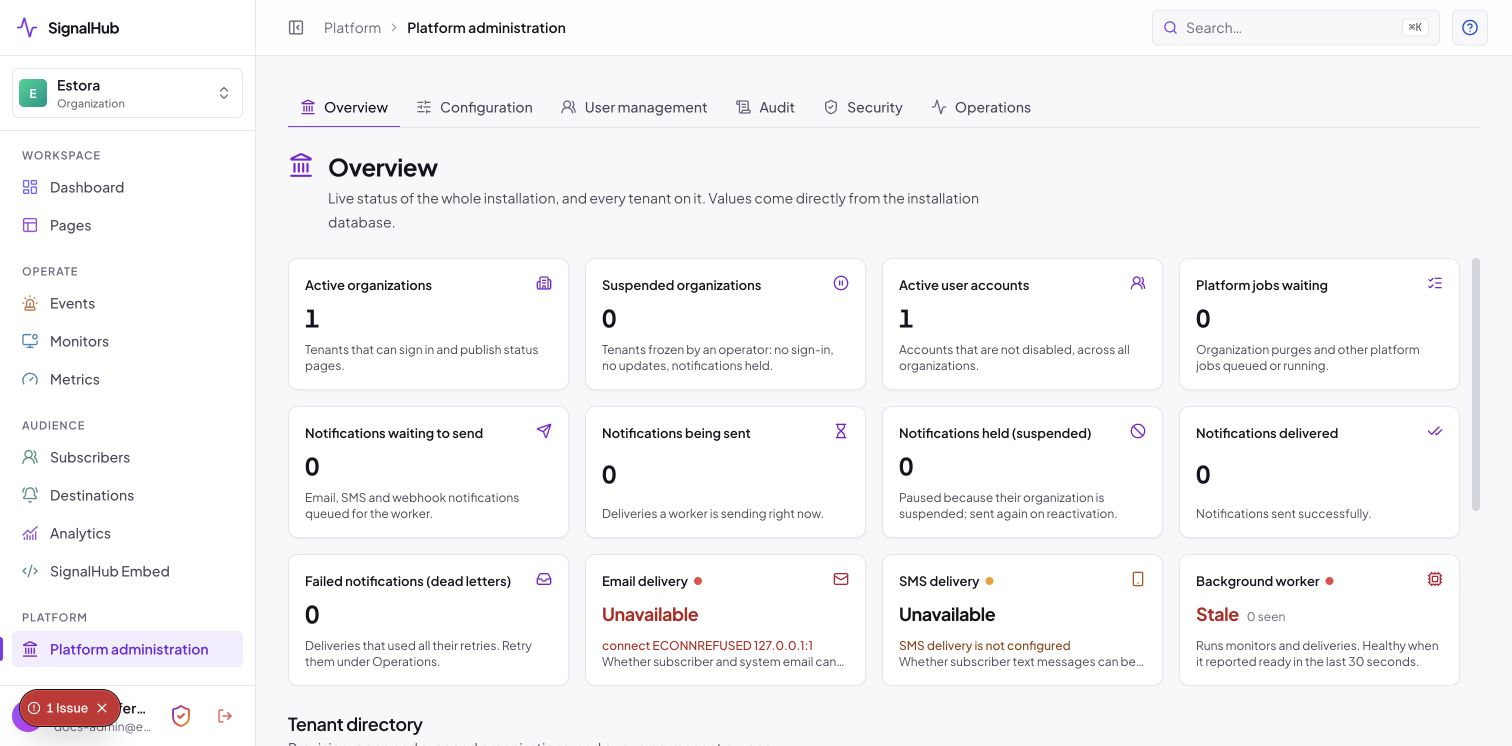
Provision and suspend organizations, see identities, database, worker and queues at a glance, and run installation-wide configuration.
Runtime settings and abuse protection
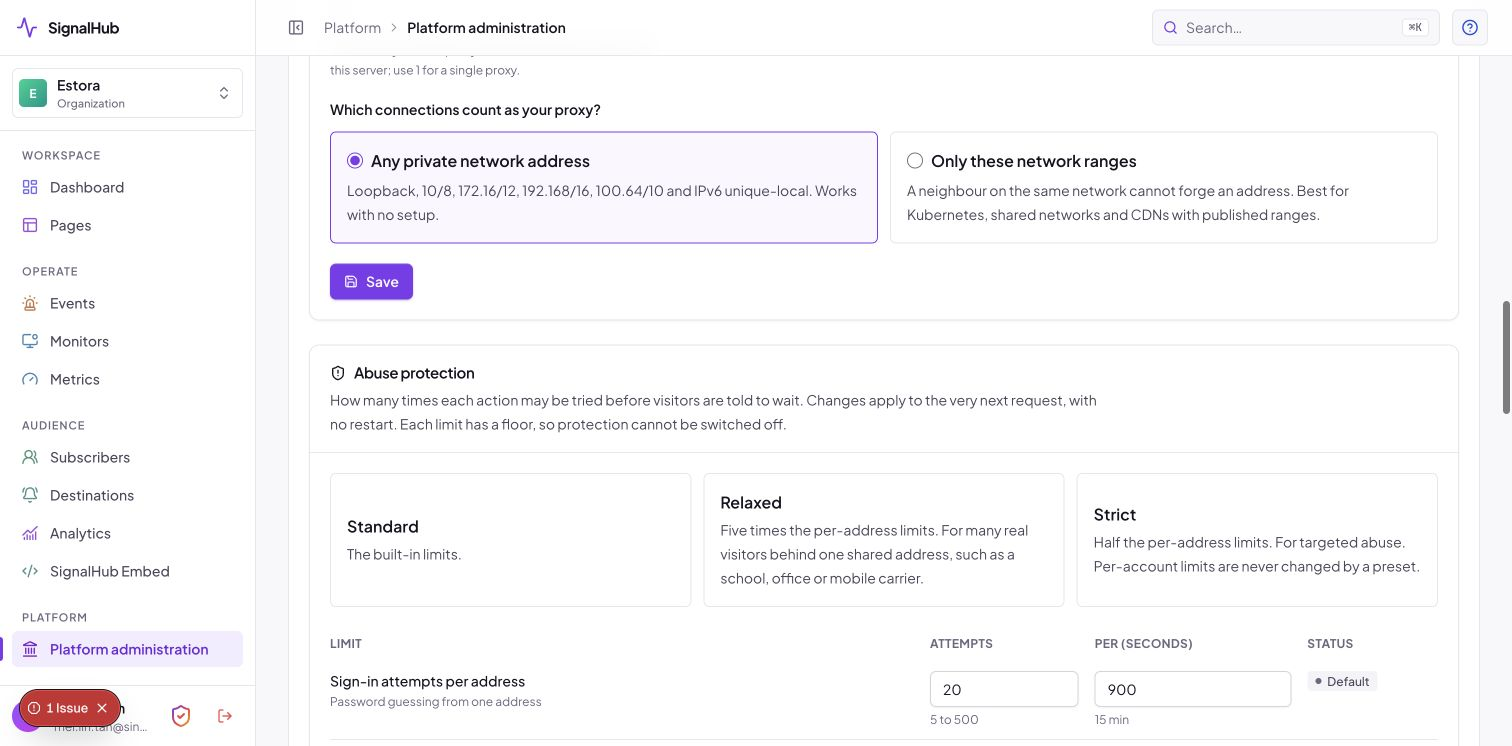
Check database, migration and worker health, set proxy trust, HTTPS and session policy, and tune rate limits. Risky changes are checked first and apply on trial (Keep or they revert).
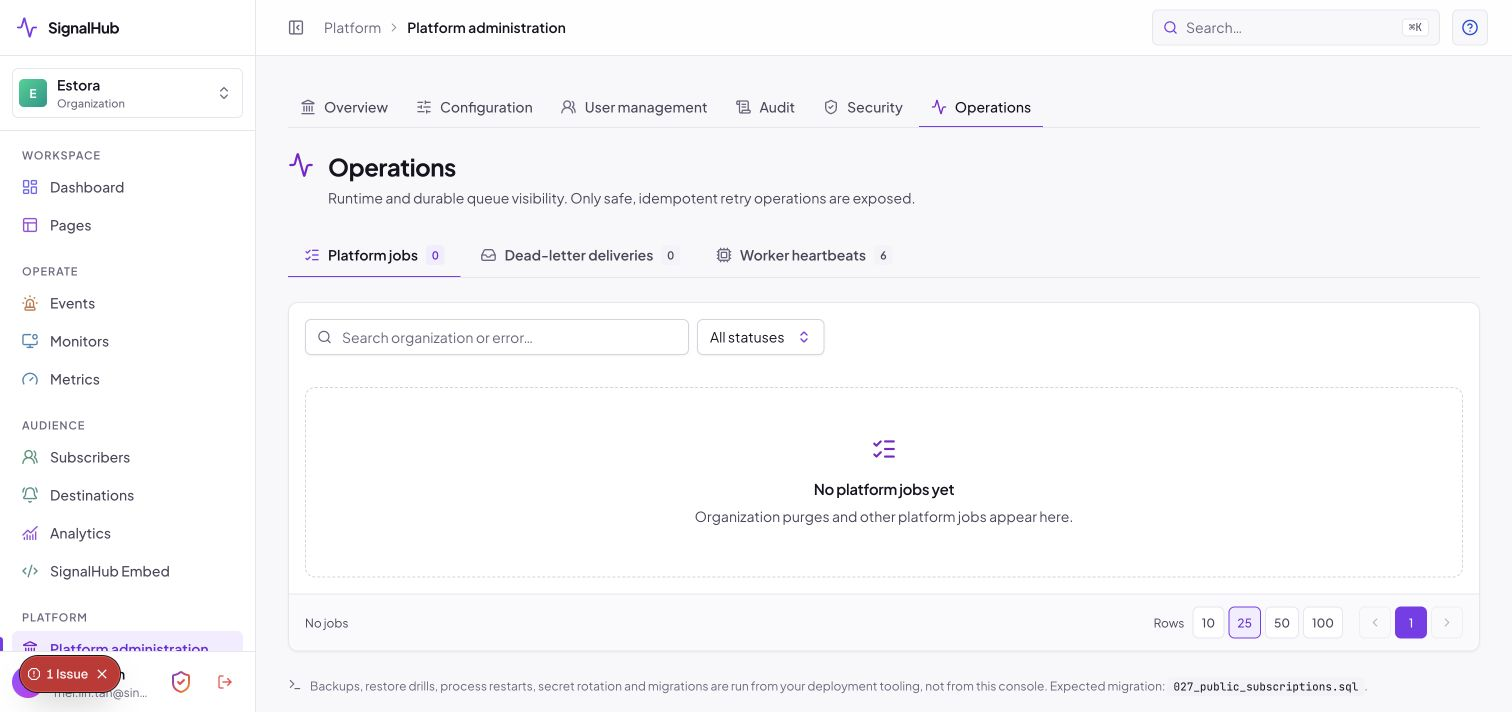
Operations view
Platform jobs, dead-letter deliveries and worker heartbeats, with retry.
Observability and the command line
Health endpoints (/api/health/live, /api/health/ready), a Prometheus endpoint at /api/internal/metrics (bearer token, off unless METRICS_TOKEN is set), structured JSON logs and OpenTelemetry traces. signalhubctl covers setup, reset-password [--clear-mfa], doctor, preflight, migrate, backup, restore, audit, export, rotate-encryption-key and settings. See the README CLI table and operations.
The current isolated Estora reference environment reports database: true, migrations: true and preflight ok: true. It has no delivery worker, so worker: false is expected. Run signalhubctl doctor and signalhubctl preflight on your own installation for live results.
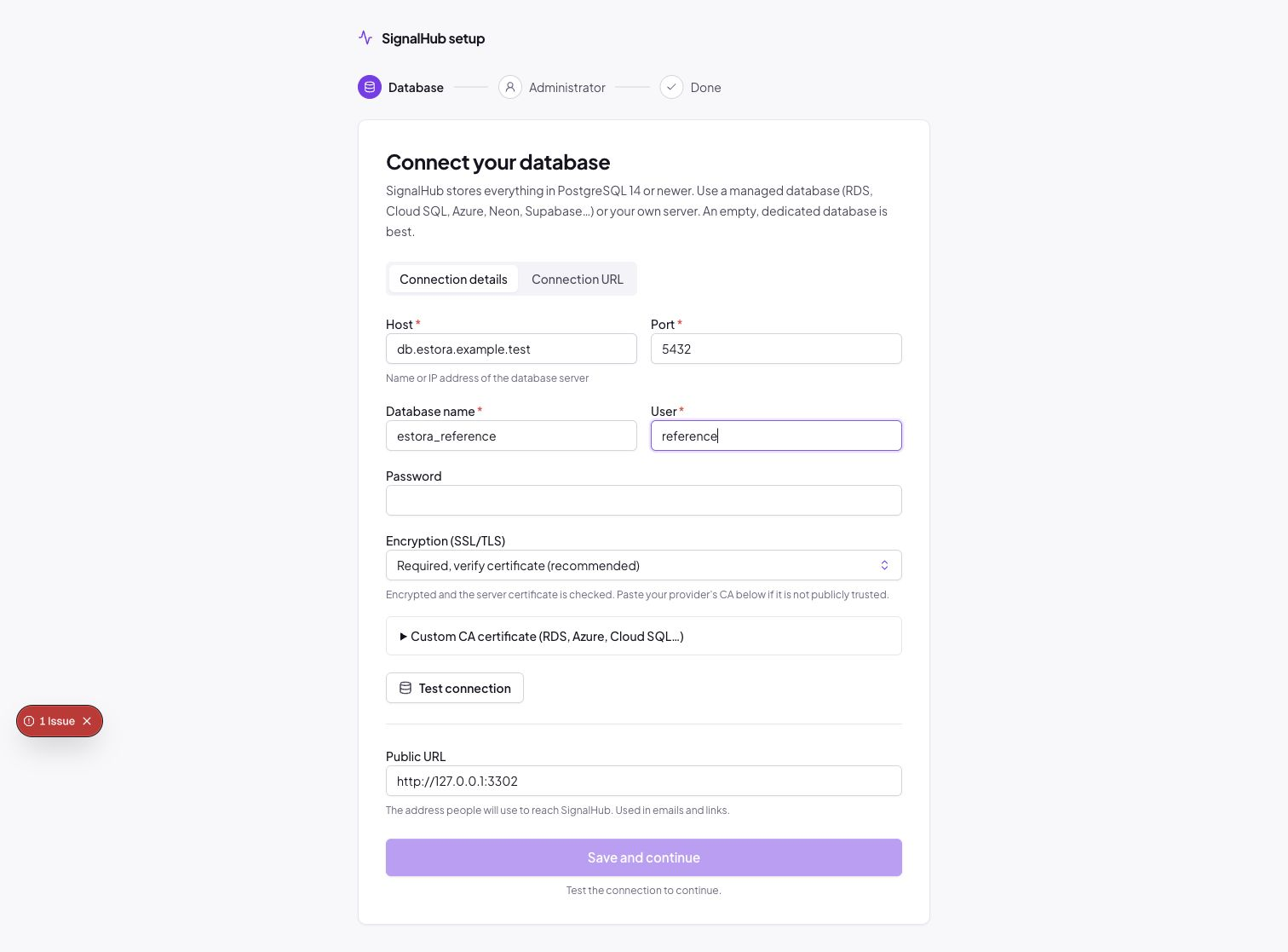
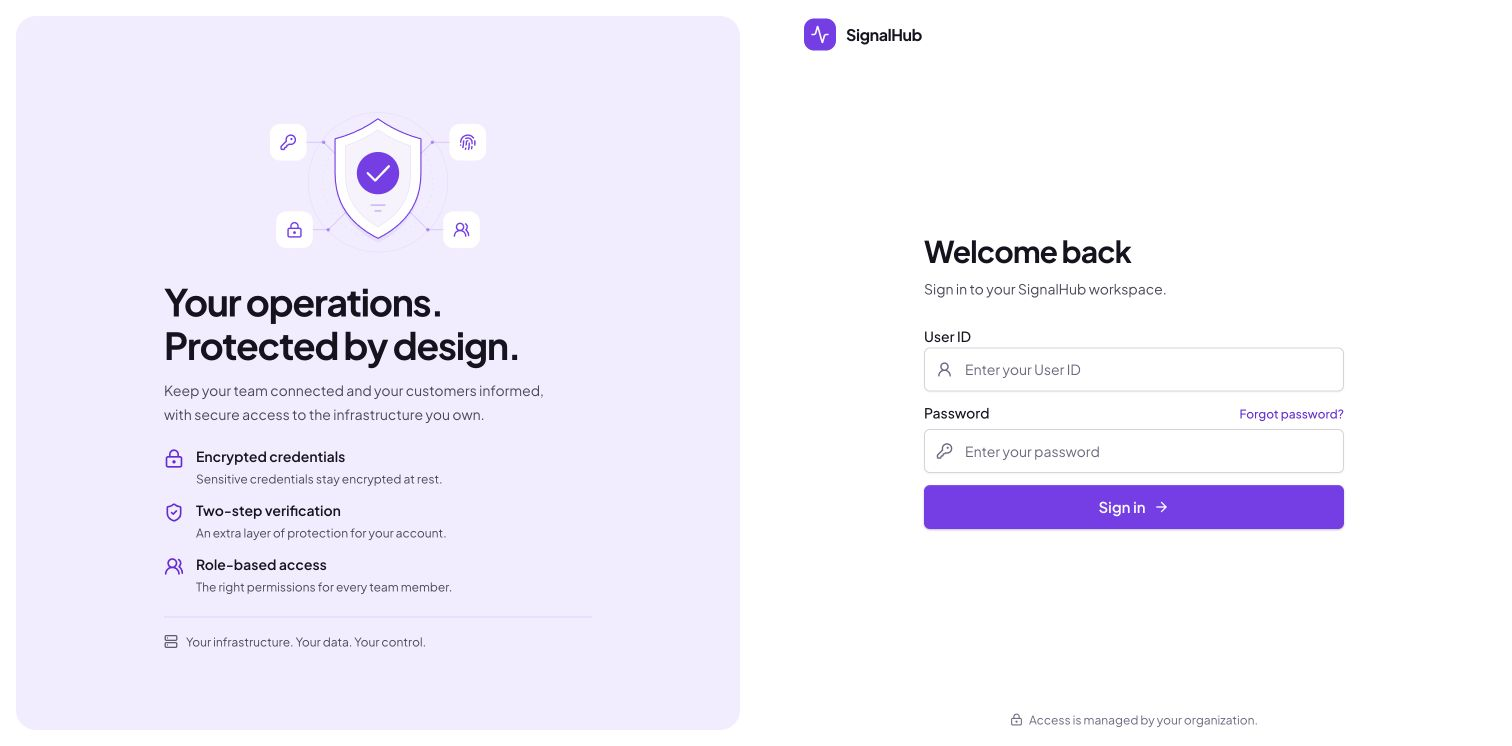
Install and setup
Landing page
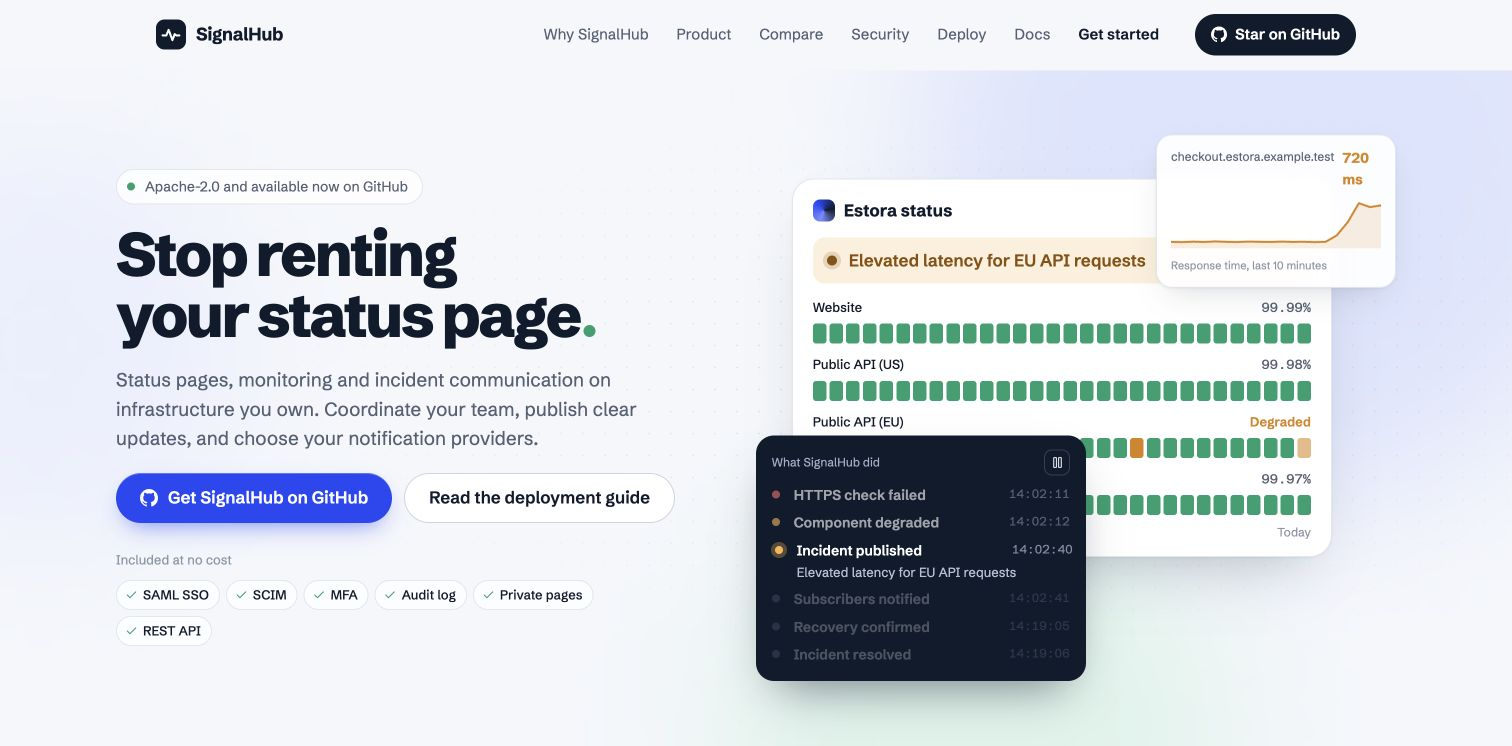
See landing-page.md for the sections, motion design and how to change it.